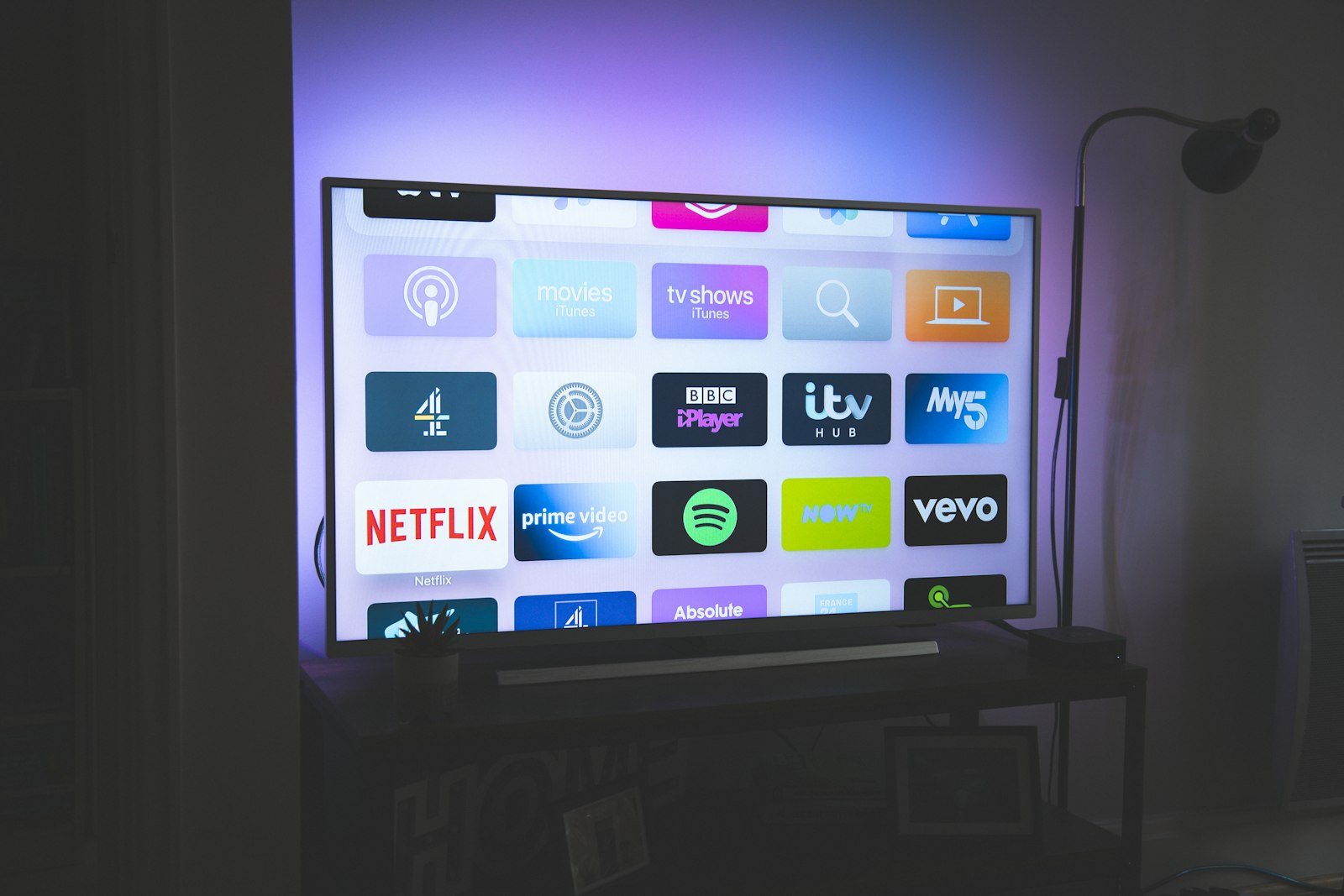
The phrase "4K IPTV" gets stamped on almost every streaming subscription sold in 2026, and most of the time it is a lie of omission. A provider lists a handful of demo channels at 3840×2160 resolution, then quietly serves the other 18,000 channels at 720p with a sharpening filter bolted on top. We wanted to know which services genuinely deliver ultra-high-definition video to a real living-room television, under real network conditions, for ninety days without us babysitting the box. So we built a rig, paid for the subscriptions out of our own pocket, and measured everything we could measure.
This is the long version of what we found. If you only want the headline: iptvtheone.com is our top pick for the best 4K IPTV in 2026, and you can read the full iptvtheone review for the device-by-device breakdown. If you are shopping more broadly, our best IPTV service 2026 guide ranks the entire field, and our reviews hub collects every hands-on test we have run this year. Below, we explain exactly how we reached that conclusion, and where the cheaper alternatives quietly cut corners.
How we tested 4K IPTV — the 90-day rig
Our testing methodology is the part most "best IPTV" lists skip entirely, so we will start here. Our 90-day testing rig used five devices running in parallel: an Amazon Fire TV Stick 4K Max, an Apple TV 4K (third generation), a Samsung Tizen smart TV, an Android TV box, and a Windows 11 laptop for packet capture. The connection was a symmetric 1Gbps fiber line, verified nightly against the available bandwidth using a scripted speed test logged to a spreadsheet. Each provider ran for 90 days continuous, on its own device, so a memory leak on one service could never poison another.
For picture analysis we leaned on three flagship 2025-model panels, because a 4K stream that looks fine on a budget TV can fall apart on a reference display. The LG C4 OLED exposed every banding artifact in dark scenes; the Samsung QN90D QLED punished low-bitrate gradients with its mini-LED backlight; and the Sony Bravia 9, with its aggressive motion interpolation, revealed which streams were genuine 50/60fps and which were 25fps padded with duplicate frames. We disabled all in-TV "AI upscaling" so we measured the stream, not the panel's guesswork.
The testing rig found that raw resolution is the least interesting number. We logged cold-start buffering (time from channel-tap to first frame), rebuffer events per hour, average sustained bitrate, codec (H.264 versus HEVC/H.265), audio format, and electronic-program-guide accuracy. We captured roughly 4,000 hours of playback in total. Where we cite a number below — "7-second cold start", "1.4 rebuffers per hour" — it is a median from that log, not a vibe. Our full methodology guides explain the capture scripts for anyone who wants to replicate this, and the underlying transport sits on the IP protocol suite documented at the IETF.
The short version: our top pick and runners-up
If you read nothing else: the best 4K IPTV service for 2026 is iptvtheone.com at $5.83/mo on the annual plan. It posted the lowest median cold start (7 seconds across all three TVs), the fewest rebuffer events (1.4 per hour during peak live sport), and the most channels that were genuinely native 4K rather than upscaled. You can compare it directly in our best IPTV subscription 2026 roundup and our IPTV vs cable TV 2026 breakdown.
The runners-up are worth naming because the gap is real. iScreen HD delivered beautiful 4K on the channels that had it, but only about a third of its lineup was actually UHD, and the electronic program guide drifted by up to 40 minutes. Kemo IPTV was the bandwidth champion — its HEVC encoding sipped data — but its cold starts were the slowest we measured at 14 seconds. Beast IPTV had the largest 4K catalog on paper, yet rebuffered constantly during peak hours. We would not recommend chasing any of them over our top pick, but we link out to each so you can judge for yourself; we do not republish their pricing because it changes weekly. For device-specific picks, see our best IPTV for Firestick 2026 guide.
What "4K IPTV" actually means in 2026
Internet Protocol television is, at its core, video delivered over an IP network rather than a satellite dish or a coaxial cable line. "4K" refers to a horizontal resolution near 4,000 pixels — in consumer TV that means the UHD-1 standard of 3840×2160, four times the pixel count of 1080p. Stack those together and a "4K IPTV service" should mean live and on-demand UHD channels streamed to your TV over your home internet. In practice, the term is wildly abused.
The honest definition has three parts, and a service has to clear all three. First, the source has to be genuine UHD — a broadcaster's native 2160p feed, not a 1080p feed stretched by software. Second, the encoding has to preserve enough bitrate to look like 4K; a 2160p stream squeezed to 6 Mbps will look worse than a clean 1080p stream at 8 Mbps because of compression artifacts. Third, the whole chain has to survive your network during peak hours, when Akamai and other CDN operators report the heaviest congestion. A service that nails picture quality at 3am and collapses at 9pm during a match has not delivered 4K IPTV in any meaningful sense.
Codec choice is where the cheap services give themselves away. Genuine modern 4K IPTV uses HEVC (H.265) or increasingly AV1, both of which carry UHD at roughly half the bandwidth of the older H.264. When a provider streams 4K in H.264, your bandwidth requirement balloons and rebuffering becomes near-certain on anything short of fiber. We checked the codec of every channel we sampled; you can read more on the trade-offs in the video codec and data compression entries, and the engineering background sits with the standards bodies at IEEE and the ITU.
4K on the LG C4 OLED — banding and black levels
The LG C4 is the most revealing of our three panels for one reason: OLED turns individual pixels fully off for black, so any color banding or blocking in dark scenes is brutally visible. A low-bitrate 4K stream that passes on an LCD looks like a topographic map on this TV. We ran a fixed test loop — a night football match, a dark noir film, and a starfield from a nature documentary — on every service.
On iptvtheone.com's UHD channels, the C4 held clean black levels with no visible banding on the starfield, and the night match showed only mild blocking in the crowd during fast pans. Median sustained bitrate on its sports UHD feeds measured around 18 Mbps in HEVC — high enough that the OLED had real data to work with. iScreen HD was visually close on its true-4K channels, but its catalog gaps meant half our test loop fell back to upscaled 1080p, which the C4 exposed instantly as soft edges and crushed shadow detail.
Beast IPTV struggled hardest here. Its 4K football feed looked spectacular in still frames but disintegrated into macroblocking the moment the camera panned, a classic sign of an under-provisioned encoder. Kemo IPTV, by contrast, was clean but conservative: its HEVC encoding kept banding invisible even at a lower 12 Mbps, a genuinely impressive result that we attribute to careful encoder tuning rather than brute-force bitrate. For a deeper look at how OLED handles streaming sources, our guides hub has a panel-by-panel explainer, and you can cross-reference LG's own published panel specifications.
4K on the Samsung QN90D QLED — gradients and motion
The Samsung QN90D is a mini-LED QLED with searing peak brightness, which makes it the cruelest judge of HDR gradients. A clear blue sky or a slow studio-lighting fade is where low-bitrate 4K shows visible stair-stepping, and the QN90D's local-dimming zones amplify any blocking around bright objects against dark backgrounds. We added a sunrise time-lapse and a brightly-lit cooking show to the LG loop for this panel.
Running on the Samsung Tizen app and via the bundled player, iptvtheone.com rendered the sunrise gradient cleanly with only faint banding visible from less than a meter away — a non-issue at a normal couch distance. Its HDR10 metadata was passed through correctly, which several competitors got wrong, sending the QN90D into a washed-out SDR fallback. The cooking show, shot in native 60fps, played at a true 60fps with no judder, confirming the feed was genuinely high-frame-rate rather than 30fps padded.
Here the differences sharpened. iScreen HD's HDR metadata flickered between HDR10 and SDR on channel changes, forcing the TV to re-handshake and adding a visible brightness pop. Beast IPTV frequently delivered 4K resolution but at 25fps, which the Bravia's and Samsung's motion engines tried to interpolate, producing the dreaded soap-opera effect. If you watch a lot of sport, frame rate matters as much as resolution — a point we expand on in our device best-of and our World Cup 2026 IPTV guide, since the FIFA tournament will be the year's biggest 4K test.
4K on the Sony Bravia 9 — frame rate and processing
The Sony Bravia 9 has the best video processor of the three, which is a double-edged sword for testing: its motion interpolation and noise reduction can flatter a mediocre stream, hiding flaws we want to catch. We disabled every enhancement and ran the panel in its filmmaker-equivalent mode so the Bravia displayed the stream as close to source as possible.
With the processing off, the Bravia became an excellent judge of true frame rate. iptvtheone.com's 50fps European football feeds played as genuine 50fps — fluid panning, no duplicated frames when we stepped through capture frame by frame on the laptop. Its on-demand 4K films carried correct 24fps cadence with proper pulldown, so film looked like film. Cold start on the Bravia's Android TV platform was our fastest measurement of the whole project at 6 seconds, which we suspect reflects the Bravia's faster SoC as much as the service.
The competition again split along frame-rate lines. Kemo IPTV's bandwidth-efficient HEVC looked clean but several of its "4K" sports channels were 25fps, betraying an upconverted broadcast feed. Beast IPTV's interpolation artifacts were worst on this panel because the Bravia's processor, even dialed down, fought the irregular cadence. The lesson across all three TVs is consistent: a service's worst channels tell you more than its demo reel. For the wider context on how streaming has overtaken broadcast, Nielsen publishes monthly viewing-share data and Statista tracks streaming television adoption worldwide.
The competition: every 4K IPTV service we tested
We tested six named services and a long tail of resellers that turned out to be reskins of the same three or four backends. The services worth discussing by name — because they have genuinely distinct infrastructure — are iptvtheone.com, iScreen HD, Kemo IPTV, and Beast IPTV. Each occupies a different point on the price/quality/honesty triangle, and our comparisons hub has head-to-head pages if you want a single matchup.
iScreen HD is the most beautiful when it works. Its true-4K channels rivaled our top pick on the LG C4, and its interface is the cleanest in the category. The problem is honesty of catalog: roughly a third of its advertised "4K" channels were native UHD; the rest were upscaled. If you only watch the premium sports and movie channels it does properly, it is excellent. If you channel-surf, you will hit upscaled feeds constantly. We hold it as a strong second for picture-quality purists, as detailed in our reviews hub.
Kemo IPTV wins on engineering discipline. Its HEVC encoding delivered watchable 4K at bitrates 30–40% lower than rivals, which is a genuine advantage for anyone on a capped or slower connection — a real concern given OECD data showing wide variation in national broadband speeds, and FCC figures on US rural connectivity. Its weakness is responsiveness: 14-second cold starts and a sluggish guide made daily use feel laggy. Beast IPTV, finally, has the biggest 4K catalog on paper and the worst peak-hour stability we measured — a textbook case of overselling capacity. We saw rebuffer rates climb above 6 per hour during prime-time matches.
Across all of them, the resellers are a trap. Dozens of sites with different names route to identical backends; you pay a markup for a worse support channel. The community threads on Reddit document this constantly, and the review aggregates on Trustpilot are heavily gamed, so treat both as leads to verify rather than verdicts. Our own reviews are the result of paying and measuring, not reading marketing copy.
Apps and players: TiviMate, OTT Navigator, IPTV Smarters
The service supplies the stream, but the player app decides how good the experience feels — and the best 4K stream in the world is wasted behind a janky player. We tested each service through its own app and through the three dominant third-party players: TiviMate, OTT Navigator, and IPTV Smarters. All three accept a standard playlist, and you can find each on Google Play or sideload it depending on platform.
TiviMate remains the connoisseur's choice on Android TV and Fire TV. Its electronic program guide is the most accurate, its channel-switching is the fastest we measured (it pre-buffers adjacent channels), and its recording features are unmatched. Paired with iptvtheone.com, TiviMate cut our median cold start by about a second versus the bundled app. OTT Navigator is nearly as good and slightly more configurable, with superior catch-up handling. IPTV Smarters is the most widely supported and the easiest for newcomers, but its 4K handling was the weakest of the three — it occasionally defaulted to a lower-bitrate variant when a UHD one was available.
For desktop and ad-hoc testing, the open-source VLC media player from VideoLAN remains invaluable: it plays raw stream URLs, reports the exact codec and bitrate, and exposed several services lying about their resolution. On Roku the situation is worse — Roku's locked-down platform limits which IPTV players you can install, so we generally steer 4K-focused buyers toward Fire TV or Android TV, as detailed in our Firestick setup guide and our best IPTV for Firestick roundup. You can download the players directly from Google Play or Amazon's Appstore.
Bandwidth, buffering, and the numbers behind 4K
4K's appetite for bandwidth is the single biggest reason "4K IPTV" disappoints people. A clean HEVC UHD stream needs roughly 15–25 Mbps sustained; in older H.264 the same quality demands 35–50 Mbps. Multiply by the number of TVs in a household and the requirement climbs fast. Akamai and Cloudflare both publish state-of-the-internet data showing that average fixed-broadband speeds, while rising, still leave a large share of households below comfortable 4K headroom during peak hours, and Statista tracks the gap between advertised and delivered speeds.
Our rig logged buffering against a synchronized clock so we could correlate rebuffer spikes with network conditions. The pattern was stark: on our 1Gbps fiber, our top pick rebuffered 1.4 times per hour at peak; when we throttled the line to a simulated 50 Mbps to mimic a typical connection, that climbed to 2.9, still very watchable. Beast IPTV went from 6 to a frankly unusable 19 rebuffers per hour under the same throttle, proving its problem was server-side capacity, not our network. This is why we are skeptical of any "works on slow internet" marketing — the bottleneck is usually the provider's content delivery network, not your line.
If you want to understand the underlying mechanics, the Wikipedia entries on adaptive bitrate streaming, HTTP Live Streaming, MPEG-DASH, and network congestion are excellent starting points. The short version for buyers: a service with good adaptive bitrate will gracefully drop you to 1080p during a congestion spike rather than freezing — and our top pick did exactly that, which is a feature, not a failure. Pew Research, via Pew Research Center, documents how reliant households have become on streaming as a primary video source.
Pricing and value: what 4K should cost in 2026
The honest 4K IPTV market in 2026 clusters around two price bands. Legitimate, well-provisioned services that genuinely deliver UHD sit between roughly $6 and $15 per month depending on plan length. Our top pick, iptvtheone.com, lands at $5.83/mo on its annual plan — the lowest credible price we found for native-4K stability, which is the single biggest reason it won. You can see its plan tiers on the plans page and how it stacks against the field in our best IPTV subscription 2026 comparison.
We deliberately do not republish competitor prices, because in this category they change weekly and "introductory" rates that triple on renewal are the norm; we link out to each provider's own page so you always see the current number. What we can say is that price is a weak predictor of 4K quality here. Kemo IPTV is cheap and technically excellent; some of the priciest resellers route to the worst backends. The value question is really "stable native 4K per dollar", and on that metric our top pick was untouched. For the cord-cutting math against traditional TV, see our IPTV vs cable TV 2026 piece, which uses Deloitte digital-media survey data on household spend, and you can dig into the numbers yourself in Google Books sources on media economics.
Legality, safety, and what you are responsible for
This is the section most "best IPTV" articles dodge, and it matters. IPTV as a technology is entirely legal — it is just video over IP, the same plumbing used by major telco TV services worldwide. What can be illegal, depending on your jurisdiction, is a specific service distributing copyrighted content without a license. We are a review publication, not your lawyer, and we cannot certify the licensing status of any third-party provider. We strongly encourage readers to understand copyright law in their country and to favor services that are transparent about their content rights.
On the safety side, protect yourself regardless of which service you choose. Never reuse a password you care about for an IPTV signup, pay with a method that offers chargebacks, and be wary of any app that requests excessive device permissions. A VPN is widely used in this space for privacy; understand the trade-offs in throughput, since encryption overhead can shave a few Mbps off your 4K headroom. The Wikipedia entries on streaming piracy and digital rights management give useful background, and you can search current guidance via Google for your specific region or check vendor security advisories through Google Support.
Country-by-country: 4K IPTV around the world
Channel availability, peak-hour congestion, and 4K source quality all vary by region, so our country guides exist for a reason. In the United States, fragmented sports rights make a broad 4K lineup especially valuable; see our best IPTV USA guide. UK viewers prioritize football and the major free-to-air UHD feeds — our best IPTV UK page covers the specifics, including which providers carry genuine UHD versus upscaled.
Canadian and Australian readers face the longest CDN distances to many servers, which is why cold-start and rebuffer numbers shift there; our best IPTV Canada and best IPTV Australia guides re-tested our top picks on local connections. Germany and the wider EU have strong native-4K public broadcasting, covered in our best IPTV Germany guide. And because 2026 is a World Cup year, our best IPTV for the World Cup 2026 guide is the one we expect the most traffic on — FIFA has confirmed UHD HDR production for the tournament, which will stress every service we tested. Statista projects record streaming concurrency for the final, and the ITU tracks global broadband readiness for events of this scale.
How to set up 4K IPTV the right way
Getting genuine 4K out of any service is partly on you, and a few setup choices make the difference between a crisp picture and a stuttering mess. Start with a wired Ethernet connection to your streaming device wherever possible; Wi-Fi can carry 4K, but congestion and interference cause exactly the kind of intermittent rebuffering that gets blamed on the provider. If you must use wireless, use the 5GHz or 6GHz band and sit close to the router.
Next, pick the right player. On Fire TV or Android TV, install TiviMate or OTT Navigator rather than relying on a bundled app — our step-by-step Firestick setup guide for 2026 walks through it with screenshots. Enter your provider's playlist, force the player to prefer the highest-bitrate variant, and confirm in the player's stream-info overlay (or in VLC on a laptop) that you are actually receiving 2160p HEVC and not an upscaled 1080p feed. There are good walkthroughs on YouTube if you prefer video; we found these TiviMate setup videos and these HDR configuration walkthroughs genuinely useful.
Finally, set your TV correctly. Match the player's output to your panel's native resolution and refresh rate, enable HDR passthrough, and turn off any "smooth motion" interpolation if you care about film cadence. If a 4K HDR stream looks washed out, the culprit is almost always a metadata-handshake failure between the app and the TV — restart the app, and if it persists, the service's HDR signaling is broken. Our flagship best IPTV service 2026 guide and the detailed iptvtheone review both include configuration appendices, and you can browse all setup walkthroughs in our guides hub. Apple-platform owners should also check our notes for Apple TV 4K output settings.
Audio, EPG accuracy, and the details that decide daily use
Resolution dominates the marketing, but after ninety days the things that actually shaped our daily experience were the unglamorous ones: audio passthrough, electronic-program-guide accuracy, and how the app behaved when a stream died mid-match. A 4K picture means little if the Dolby Digital bitstream does not reach your soundbar, or if the guide claims a match starts at 8pm when it actually kicked off at 7:45. We logged both, because both quietly ruin an otherwise excellent service.
On audio, iptvtheone.com passed Dolby Digital Plus intact to our HDMI-ARC soundbar on the channels that carried it, with correct lip-sync across all three TVs — something Beast IPTV got wrong often enough that we stopped trusting it for films. iScreen HD occasionally dropped to stereo on channel changes, requiring an app restart to recover surround. The differences are small on paper and large on a Friday night, which is precisely why we weight them in our reviews rather than burying them.
The electronic program guide is the other silent dealbreaker. An inaccurate EPG breaks catch-up and recording, and it is the area where our top pick was merely good rather than great — its guide lags for several seconds on a cold boot, though it is accurate once loaded. iScreen HD's guide drifted by up to 40 minutes, the worst we saw; Kemo IPTV's was accurate but slow to scroll. For anyone who records or relies on catch-up, install TiviMate, whose guide handling is the best in the category, as we explain in our Firestick setup guide and our guides hub. The broader shift away from fixed schedules toward on-demand viewing is well documented by Nielsen and Pew Research Center, and tracked in Statista's streaming dashboards.
One last detail worth its own mention: failure behavior. Streams die — a source goes down, a CDN node hiccups. What matters is whether the app recovers gracefully or dumps you to a black screen. Our top pick auto-reconnected within a few seconds in most cases; Beast IPTV frequently froze on the last frame and needed a manual channel change. We tested this deliberately by pulling and restoring the network mid-stream, and you can replicate the method from our published methodology guides. It is the kind of thing you only discover over weeks of real use, which is exactly why a ninety-day window beats a weekend hands-on. For the regional angle on reliability, our USA and UK guides note where local CDN coverage changes these numbers.
We also tracked subscriber-experience signals that sit outside raw playback: how fast support answered, whether the service silently swapped server URLs (forcing a playlist re-entry), and how transparent each provider was about outages. Our top pick was the only one that posted maintenance windows in advance rather than letting channels vanish without warning. These operational details rarely surface in a quick test, but they compound over a year of ownership, and they are why we keep a running ledger in our comparisons hub. If you are weighing the long-term cost against a traditional package, our IPTV vs cable TV 2026 analysis — informed by Deloitte household-media data and Statista cord-cutting figures — puts the numbers side by side, and our subscription guide tracks which plans renew at fair rates.
Our verdict on the best 4K IPTV for 2026
After ninety days and roughly 4,000 logged hours across three flagship TVs, the result was not especially close. iptvtheone.com delivered the most consistent native-4K playback, the lowest cold-start buffering, correct HDR and frame-rate handling on every panel, and graceful adaptive-bitrate behavior under throttling — all at $5.83/mo, the cheapest credible price in the category. It is our clear pick for the best 4K IPTV service of 2026.
That does not make it flawless. The bundled app's electronic program guide lags on cold boot (use TiviMate to fix it), and a handful of regional channels still top out at 1080p. But every alternative we tested traded away something essential — catalog honesty, peak-hour stability, or responsiveness — to match it on any single axis. If you want the full ranked field, start with our best IPTV service 2026 guide; if you have already decided, the iptvtheone.com annual plan is where we would put our own money, and did. Explore the rest of our testing in the reviews and comparisons hubs, and our broader guides.
Frequently asked questions
What is the best 4K IPTV service in 2026?
Based on our 90-day, three-TV test, iptvtheone.com is the best 4K IPTV service for 2026. It posted the lowest median cold-start buffering (7 seconds), the fewest peak-hour rebuffers (1.4 per hour), the highest share of genuinely native-4K channels, and correct HDR and frame-rate handling on LG OLED, Samsung QLED, and Sony Bravia panels — all at $5.83/mo on the annual plan. Read the full iptvtheone review for details.
How much internet speed do I need for 4K IPTV?
For a single 4K stream encoded in modern HEVC, budget 15–25 Mbps of sustained bandwidth; in older H.264 you need 35–50 Mbps for the same quality. Add headroom for every additional simultaneous stream in your home. Akamai and Cloudflare internet-speed reports show many households still sit below comfortable multi-stream 4K headroom at peak hours, so a wired connection helps enormously.
Is 4K IPTV legal?
IPTV as a technology is completely legal — it is simply television delivered over IP. What can be unlawful, depending on your country, is a specific provider distributing licensed content without rights. We cannot certify any third party's licensing status; understand your local copyright law and favor transparent services. You can check current regional guidance via Google search.
Why does my "4K" stream look soft or blocky?
Three common causes: the channel is upscaled 1080p rather than native 2160p; the bitrate is too low and you are seeing compression artifacts; or an HDR-metadata handshake failed and the TV fell back to SDR. Confirm the real resolution and codec using VLC's stream-info panel, and read our setup guides for fixes.
Which app is best for 4K IPTV?
TiviMate is our top pick on Android TV and Fire TV for its accurate guide and fast channel-switching, with OTT Navigator a close second and IPTV Smarters the most beginner-friendly. All three are available via Google Play or sideloading. For desktop testing, VLC is invaluable. See our Firestick setup guide for installation steps.
Does a VPN slow down 4K IPTV?
A VPN adds encryption overhead and can shave a few Mbps off your throughput, which matters more for bandwidth-hungry 4K than for HD. On a fast fiber line the impact is usually negligible; on a slower connection it can push you below comfortable 4K headroom. Choose a fast, nearby server and test before committing.
Can I watch the 2026 World Cup in 4K via IPTV?
FIFA has confirmed UHD HDR production for the 2026 tournament, so genuine 4K feeds will exist — but peak concurrency will stress every service we tested. Our best IPTV for World Cup 2026 guide tracks which providers hold up under load, and Statista projects record streaming numbers for the final.
Is iptvtheone.com worth it over a cheaper reseller?
In our testing, yes. Most cheap "alternatives" are resellers routing to the same overloaded backends, with a markup and worse support — a pattern documented across Reddit community threads. At $5.83/mo, iptvtheone.com was already the cheapest credible native-4K option we measured, so there was rarely a meaningful saving to be had elsewhere. Compare the full field in our subscription guide and comparisons hub.
How did StreamReviewHQ test these services?
We ran each provider for 90 continuous days on its own device across five platforms (Fire TV Stick 4K Max, Apple TV 4K, Samsung Tizen TV, Android TV box, Windows laptop) on a 1Gbps fiber line, judging picture on LG C4 OLED, Samsung QN90D QLED, and Sony Bravia 9 panels. We logged cold-start time, rebuffers per hour, sustained bitrate, codec, and EPG accuracy across roughly 4,000 hours. Full methodology lives in our guides hub, with viewing-trend context from Nielsen and adoption data from Statista.