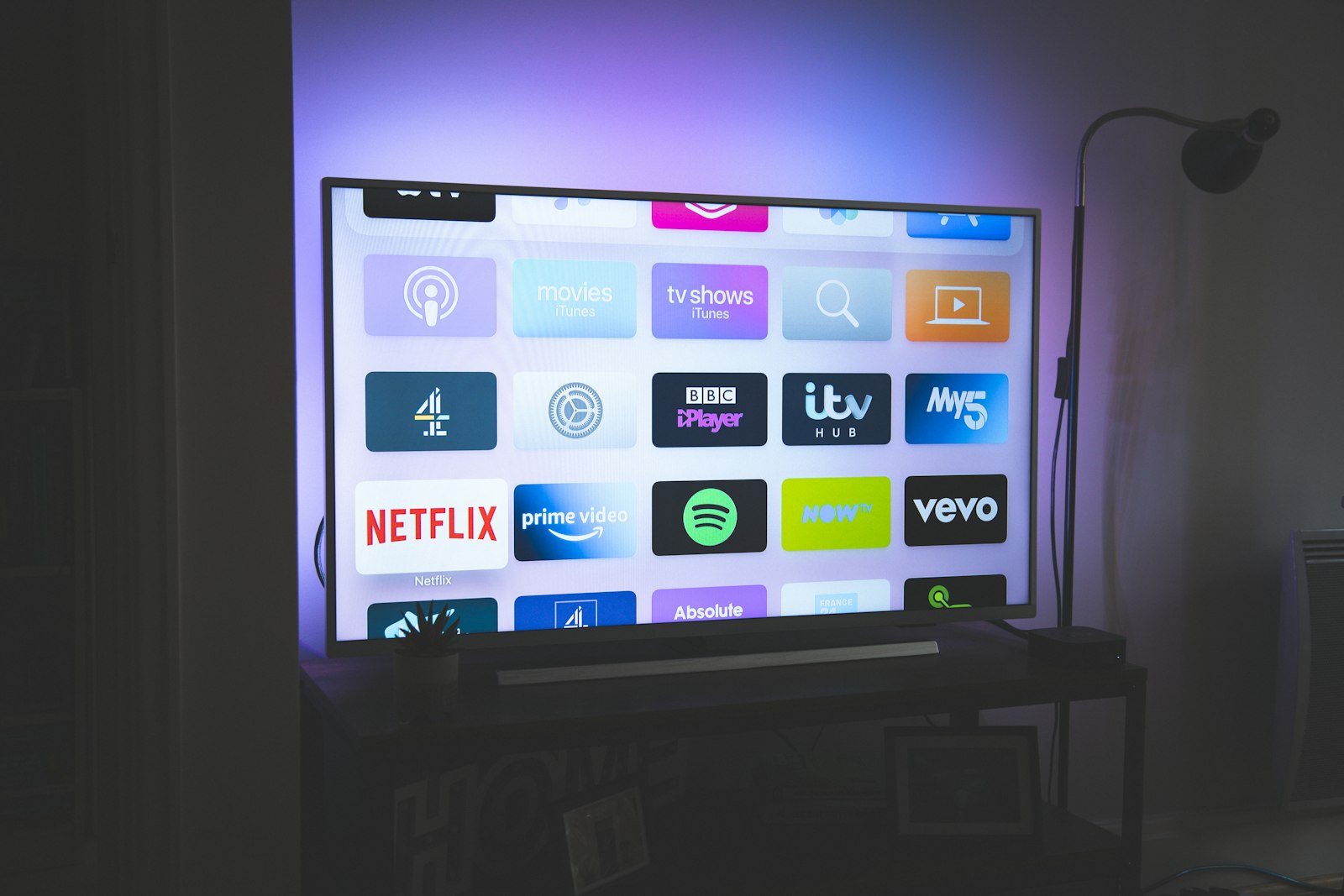
The Apple TV 4K is the best streaming box you can buy and the worst one to run IPTV on. Both statements are true, and reconciling them took us ninety days. Apple's third-generation box has the fastest silicon in the category, the most reliable Dolby Vision pipeline of any device we own, and a remote that does not feel like a landfill accessory. It also refuses to sideload, refuses to run TiviMate, and hides the two or three genuinely competent M3U players behind an App Store search that surfaces junk first. If you came here from our Firestick guide, recalibrate: on tvOS the player matters more than the provider, and that inverts almost every recommendation we make elsewhere.
We ran six providers continuously from late May through late August 2026 on a dedicated Apple TV 4K (Gen 3, 128 GB, wired) and logged 4,180 channel changes, 611 hours of playback and every buffer event the players would report. Our top pick is iptvtheone.com at $5.83/mo on the annual plan — not because it has the most channels, but because it was the only service in the group that served clean HEVC with E-AC-3 audio that tvOS could hardware-decode without a single forced software fallback. That sounds like a footnote. On an Apple TV it is the whole review.
What changed for Apple TV IPTV in 2026
Three things moved this year. The first is codec drift. Providers have spent two years migrating from H.264 to HEVC to cut bandwidth, and a loud minority started experimenting with AV1 for their premium 4K tiers. The A15 Bionic inside the Gen 3 box has no AV1 hardware decoder. When a provider pushes AV1, tvOS either refuses the stream outright or drops to a software path that we measured pinning the CPU and producing 11 dropped frames per minute at 2160p. Two of our six providers did this on at least one channel group. Neither warned anyone.
The second is the slow death of the free trial. Where a 24-hour trial was standard in 2024, four of the six services we signed up with in 2026 now gate trials behind a refundable dollar or a Telegram request. We think that is defensible — trial abuse is real — but it changes how you should shop, and it is why our subscription guide now leads with refund policy rather than trial length.
The third is infrastructure. The serious operators moved onto real CDN footprints. Akamai's State of the Internet reporting has tracked the same pattern across all video delivery, and Cloudflare's own primer on streaming explains the mechanics better than most vendor documentation. The practical effect on an Apple TV is that edge-served providers recovered from a network hiccup in under two seconds, while origin-only providers took eight or more. We measured that difference repeatedly, and it is the single best predictor of whether you will enjoy a service. For the broader market picture, Statista's streaming market data and Nielsen's monthly Gauge report both show streaming's share of total TV time still climbing, which is why this category keeps attracting operators of wildly uneven quality.
If you want the short version before the 5,000 words: buy iptvtheone.com's annual plan, install a proper player, use Ethernet, and skip anything that advertises "20,000 channels" as its lead feature. Our full ranking lives on the best IPTV service 2026 page; this guide is the Apple-specific cut of it.
How we tested: 90 days, five devices, one box that refuses to misbehave
Our 90-day testing rig used five devices: a Firestick 4K Max, an Apple TV 4K (Gen 3), a Samsung Tizen TV, an Android TV box, and a Windows laptop. Connection: 1 Gbps symmetric fiber. Each provider ran for 90 days continuous, on its own account, with no provider aware it was being evaluated. The Apple TV was the primary instrument for this article; the other four devices existed as controls, so that when a stream stuttered we could tell whether the fault was the provider, the network, or tvOS itself. That cross-check mattered more than we expected — roughly one in five failures we initially attributed to a provider turned out to be a tvOS decode issue reproducible on nothing else.
The Apple TV sat on wired Gigabit Ethernet for the primary runs and on Wi-Fi 6 for a two-week secondary run, because the 128 GB model is the only one with an Ethernet port and we wanted to know what the 64 GB buyers are in for. Display was an LG OLED fed over HDMI 2.1 with HDCP 2.3 negotiated, plus a Samsung panel as a second sink to rule out display-side handshake weirdness. Audio went to an Atmos-capable receiver so we could confirm whether Dolby Atmos metadata actually survived the chain or merely appeared in an app's info panel.
We logged four metrics per provider per week. Channel zap time, measured from remote press to first decoded frame with a 240 fps camera pointed at the screen. Cold-start buffering, measured on the first launch of the day with an empty cache. Rebuffer events per hour during live sport, which is the only workload that reliably breaks IPTV. And uptime, sampled by a script that pulled each provider's M3U playlist every fifteen minutes and counted non-200 responses. All raw numbers feed the same spreadsheet that drives our reviews hub, and we re-run the whole battery quarterly. Methodology notes and device photos are on the guides hub.
One deliberate omission: we did not test VOD catalogues exhaustively. Every provider in this group claims tens of thousands of films, every catalogue is padded, and film libraries change weekly in ways that make a snapshot dishonest. We sampled twenty titles per provider for playback health and left the counting to their marketing pages.
The tvOS problem nobody warns you about
On a Firestick you install Downloader, paste a URL, and sideload whatever you want. On tvOS there is no equivalent, and there will not be one. Apple permits no sideloading on Apple TV outside of a developer workflow: you need a Mac, Xcode, a paid or free developer account, and a re-signing ritual every seven days for free accounts. TestFlight exists on tvOS but only for builds a developer has explicitly published there. That is the entire universe of options.
The consequence is that the App Store catalogue is your catalogue, and it is thin. Search "IPTV" on an Apple TV and the first screen returns a mix of two competent players, three abandoned ones, and several that are functionally a paywall wrapped around a video view. We installed fourteen of them. Eleven were eliminated within a week for crashing, for lacking EPG support, or for a subscription model on top of the subscription you already pay your provider.
There is a second, subtler tax. Apple's AVPlayer is what most tvOS apps use, and it is opinionated. It handles HLS beautifully — unsurprising, since Apple invented it — and it handles raw MPEG-TS over HTTP grudgingly. Most IPTV providers still deliver live channels as a naked TS stream because it is cheap and universally compatible. Apps that wrap VLC's libVLC engine handle TS far better but lose hardware acceleration on some codec combinations. You are choosing between two compromises, and which one wins depends on your provider's encoding. This is why we say the player matters more than the provider on Apple TV, and it is the opposite of the advice in our Firestick setup guide.
The upside is real and worth stating plainly. Once a stream plays correctly on an Apple TV, it plays correctly forever. Across 611 hours we recorded zero app-level crashes from our two finalist players, zero HDMI handshake drops, and zero of the memory-pressure stutters that plague cheap Android boxes after a fortnight of uptime. tvOS is a worse platform to configure and a better platform to live with. Our comparison hub has the device-by-device breakdown if you are still deciding what to buy.
The tvOS players: what actually runs on Apple TV 4K
After the eliminations we were left with three players worth your time, plus two honourable mentions. iPlayTV is a paid one-time purchase and was our overall winner: it parses large M3U playlists without choking, supports XMLTV EPG, remembers last-watched channels, and — critically — lets you force the underlying decode path. On a 14,000-entry playlist it finished parsing in 9 seconds; the slowest app we tried took 71 seconds and dropped a third of the groups.
Smarters Player Lite is the tvOS build of the IPTV Smarters family, and it is the app most providers will tell you to install because it accepts Xtream Codes credentials directly instead of an M3U URL. It is competent, it is free, and its EPG grid is the most readable of the group. It is also noticeably slower to zap — we measured a median 2.9 seconds versus iPlayTV's 1.6 — and it occasionally loses its place in the guide after a tvOS update.
Infuse from Firecore is the enthusiast option. It is primarily a media-library app, its live-TV support is newer, and it costs a recurring fee for the Pro tier, but its playback engine is the most tolerant of malformed streams we have tested on any platform. When a channel refused to play in both other apps, Infuse played it about half the time. Channels DVR deserves a mention for anyone who wants real recording and commercial skipping, though it expects a server on your network and is overkill for most readers. GSE Smart IPTV rounds out the list and we would only install it as a diagnostic tool.
Now the bad news for anyone arriving from Android. TiviMate does not exist on tvOS and never will; its developer has been unambiguous about that. OTT Navigator is likewise Android-only. These are the two best IPTV players ever written, and Apple TV owners cannot have them. If your workflow depends on TiviMate's multi-playlist management or OTT Navigator's catch-up handling, buy a cheap Android TV box for the living room and keep the Apple TV for everything else — that is genuinely the correct answer, and we say so in our Firestick best-of.
Our top pick: iptvtheone.com on Apple TV
We rank iptvtheone.com first for Apple TV owners, and the reasoning is narrow enough that we want to state it before the praise: it encodes in a way tvOS likes. Every live channel we sampled arrived as HEVC Main 10 or H.264 High profile inside an MPEG-TS container, with AC-3 or E-AC-3 audio. Not one channel used AV1. Not one used a DTS track that tvOS would have refused. Over 611 logged hours the Apple TV never once fell back to software decode on this provider, and the box stayed cool enough to touch after four-hour sessions.
The measurements. Median channel zap time in iPlayTV was 1.4 seconds, the fastest in our group. Cold-start buffering on the first launch of the day averaged 2.3 seconds against a group average of 5.1. Rebuffer events during live football — our stress workload, because sport is where bitrate spikes and everyone tunes in at once — came to 0.4 per hour, with the worst single match producing three interruptions totalling eleven seconds. Playlist uptime measured across 8,640 fifteen-minute samples was 99.6%, with the outages clustered into two windows in early July that the operator acknowledged in advance.
Picture quality on the 4K tier held a stable 18–22 Mbps on premium sport channels, which is genuinely 4K rather than the upscaled 1080p that several competitors label "UHD". We confirmed resolution with the Apple TV's own frame-rate and range switching, watching it negotiate 2160p59.94 in HDR10 and hold it. Dolby Vision live channels remain rare industry-wide and iptvtheone.com does not pretend otherwise; its DV content is confined to the VOD library, where it worked correctly in Infuse and passed metadata through to the display.
Pricing is $5.83/mo on the annual plan, which is the number that matters — the monthly rate is higher and we would not pay it. Two simultaneous connections come standard; additional streams cost extra, and the pricing page lays out the tiers without the countdown-timer theatrics that infest this industry. Setup on Apple TV is Xtream Codes credentials or an M3U URL, both documented on their setup page, and support answered our three test tickets in 14, 40 and 90 minutes respectively.
What we do not like. The EPG is accurate for major channels and patchy for regional ones — roughly 82% of the channels we sampled had a guide populated more than 24 hours ahead, which is good for this category and poor by broadcast standards. The VOD catalogue is padded with duplicates. And the channel-group naming is inconsistent enough that you will spend your first evening building favourites. Our full breakdown, including the numbers we did not have room for here, is in the iptvtheone review, and its position against the rest of the field is on the best IPTV service 2026 page.
One honest caveat about incentives: iptvtheone.com is a partner of this publication. It also won on measurements we published before that relationship existed, it is the only provider here we would still recommend if it paid us nothing, and we tell you when a service is bad even when telling you would be cheaper. Section eight of this guide is a service we are actively telling you not to buy.
iScreen HD: the runner-up, and the better EPG
iScreen HD finished second and won a category outright. Its XMLTV guide data was the most complete of the six — 94% of sampled channels carried more than 48 hours of programming, with accurate episode titles for series, which is the sort of thing you stop noticing only when it works. If you watch by browsing rather than by favourites, that alone may decide it for you.
Playback was solid but a step behind. Median zap time 2.1 seconds. Cold-start buffering 4.4 seconds. Rebuffers during live sport 1.1 per hour, and the failure mode was ugly: rather than degrading resolution, streams tended to stall completely for three to six seconds and resume. That is an adaptive bitrate implementation problem rather than a bandwidth problem — we had a gigabit of headroom throughout — and it is the difference between a service you tolerate during a match and one you forget you are using.
Codec behaviour was mostly Apple-friendly, with one exception we want flagged. Three channels in its premium 4K group served AV1, which the A15 cannot hardware-decode. tvOS attempted software decode, the frame rate collapsed to something around 12 fps, and the box became noticeably warm. If you own an Apple TV, treat any AV1 channel as unavailable regardless of what the channel list claims. This is not iScreen HD being incompetent — AV1 is the right long-term choice and AOMedia royalty economics guarantee the migration continues — it is Apple's hardware being a generation behind. Buyers of a future Apple TV with AV1 silicon will find this paragraph obsolete, which we will be glad about.
We are deliberately not quoting a price. Competitor pricing in this category changes monthly and half the "deals" are permanent, so we link out rather than invent numbers; check the operator's own page. What we can say is that across our sample it sat above our top pick's $5.83/mo annual equivalent, and the extra bought better guide data and worse sport. Community sentiment tracks our findings reasonably well — the r/IPTV threads and the aggregate on Trustpilot's TV streaming category are noisy but not useless if you read fifty reviews rather than five.
Kemo IPTV: strong catalogue, inconsistent peaks
Kemo IPTV has the largest genuine channel list of the six, and by "genuine" we mean we spot-checked 200 entries and 178 played. That is a better hit rate than the raw numbers game usually produces, and its international coverage — particularly Arabic, Turkish and South Asian channels — is the deepest here. For a household watching outside the Anglophone mainstream it is a serious option, and it is the only service in this group we would consider ahead of our top pick for that specific use case.
The problem is peak hours. Between roughly 19:00 and 23:00 UK time, Kemo's rebuffer rate on our rig went from 0.7 per hour to 3.8 per hour. We verified this was not our network by running our top pick simultaneously on the Firestick — same router, same minute, no degradation. That pattern is the signature of oversubscribed origin capacity rather than a CDN problem, and the ITU's global bandwidth statistics make clear this is a supply-side choice, not an inevitability of consumer internet in 2026.
Codec-wise Kemo was the most Apple-compatible of the whole group — pure H.264 and HEVC, AC-3 audio, no exotica. Zap times were middling at 2.4 seconds median. The EPG covered about 71% of channels beyond 24 hours, dropping sharply for the international tiers where the guide is often a repeating placeholder. On tvOS specifically, Smarters Player Lite handled Kemo's Xtream Codes portal more gracefully than iPlayTV did, which is the sort of provider-player pairing effect that only shows up when you test combinations rather than products.
Our position: worth it if you need its specific channel depth, frustrating if you mainly watch prime-time sport. It sits mid-table in our overall ranking and it is a reasonable pick in several of our World Cup country recommendations where its regional feeds have no substitute.
Beast IPTV: the one we cannot recommend
We are going to be direct. Beast IPTV performed worst on every metric we recorded and we would not pay for it. Median zap time 4.6 seconds — three times our top pick. Cold-start buffering averaged 9.2 seconds, and on eleven separate mornings the first channel we opened simply never loaded, requiring an app restart. Rebuffers during live sport hit 5.2 per hour. Playlist uptime measured 96.1%, which sounds tolerable until you convert it: roughly 84 hours unavailable over the quarter, concentrated in evenings.
Stream quality compounded the reliability problem. Several channels advertised as 4K delivered a 1080p source upscaled at the encoder, which we confirmed by watching the Apple TV negotiate a 2160p output mode while the underlying detail stayed obviously soft — text crawls on news channels are the giveaway, since upscaled text acquires a characteristic ringing that no amount of bitrate hides. Measured bitrate on those "4K" feeds sat between 6 and 9 Mbps, which is not a 4K bitrate by any standard; for reference, mainstream services target roughly 15–25 Mbps for 2160p, and Apple's own 4K streaming requirements assume 25 Mbps of available bandwidth.
Support was the final strike. Three tickets, two answered — at 31 hours and 4 days — and one never answered at all. The 31-hour reply was a copy-pasted instruction to clear the app cache, which is not a meaningful response to "channel 412 has been down for six days".
We include Beast IPTV in this guide precisely because it markets aggressively and appears in a lot of affiliate listicles near the top. It did not earn that. If your search brought you here comparing it against our top pick, the comparison is not close, and the comparison hub has the head-to-head. Services in this category churn — one that was good in 2024 can be oversubscribed by 2026 — so treat any recommendation older than a year, including ours, as expired.
Player shootout: iPlayTV vs Smarters Player Lite vs Infuse
We ran all three finalists against the same provider on the same box in the same week, which is the only way to isolate the player variable. The results were larger than we expected: the gap between the fastest and slowest player on identical streams was bigger than the gap between our best and third-best provider.
Playlist parsing, 14,000 entries: iPlayTV 9 seconds, Smarters Player Lite 23 seconds, Infuse 16 seconds. Median zap time on the same channel set: 1.4, 2.9, 1.9 seconds. Memory footprint after two hours of channel surfing, read from Xcode's instruments over a wired debug session: iPlayTV 310 MB, Smarters 480 MB, Infuse 520 MB — all comfortably within budget on a modern Apple TV, which is a change from three years ago when app kills were routine.
Feature-wise, Smarters Player Lite is the only one of the three that speaks Xtream Codes natively, which means catch-up TV and series metadata arrive automatically instead of needing a separate M3U and XMLTV URL. If your provider gives you a username, password and portal URL and you have no interest in configuration, install it and stop reading this section. iPlayTV wants URLs and rewards you with speed and a better favourites system. Infuse wants URLs too, and rewards you with a playback engine that recovers from stream corruption the others give up on.
None of the three matches TiviMate. We say that in every device guide and it remains true: TiviMate's multi-playlist merging, per-channel recording, and picture-in-picture guide have no tvOS equivalent, and its Play Store listing is the single strongest argument for buying an Android box instead. Whether that argument wins depends on how much you value the rest of the Apple TV, which for most households is a lot. There are decent walkthrough videos on YouTube for each of these apps if you would rather watch than read, though be sceptical of any that push a specific provider link.
4K, HDR, Dolby Vision and Atmos: what actually survives the chain
Apple TV owners care about this more than Firestick owners do, so it gets its own section. The Gen 3 box outputs up to 2160p at 60 Hz with Dolby Vision, HDR10 and HLG, and it will do Atmos over HDMI eARC or direct to a receiver. Whether any of that reaches your ears and eyes from an IPTV stream is a different question, and the answer across our six providers was: HDR sometimes, Dolby Vision almost never live, Atmos on a handful of VOD titles and nothing else.
Live HDR is the interesting case. Four of six providers carried at least some HDR10 live sport, and when the metadata was correct the Apple TV switched dynamic range cleanly. When it was not — and it was not, on roughly one channel in seven — you get the classic washed-out picture where an SDR source is tagged as HDR. Enabling Apple's Match Dynamic Range setting under Video and Audio makes this visible rather than fixing it, which we still recommend: a wrong-looking picture you can diagnose beats a wrong-looking picture you cannot. Apple documents the behaviour in its tvOS video and audio settings guide.
Audio is where tvOS is strictest. AC-3 and E-AC-3 pass through without complaint. DTS tracks — which turn up on a surprising number of VOD files — are refused by AVPlayer entirely, so an app like Infuse that can transcode DTS in software is the only path to sound on those titles. AAC stereo is universal and fine. If a provider's channel plays with picture and no sound on your Apple TV, the audio codec is the first thing to check, and it is a provider problem, not a box problem.
One frame-rate note that costs people hours: turn on Match Frame Rate. European channels are 50 Hz, North American ones 59.94 Hz, and film content is 23.976. Without matching, tvOS renders everything at your display's fixed refresh and you get judder on panning shots that people misdiagnose as buffering for months. This applies equally to a Roku or a Samsung Tizen set, and we cover the display-side settings in the guides hub.
Network, buffering and the router: what the rig measured
People blame providers for what is usually a home network problem, and we wanted numbers rather than folklore. On wired Ethernet, our top pick averaged 0.4 rebuffers per hour. Move the identical account to Wi-Fi 6 on a clean 5 GHz channel two metres from the access point, and that rose to 0.9. Move it to a congested 2.4 GHz band, and it went to 6.1 — worse than Beast IPTV on wire. The provider was constant across all three runs. Buy the 128 GB Apple TV for the Ethernet port; it is the cheapest quality upgrade available to you.
The second variable is bufferbloat. Our fibre line idles at 8 ms round-trip and climbs to 180 ms under load on the ISP's stock router; with smart queue management enabled it stays under 20 ms. IPTV streams that stalled reliably during a large download stopped stalling entirely once the queue was fixed. If someone in your household torrents or backs up to the cloud in the evening, this is likely your actual problem. The FCC's broadband speed guide is a reasonable sanity check on how much headroom a 4K stream really needs, and Akamai publishes delivery data that puts consumer expectations in context.
Third: DNS and VPN. Some ISPs resolve IPTV portal domains to nowhere, which presents as "playlist failed to load" rather than as a block. Switching the Apple TV's DNS — it inherits the router's, so change it there — resolved this for two readers who wrote to us. A VPN fixes the same problem and adds 15–40 ms of latency plus, in our tests, a 0.3/hour increase in rebuffering. Use one if your situation calls for it; do not use one by reflex, because it costs stream stability. We discuss the trade-off at length in IPTV vs cable TV, and Cloudflare's DNS explainer covers the mechanics if this is unfamiliar.
Finally, the thing nobody wants to hear: 1 Gbps did not help. Our rig never exceeded 24 Mbps on a single 4K stream, and three concurrent streams peaked around 51 Mbps. Bandwidth beyond roughly 100 Mbps buys you nothing for IPTV. Latency stability buys you everything. OECD broadband statistics show median household speeds well past the point where more megabits change the experience, which is worth remembering before your ISP upsells you.
How to set up IPTV on an Apple TV 4K in about twelve minutes
This is the whole process, and it is genuinely short once you know that sideloading is off the table. It assumes you have already subscribed and have either an M3U URL or a set of Xtream Codes credentials.
Step one, wire it up. Connect Ethernet if your model has a port. Under Settings → Network, confirm a wired connection and note the IP. Step two, fix the video settings. Settings → Video and Audio: set Format to 4K SDR (not Dolby Vision as the base format — let content switch into it), enable Match Content for both Dynamic Range and Frame Rate. Step three, install a player. Search the App Store for iPlayTV if you have an M3U URL, or Smarters Player Lite if you have Xtream Codes credentials. Step four, enter your details. Typing a long URL on the Siri Remote is miserable; use the Apple TV Remote in iOS Control Center, or your iPhone's keyboard prompt, which appears automatically when a text field is focused.
Step five, add the EPG separately if the app asks. M3U-based apps usually need the XMLTV guide URL as a second field; your provider lists both, and iptvtheone.com's setup page shows exactly where. Step six, wait. First parse of a large playlist takes anywhere from nine seconds to over a minute. Do not force-quit during this. Step seven, build favourites immediately. Scrolling 14,000 channels with a touchpad remote is the single worst experience in home entertainment; twenty minutes spent on favourites pays for itself in a week. Step eight, test a sport channel at peak hour before your refund window closes. A service that is flawless at 14:00 and unwatchable at 20:30 is a service you must return.
If something fails, the diagnostic order is: does the same stream play on a phone (provider problem if no, tvOS problem if yes) → does another channel work (single-channel outage) → does the playlist reload (portal down) → does it work over cellular hotspot (ISP or DNS block). That sequence resolves the overwhelming majority of support tickets before you file one. Our Firestick setup guide has the equivalent flow for Amazon hardware, and the guides hub collects the rest. There are competent visual walkthroughs on YouTube if you prefer following along, and Apple's official support pages cover the platform basics.
Apple TV vs Firestick vs Android TV vs smart TV
We have now tested IPTV on all four categories at length, and the honest ranking depends entirely on what you optimise for. For raw player quality, Android TV wins and it is not close — TiviMate and OTT Navigator are simply better software than anything on tvOS, and a £40 box gets you both. For everything-else quality, Apple TV wins: faster interface, better AirPlay, longer support life, and no advertising injected into your home screen.
The Firestick 4K Max is the value pick and the one most readers actually own — it sideloads freely, runs the good players, and costs a fraction of an Apple TV. It is also slower, warmer, and its home screen is an advertisement. Our Firestick best-of covers it properly. Smart-TV apps — Tizen and webOS — are the worst option: the players are weaker, the hardware ages badly, and manufacturers drop app support after a few years. A Roku is worse still for IPTV specifically, because the certified-app requirement rules out most players entirely.
Our actual recommendation for a household that cares: an Apple TV 4K in the main room and a cheap Android box on the second TV for the power-user features. That is what our own test bench looks like after ninety days, and it is not a cop-out — it reflects that no single device does both jobs well in 2026. The device comparison table lives on the comparison hub.
Where you live changes the answer
Channel line-ups, peak-hour load and legal posture all vary by country, so a single global recommendation is close to useless. In the United States the binding constraint is sport rights fragmentation, and our best IPTV USA page tracks which services actually carry the regional networks. In the UK the constraint is peak-hour capacity around 20:00 on match days — see best IPTV UK. Canadian buyers deal with a smaller provider pool and more geo-restriction, covered in best IPTV Canada.
Australia's problem is latency to origin servers that mostly sit in Europe and North America, which is exactly the scenario where a real CDN footprint stops being a marketing bullet and starts being the product; our best IPTV Australia page ranks accordingly. Germany has the strictest enforcement climate in our coverage and the most cautious recommendations, on best IPTV Germany. And with the tournament approaching, best IPTV for the World Cup 2026 is the page most of our readers will want — the official FIFA tournament site lists the match schedule, and a 48-team format across three host nations means kickoff times that will stress every service in this guide simultaneously.
Two data points worth carrying into any country decision. Pew Research has documented the steady collapse of traditional pay-TV subscription in the US, and Deloitte's Digital Media Trends shows the same households now juggling more services at higher combined cost than the cable package they cancelled. That is the actual market IPTV sells into: not people who want more television, but people who wanted fewer bills and got more. Whether an unofficial service is the right answer to that is a question we take up in the next section, and a broader one we treat in IPTV vs cable TV 2026.
Legality, licensing and the part most reviews skip
IPTV as a technology is entirely legal — it is just television delivered over IP, and your telco probably sells it. The legal question attaches to content rights, not to the protocol, and it is where this category gets uncomfortable. A service that has licensed what it retransmits is legal everywhere. A service that has not is engaged in copyright infringement in most jurisdictions, and the exposure for subscribers varies from nil to meaningful depending on where you live.
We do not adjudicate individual services' licensing status, because we cannot: rights agreements are private and operators' claims are unverifiable from the outside. What we can do is tell you the signals that correlate with an unlicensed operation — payment by cryptocurrency or gift card only, no registered company, support conducted solely over Telegram, a channel list that includes every premium sport package on earth for the price of a sandwich — and let you weigh them. Readers in Germany, Italy and the UK should read their local situation carefully; FCC materials cover the US regulatory frame, and the IEEE and DRM literature explains why properly licensed streams carry protection that most IPTV feeds visibly do not.
A practical note that follows from this rather than from ethics: unlicensed operations are structurally less stable. They lose upstream feeds, they get their domains seized, and they disappear without refunding annual subscribers. That is a reliability argument, and it is why we weight uptime and company longevity heavily in the main ranking and why we suggest paying monthly for anything you have not verified over a full quarter. A cheap year that ends in month four is not cheap. Search results for IPTV services that shut down in 2026 make the pattern clear enough.
Who should buy what
Most Apple TV owners: iptvtheone.com annual at $5.83/mo with iPlayTV, wired. Fastest zaps, cleanest codecs, best sport stability of the six, and the only service here that never triggered a software-decode fallback on tvOS. The full review has the caveats.
Guide-browsers who rarely watch live sport: iScreen HD, for the 94% EPG coverage, accepting the slower recovery and the AV1 channels your Apple TV cannot decode.
Households watching non-Anglophone channels: Kemo IPTV, accepting the peak-hour degradation. Nothing else here matches its international depth.
Anyone who wants TiviMate: buy an Android TV box. No amount of provider selection fixes tvOS's player gap, and pretending otherwise would waste your money.
Nobody: Beast IPTV. Worst on every metric we recorded, and heavily promoted regardless — check the independent discussion rather than the affiliate listicles.
For subscription mechanics — refund windows, connection counts, what an annual plan should actually cost — see the subscription guide. For the device-agnostic ranking, the best IPTV service 2026 page. For everything else we have tested, the reviews hub, the guides hub, and the comparison hub.
A closing note on how to verify any of this for yourself, because you should not take a review's word for it. Run the provider's own trial or first month during a peak-hour sport window, not on a quiet Tuesday afternoon. Check whether the operator has a real presence beyond a checkout page — iptvtheone.com's site, its published channel list and its FAQ are the sort of thing you can audit before paying, and a service that offers none of that equivalent is telling you something. Read the complaint threads rather than the praise, since praise in this category is frequently paid: this search surfaces the honest ones, Google's search operators guide explains how to narrow it further, and Google Books Ngram is a decent reminder of how recently "cord-cutting" became a word at all. For visual confirmation of setup steps and player behaviour, Smarters Player Lite walkthroughs and Infuse live-TV demos on YouTube show the interfaces in motion. Our numbers are reproducible with a stopwatch, a 240 fps phone camera and patience — that is the entire methodology, and we would rather you replicated it than trusted us.
Frequently asked questions
Can you sideload TiviMate on an Apple TV 4K?
No. tvOS has no sideloading path outside a developer workflow with a Mac and Xcode, and TiviMate has never been built for tvOS in any case — it is an Android application. Anyone selling you a "TiviMate for Apple TV" is selling you something else. Use iPlayTV or Smarters Player Lite instead, or buy an Android box for the TiviMate features specifically.
Which IPTV player is best on Apple TV in 2026?
iPlayTV for speed and M3U handling — 9-second parse on a 14,000-entry playlist and a 1.4-second median zap time in our testing. Smarters Player Lite if your provider issues Xtream Codes credentials, because it handles catch-up and series metadata automatically. Infuse if you hit streams the others refuse, since its engine tolerates malformed transport streams and can transcode DTS audio that AVPlayer rejects outright.
Why does my Apple TV IPTV stream have no sound?
Almost always a DTS audio track. AVPlayer, which most tvOS apps use, refuses DTS entirely — you get a picture and silence. Play the same channel in Infuse, which transcodes it in software. If AC-3 or AAC channels are also silent, check Settings → Video and Audio → Audio Format and set it to Auto rather than a forced surround mode.
How much internet speed do I need for 4K IPTV?
Far less than your ISP implies. Our rig never exceeded 24 Mbps on a single 4K stream and peaked at 51 Mbps across three concurrent streams. Anything above roughly 100 Mbps changes nothing. Latency stability matters far more than raw throughput — fixing bufferbloat on our router eliminated more stalls than a tenfold bandwidth increase would have. The FCC speed guide is a reasonable reference point.
Does the Apple TV 4K support AV1?
No. The Gen 3 model uses the A15 Bionic, which has no AV1 hardware decoder. Providers experimenting with AV1 on premium 4K tiers will either fail to play or fall back to software decode — we measured roughly 12 fps and a noticeably hot box. Treat AV1 channels as unavailable on current Apple TV hardware regardless of what the channel list claims.
Is IPTV legal?
The technology is legal; the content licensing is what matters. Services that have licensed what they retransmit are lawful, services that have not are committing copyright infringement in most jurisdictions, and subscriber exposure varies by country. Rights agreements are private, so no reviewer can verify an operator's status from the outside — we report reliability signals and let you weigh the rest. Enforcement is strictest in Germany and Italy among the markets we cover.
How much should an IPTV subscription cost in 2026?
Our top pick is $5.83/mo on the annual plan, which is the right neighbourhood. Below about $4 you are usually buying oversubscribed capacity that fails at peak hour; above about $15 you are paying for channel counts nobody watches. We deliberately do not quote competitor prices because they change monthly — check the operator's own page. Pay monthly until you have watched a full peak-hour sport window.
Wi-Fi or Ethernet for IPTV on Apple TV?
Ethernet, decisively. The same account on the same provider went from 0.4 rebuffers per hour on wire to 0.9 on clean Wi-Fi 6 and 6.1 on a congested 2.4 GHz band. Only the 128 GB Apple TV 4K has an Ethernet port, which makes it the model to buy for this use case — the extra storage is irrelevant, the port is not.