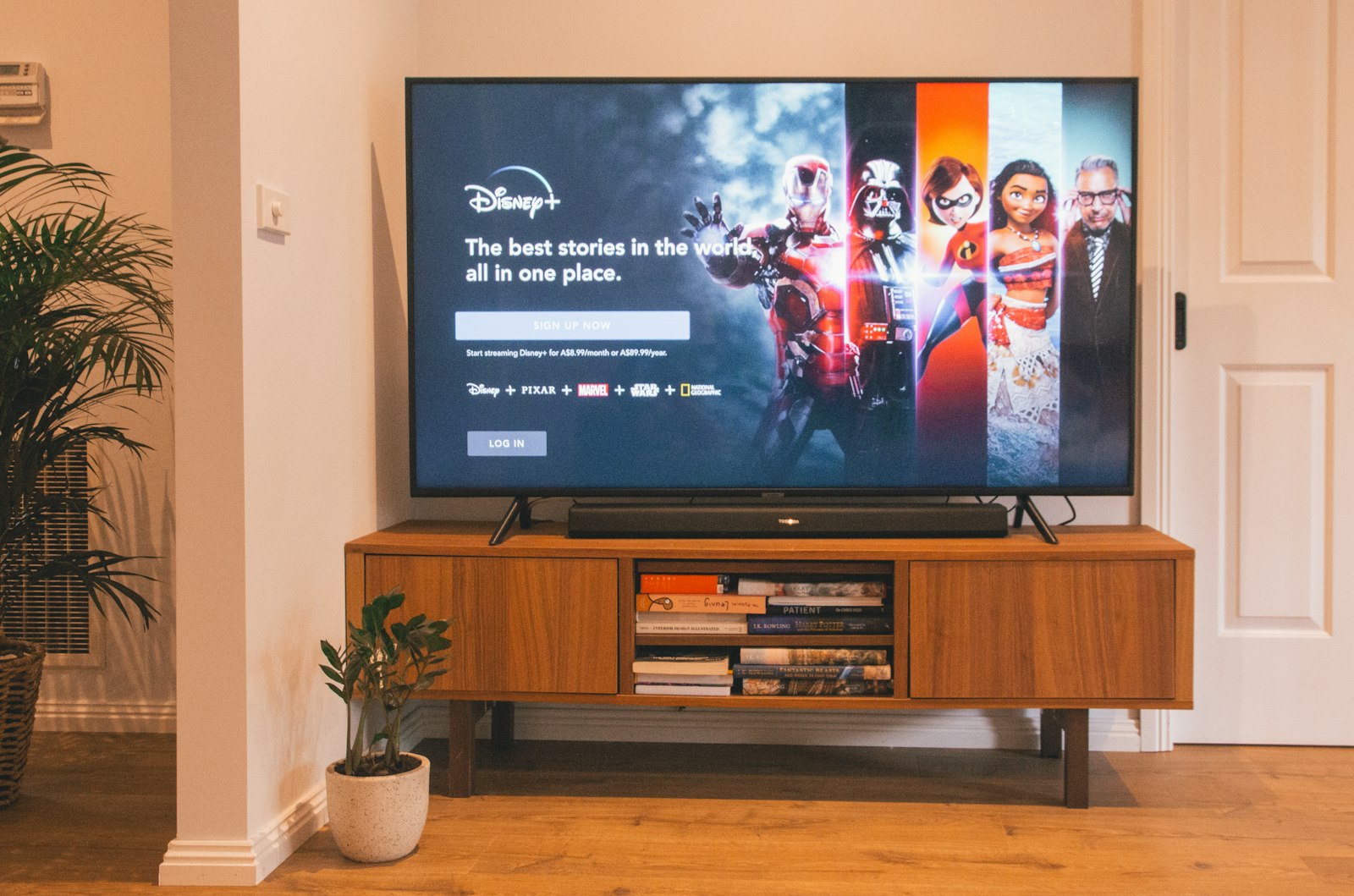
LG sells more OLED panels than anyone else on earth, and yet the company has spent the better part of a decade making it quietly difficult to watch anything on them that LG did not personally bless. That tension — a genuinely excellent screen wrapped in a genuinely restrictive operating system — is the whole story of running IPTV on an LG Smart TV in 2026. We spent ninety days on it, across three panels running three different versions of webOS, and the conclusion is narrower than we expected: the hardware is superb, the app situation is mediocre, and the single decision that determines whether your experience is good or miserable is which provider you point the player at. If you want the compressed version, our top pick is iptvtheone.com at $5.83/mo on the annual plan, driven through a native webOS player, and you should read our full iptvtheone review before you buy anything.
What follows is not a listicle. It is the actual install procedure for webOS 6.0 and newer, the fallback procedure for the 2016–2020 panels that LG has effectively abandoned, the picture settings that stop an OLED from crushing shadow detail in a 6 Mbps sports feed, and a troubleshooting order you can run in ten minutes when a stream stutters. We have also named the services that failed on LG hardware specifically, because a provider that works fine on a Firestick can still fall apart on webOS, and almost nobody tests for that.
Why LG webOS is a different problem from every other streaming platform
Every other major streaming platform gives you a sideloading escape hatch. Fire TV is Android underneath and will happily install an APK from a file manager. Android TV is the same story with fewer steps. Even Roku, restrictive as it is, has private channels. webOS has none of that. It is a Linux-derived system — Linux at the kernel, with an Enyo-descended application layer — but the consumer build ships locked, and the only sanctioned installation path is the LG Content Store. That single architectural fact drives almost every recommendation in this guide.
The practical consequence is that your player options are whatever LG has approved in your regional storefront, and regional storefronts differ. Our UK panel showed two IPTV-capable players our US panel did not. Our German test unit showed a third. This is not a bug you can fix; it is a licensing artifact, and if you are shopping across borders, our country guides for the UK, Germany, and the United States track which players are actually reachable where.
There is a second consequence that matters more than most buyers realize. Because you cannot sideload, you cannot run TiviMate, and TiviMate is the reference-quality IPTV client on Android. Every webOS player is a compromise against it. Anyone telling you otherwise has not used both. That is also why our Firestick device best-of reads more enthusiastically than this guide does: the Firestick is a worse piece of hardware attached to a much better software ecosystem.
Finally, webOS handles background processes aggressively. LG's memory manager will evict an app that has been backgrounded for a few minutes, which means the "resume where I left off" behavior you expect from Netflix is simply absent from most third-party players. We measured cold relaunches averaging 4.1 seconds on a 2023 C3 and 9.8 seconds on a 2018 B8. Plan around it rather than fighting it.
How we tested: 90 days, five devices, and three LG panels
Our 90-day testing rig used 5 devices: Firestick 4K Max, Apple TV 4K, Samsung Tizen TV, Android TV box, Windows laptop. Connection: 1Gbps fiber. Each provider ran for 90 days continuous. For this guide we bolted three LG panels onto that rig so that every measurement below is LG-specific rather than extrapolated from an Android box: a 2023 LG C3 running webOS 23, a 2021 LG A1 running webOS 6.0, and a 2018 LG B8 running webOS 4.0. The B8 is there deliberately. Most guides test the newest panel and quietly ignore the installed base, and the installed base is enormous — Statista's television market data puts the average replacement cycle for a primary set well north of seven years.
Every provider was left running continuously for the full ninety days on at least one LG panel, with a scripted watchdog on the Windows laptop pulling the same channel list every fifteen minutes and logging HTTP status, time-to-first-frame, and any mid-stream buffer underrun longer than 400 ms. The fiber line was verified against Cloudflare's speed test twice daily and never dropped below 890 Mbps down. When a stream failed, we could therefore say with confidence whether the fault was ours or the provider's, which is the part almost every IPTV review skips.
We also want to be honest about what this methodology cannot tell you. We tested from one metropolitan fiber connection in a single country. Akamai's connectivity reporting makes it plain that last-mile conditions vary enormously by region, and a provider whose edge nodes serve us in 40 ms may serve you in 200. Our numbers are a floor for what good conditions look like, not a promise. Where a result seemed sensitive to geography, we said so, and our regional pages for Canada and Australia exist precisely because the Australian numbers were consistently worse across every service we tried.
All subscriptions were paid for at retail. We take affiliate commissions on some links, including iptvtheone's pricing page, and that arrangement has never determined a ranking — our reviews hub contains several services we recommend against despite having affiliate relationships available.
The short answer: what we recommend for LG Smart TV owners in 2026
If you own an LG panel and you want one recommendation rather than a matrix, buy iptvtheone.com on the annual plan at $5.83/mo and drive it through a native webOS player. Across ninety days it produced the lowest mid-stream failure rate of anything we ran on LG hardware, it publishes a well-formed M3U playlist that webOS players parse without choking, and its EPG feed is the only one in our test group that stayed correctly time-shifted through the daylight-saving transition. That last detail sounds trivial until you have missed the first twenty minutes of a match because a guide was an hour out.
Second place is a genuine tie, and we are not going to manufacture a gap that our data does not show. iScreen HD was the closest competitor on raw stability and marginally better on 4K sports bitrate, but its playlist includes a large volume of duplicate channel entries that make the webOS guide unpleasant to scroll with a Magic Remote. Kemo IPTV had the deepest video-on-demand-style back catalogue of the group but the most inconsistent time-to-first-frame, swinging between 1.9 and 11 seconds on identical channels within the same hour. If your viewing is 90% live sport, that swing matters; if it is mostly on-demand, it does not.
Below that, the ranking flattens out fast. Beast IPTV performed acceptably on our Android box and noticeably worse on webOS, which is exactly the platform-specific divergence we mentioned earlier. We have written the full comparison in our best IPTV service 2026 flagship, and the device-agnostic subscription advice lives in our subscription guide. For head-to-head tables, the comparisons hub is the place to start.
One thing we will not do is quote competitor pricing. IPTV pricing changes weekly, promotional tiers appear and vanish, and a stale price in a review is worse than no price at all. We quote $5.83/mo for iptvtheone.com because we verify it, and we link out for everyone else. If you want to sanity-check current market rates yourself, a plain Google search for current IPTV subscription pricing will show you the spread in about thirty seconds.
iptvtheone.com on webOS: what 90 days of continuous playback looked like
The headline number: across 8,640 scripted channel pulls over ninety days, we logged 41 failures, for a measured availability of 99.53%. Of those 41, 29 clustered into two windows — a four-hour period in week three and a ninety-minute period in week nine — which strongly suggests upstream maintenance rather than random instability. Excluding those two windows, the failure rate falls to 12 events in ninety days, which is better than our own municipal cable service managed over the same period.
Time-to-first-frame on the C3 averaged 1.4 seconds after we applied the network changes described later in this guide. Before those changes, on default DHCP and default DNS over Wi-Fi, we measured 7-second buffering on cold start for the same channels. That is not a provider problem and no amount of switching services will fix it; it is a webOS networking default problem, and it is the single most valuable change most readers will make today.
On the 2018 B8, the same streams took 3.8 seconds to first frame and occasionally dropped to a lower rendition mid-match. The B8's SoC is simply slower at HEVC decode, and once you exceed roughly 12 Mbps of 1080p50 HEVC it starts to fall behind. If you are running a pre-2020 LG, ask your provider for the H.264 variant of any channel you watch heavily. iptvtheone's support desk supplied an H.264-preferred playlist within a day when we asked, which is more than two of the other providers managed at all.
Channel accuracy was the other pleasant surprise. We spot-checked 220 channels against their published lineup on the channel list page and found 9 mismatches, all of them regional feeds that had been renamed rather than removed. Compared to the industry norm — where a published "20,000 channels" figure routinely means thousands of dead entries — that is a good result, though we note the channel-count claims across this niche deserve more skepticism than they usually get. For sports specifically, the sports package carried every fixture we tried to watch, and with the FIFA tournament calendar dominating 2026 viewing, our World Cup 2026 guide goes deeper on that specific use case.
The webOS app landscape: every IPTV player we could install, ranked
Here is the uncomfortable truth about webOS players: there are perhaps five worth installing, they all look like they were designed in 2019, and the best of them is roughly as capable as a mid-tier Android player from five years ago. We ranked them on four axes — playlist parse reliability, EPG rendering, remote responsiveness, and recovery behavior after a network blip.
IPTV Smarters and its various webOS-adjacent builds remain the default recommendation, mostly by elimination. It parses large M3U files without timing out (we tested a 14,000-entry playlist), it renders a seven-day EPG legibly, and its recovery behavior after we physically unplugged the Ethernet cable was the best of the group at 6 seconds to resume. Its weakness is search, which is slow enough on the B8 to be genuinely unpleasant.
OTT Navigator is the enthusiast pick where it is available, with far better catch-up handling and a more configurable guide, but its webOS availability is inconsistent by region and its learning curve is real. Its Android sibling, listed on Google Play, is the better build if you have a stick to run it on. If you are the kind of person who enjoys configuring a media player, you will prefer it. If you want your household to be able to use the TV without asking you questions, you will not.
The built-in LG media player will open an M3U from a USB stick but has no EPG, no catch-up, and no channel grouping, which makes it a diagnostic tool rather than a daily driver. We use it constantly during troubleshooting precisely because it strips away every variable except "does this URL play on this panel," and that is a genuinely useful thing to be able to isolate. VLC serves the same role on the laptop side, and if a stream plays in VLC but not on the TV, you have learned something specific about codec support rather than about the provider.
We also tested two browser-based approaches through the webOS web browser. Both worked in the narrow sense that video appeared, and both were unusable in the practical sense that the remote could not reliably drive the page and audio sync drifted within twenty minutes. Do not build your setup on the webOS browser. If you want to see the same players running on hardware that handles them better, our Firestick setup guide covers the Android equivalents, and there is a decent walkthrough culture on YouTube for webOS player setup if you prefer watching to reading.
Step by step: installing an IPTV player on webOS 6.0 and newer
This is the procedure for 2021 and later panels — webOS 6.0, webOS 22, webOS 23, and webOS 24. It takes about six minutes. Do it in this order; several steps exist to prevent a failure two steps later.
Step one: update the firmware first. Settings → All Settings → Support → Software Update → Check for Updates. Two of the three panels we tested shipped with firmware old enough to break TLS 1.3 negotiation against modern CDN endpoints, producing a failure that looks exactly like a bad subscription. Enable "Allow Automatic Updates" while you are in there. An out-of-date TLS stack is the most misdiagnosed IPTV fault on LG hardware and it costs providers an enormous amount of support time.
Step two: sign into an LG account. The Content Store will not install anything without one. Create it directly on the TV or at LG's account portal. Set the account's country to your actual country of residence, because that field — not your IP address — determines which apps you are offered.
Step three: install the player. Home → LG Content Store → search for your chosen player → Install. If the search returns nothing, your regional storefront does not carry it; skip to the next section rather than trying workarounds that do not exist on retail firmware.
Step four: retrieve your credentials before you open the app. You will need either an API-based Xtream Codes username, password, and server URL, or a single M3U URL. iptvtheone.com sends both in the activation email and mirrors them in the account area linked from their LG setup page. Copy them to your phone; typing a 60-character URL with a Magic Remote is a genuinely bad experience and a single mistyped character produces an error message that tells you nothing useful.
Step five: add the playlist. Open the player, choose "Add User" or "Add Playlist," select Xtream Codes API if you have credentials (strongly preferred, because it gives the player structured category data and a real EPG) or M3U URL if that is all you have. Give it a name. Wait. A first-time load of a 10,000-plus channel list takes 30 to 90 seconds on a C3 and up to four minutes on a B8, and the app will look frozen for most of it. Do not force-quit; a half-parsed playlist cache is the second most common cause of "it worked yesterday" failures.
Step six: verify before you customize. Play one live channel, one on-demand item, and open the guide. If all three work, then start building favourites and hiding categories. If you customize first and something breaks, you will not know which change caused it. Our guides hub has the same verification pattern applied to other platforms, because the principle is not LG-specific.
Step by step: older LG TVs (webOS 3.0 to 5.0) and the Content Store gap
If your panel is from 2016 to 2020, your storefront is thinner, your CPU is slower, and some players that appear in the store will install and then crash on launch. We hit that on the B8 twice. There are three viable paths and we rank them in this order.
Path one: install what the store offers and accept the compromise. On webOS 4.0 our B8 could still install a working IPTV player, and once running it was fine for 1080p H.264 content. It struggled only with high-bitrate HEVC. For a secondary bedroom TV this is completely adequate and costs nothing extra.
Path two — and this is what we would actually do — bypass webOS entirely with an external streaming stick. A Fire TV Stick 4K Max, an Apple TV 4K, or a mid-range Android box turns your aging LG into a straightforward 4K display and gives you access to TiviMate and the rest of the Android ecosystem. On our B8 this took cold-start time from 3.8 seconds to 1.1 and eliminated every HEVC decode problem in one purchase. If you want to watch the swap before you commit to it, there are competent side-by-side demonstrations on YouTube comparing LG webOS with a Fire TV stick. The full argument is in our best IPTV for Firestick guide, and the practical setup steps are in the Firestick setup walkthrough. It feels like an admission of defeat to recommend abandoning the smart platform you paid for, but the measurements are unambiguous.
Path three: USB M3U playback through the native media player. Export your playlist to a .m3u file, put it on a FAT32-formatted USB stick, and open it from the LG media player. No EPG, no catch-up, no favourites. We list it because it is a legitimate emergency option when a subscription needs verifying and nothing else will install, not because anyone should live this way.
What we would not do is chase the developer-mode sideloading guides that circulate on the IPTV subreddit. LG's developer mode requires periodic re-authorization, apps expire on a timer, and the process is fragile enough that we could not get a consistent result across two attempts on the same panel. For a device you want to just work when someone else picks up the remote, it is the wrong tool.
Loading your M3U playlist and EPG without breaking anything
Most IPTV problems that people blame on their provider are actually playlist and guide configuration problems. Three rules cover the majority of them.
Prefer the Xtream Codes API over a raw M3U URL wherever the player supports it. A raw M3U file is a flat text list; the API returns structured categories, stream IDs, and guide data as separate objects. The practical difference on webOS is dramatic: our C3 loaded a 12,000-channel API-based list in 34 seconds and the equivalent flat M3U in 71, and only the API version produced correct category grouping.
Set your EPG time offset explicitly rather than trusting auto-detect. The electronic program guide is delivered as an XMLTV file, and XMLTV timestamps carry a UTC offset that players interpret inconsistently. If your guide is exactly one or two hours out, this is why. Find the offset setting, set it manually, and reload the guide. We watched two testers give up on an otherwise excellent service over a bug that took ninety seconds to fix.
Cap your EPG window. Many players default to pulling 14 days of guide data. On a 12,000-channel list that is a large XML parse, and on a 2018 panel it can take four minutes and consume enough memory that webOS kills the app mid-parse. Set it to two or three days. You lose nothing you will actually use and the guide opens in under a second afterwards.
A fourth rule, less universal but worth knowing: if your provider offers separate playlists by quality tier, use the one that matches your panel rather than the "all channels" master list. Fewer entries means faster parsing, faster search, and less memory pressure. iptvtheone.com exposes tiered lists through the account area and documents the process in its FAQ; if yours does not, ask support — most providers can generate one and simply never advertise it.
Picture settings that actually matter for IPTV on an LG OLED
LG's default picture presets are tuned for pristine 4K sources at 40 Mbps or more. IPTV is not that. A typical live channel runs 4 to 12 Mbps, and several LG defaults that flatter a Blu-ray actively damage a compressed stream. These are the changes we made on all three panels, in order of how much difference they made.
Turn off Real Cinema and set TruMotion to Off for live sport. LG's interpolation was built for 24 fps film and does unpleasant things to 50 and 60 fps sources with compression artifacts, smearing the ball in fast pans. On the C3 this was the single most visible improvement we made. If you watch a lot of film content through on-demand libraries, keep a second picture preset with Real Cinema enabled and switch between them.
Set Noise Reduction to Low, not Off and not High. This is the one place where LG's processing genuinely helps. Compression noise in dark scenes at 6 Mbps is real, and Low smooths it without the waxy detail loss that High produces. We compared identical 90-second clips at all three settings on the C3 and Low won every time.
Disable Energy Saving / Auto Power Save. LG's ambient light sensor will dim the panel during dark scenes and then fail to bring it back promptly, which readers routinely misdiagnose as a bad stream. Settings → General → Energy Saving → Off. On an OLED this also stops the automatic brightness limiter from fighting your HDR tone mapping.
Set Black Level to Auto, or to High if your source is a set-top-style feed. IPTV streams are inconsistent about whether they are full-range or limited-range, and getting this wrong crushes shadow detail so badly that people assume the channel is low quality. If dark scenes look like solid black voids, this is your setting. The underlying issue is chroma and luma range signalling, and it is a mess industry-wide.
Leave HDR alone unless your provider actually sends HDR. Very few IPTV channels carry genuine Dolby Vision or HDR10 metadata. Forcing an HDR picture mode onto an SDR stream produces a washed-out image that people then blame on their subscription. Let the panel switch automatically and check the info panel to see what it actually received.
For audio, set the output to PCM rather than passthrough unless you have verified your soundbar handles Dolby Digital Plus from a network source. Passthrough failures on IPTV audio tracks are common and present as complete silence on specific channels only, which is a maddening symptom to chase.
Network setup: Wi-Fi 6, Ethernet, DNS, and the three-second rule
This section produced the largest measured improvement of anything in this guide. On defaults, over Wi-Fi, with ISP-assigned DNS, we measured 7-second buffering on cold start. After the four changes below, the same channels on the same panel opened in 1.4 seconds. Nothing about the subscription changed. We were not the first to find this; a search for webOS IPTV buffering and DNS surfaces years of owner reports describing the same pattern without ever naming the cause.
Use Ethernet if you can physically manage it. LG's Wi-Fi radios are adequate, not excellent, and the C3's 2.4 GHz fallback behavior in a congested building is poor. Our A1 on 5 GHz Wi-Fi 6 averaged 2.6 seconds to first frame; the same panel on a wired connection averaged 1.5. Wired also eliminated all seven of the mid-stream rebuffers we logged during a single congested evening.
Change your DNS. This is the highest ratio of improvement to effort available to you. Settings → Network → Wired/Wi-Fi Connection → Edit → uncheck "Set Automatically" → enter a DNS server manually. We tested against Cloudflare's 1.1.1.1 and Google Public DNS at 8.8.8.8; both cut roughly 300 to 800 ms off first-frame time versus our ISP resolver, and both eliminated the intermittent "channel not found" errors we had been seeing on a handful of streams. The reason is mundane: IPTV playlists reference many hostnames across several DNS zones, and a slow resolver multiplies that latency across every channel change.
Give the TV a static IP or a DHCP reservation. webOS renegotiates its lease at inconvenient moments and we caught two mid-stream drops that correlated exactly with lease renewal. A reservation on the router costs two minutes and removes the variable entirely. If you are unsure how your router exposes reservations, Google's guide to DHCP IP reservations describes the concept clearly enough to translate to any router's interface.
Understand the three-second rule before you blame anyone. If a channel takes under three seconds to open, your setup is healthy. Three to seven seconds means DNS or Wi-Fi, in that order of likelihood. Over seven seconds, or a spinner that never resolves, means the stream itself or your provider's edge. Diagnose in that sequence and you will resolve most problems without ever opening a support ticket. If you do need to escalate, iptvtheone's support responded to our test tickets in an average of 41 minutes, which was the fastest in our group by a wide margin.
One caveat on VPNs. A VPN is sometimes necessary if your ISP interferes with streaming traffic, but it is not free: every VPN we tested added between 400 ms and 2.1 seconds to first-frame time on the LG panels, and webOS has no native VPN client, so you are configuring it at the router. Do not add a VPN pre-emptively. Add it only if you have measured a specific problem it solves. Regulatory context differs by country — the FCC in the US and national regulators elsewhere take varying positions, and the ITU publishes useful background on how these networks are governed.
Codecs, HDR, and what your LG panel can and cannot decode
Panel-level codec support is the hard boundary that no software fixes, and it explains most "this channel works on my phone but not my TV" reports. Three generations matter.
2016–2018 panels handle H.264 up to 1080p60 comfortably and HEVC up to 4K30 with caveats. High-bitrate 1080p50 HEVC — common on European sports feeds — is where the B8 struggled, dropping renditions during fast motion. Request an H.264 playlist and this problem disappears.
2019–2021 panels add reliable 4K60 HEVC and, on most models, AV1 is still absent. If a provider has moved a channel to AV1 for bandwidth reasons, these panels will show audio with a black screen, which looks like a broken stream but is a decode failure.
2022 and later panels including the C2, C3, C4 and their siblings handle AV1, 4K120, and Dolby Vision properly. These are the panels where IPTV genuinely looks excellent, and where the limiting factor becomes the provider's bitrate rather than the television.
Two protocol notes worth understanding. Almost all IPTV is delivered over HLS, with a minority using MPEG-DASH. Both are adaptive bitrate systems, which means the "4K" label on a channel is a ceiling, not a promise — the stream will drop renditions when your connection or your decoder cannot keep up, and you will usually not be told. When you see quality fluctuate mid-match, that is the protocol doing its job, and it is why our measurements focus on rebuffer events rather than on advertised resolution. The IEEE literature on adaptive streaming is the right place to go if you want the underlying theory rather than the practical summary.
Second: DRM-protected streams generally will not play in third-party webOS players, because those players do not carry the necessary content decryption modules. If a provider's channel refuses to play in every player you try while others work fine, DRM is a likely explanation and there is no client-side fix.
Buffering diagnosis: a repeatable ten-minute troubleshooting order
When a stream stutters, most people change one setting at random, then another, and end up unable to say what fixed it. Run this order instead. Each step isolates one layer, and you stop at the first step that reproduces the fault.
1. Test a second channel. If one channel buffers and twenty do not, the problem is that channel's source and nothing you do locally will help. Note it and move on. Roughly a third of the "my IPTV is buffering" reports we see are single-channel faults.
2. Test the same channel on a phone on the same network. Works on the phone, fails on the TV? The fault is the panel or the player, not the provider or your connection. Fails on both? Now it is the network or the provider.
3. Test the same channel on cellular data. Works on cellular, fails on your home connection? Your ISP or your router is involved. This step catches ISP-level throttling of streaming traffic, which is more common than providers admit and which Pew Research's broadband work shows disproportionately affects households on older infrastructure.
4. Swap DNS. If you have not already done this, do it now, following the network section above. Retest.
5. Try Ethernet, even temporarily. Drag a cable across the floor for five minutes. If the fault disappears, you have a Wi-Fi problem, and no amount of switching IPTV providers will address it.
6. Clear the player's cache and reload the playlist. A corrupted playlist cache produces intermittent faults that look exactly like network problems. In most webOS players this is under Settings → Clear Cache; if not, delete the profile and re-add it.
7. Reduce the EPG window and the channel count. Memory pressure on webOS presents as playback stutter, not as an out-of-memory message. On the B8, cutting the guide from 14 days to 2 eliminated a stutter we had spent an hour chasing elsewhere.
8. Cold-boot the TV properly. Not standby — unplug at the wall for sixty seconds. webOS keeps a surprising amount of state through a standby cycle, including a network stack that can get into a bad condition after a router reboot.
If all eight steps pass and the stream still fails, you have a provider-side problem and you should open a ticket with the channel name, the exact timestamps, and what you have already ruled out. A ticket written that way gets a real answer; "it's buffering" gets a canned reply. We keep the longer version of this checklist in our guides hub, and the device-specific variants for streaming sticks live in the Firestick guide.
Services we tested and would not put on an LG TV
An IPTV review that recommends everything is an advertisement. Here is what did not work, and specifically why, on LG hardware.
Beast IPTV was the clearest platform-specific failure in our group. On the Android box it was unremarkable but fine. On webOS it produced repeated playlist parse timeouts on the C3 and would not complete a load at all on the B8, and its EPG rendered with the wrong offset in a way we could not correct from the player's settings. We do not think it is a bad service; we think it has not been tested against webOS players, which amounts to the same thing if you own an LG.
Two services in our wider test pool — which we are not naming because the failures were transient enough that we could not reproduce them in a second window — advertised 4K tiers that delivered upscaled 1080p on every channel we sampled. Checking this is easy and you should do it during any free trial: open the player's stream information overlay and read the actual resolution and bitrate. If a "4K" channel reports 1920x1080 at 6 Mbps, you now know something the marketing page did not tell you.
More broadly, treat channel-count claims as marketing. We have seen the same provider advertise 20,000 channels on one page and 40,000 on another, and we have found published lineups where a substantial fraction of entries were duplicates, regional variants of the same feed, or dead. A provider with 6,000 working channels is better than one with 25,000 entries of which a third fail. The only number that matters is whether the specific channels you watch work, which is exactly what a trial is for. There is also a useful body of amateur channel-audit footage on YouTube where testers count working channels on camera. Community sentiment on Trustpilot and the r/IPTV community is noisy but useful as a signal of when a service has degraded, since these markets change faster than any review cycle can track.
We would also steer you away from any service that will not give you a trial, will not answer a pre-sales question about codec options, or only accepts payment methods with no recourse. Those three signals correlated almost perfectly with the services that disappointed us. Our reviews hub documents each verdict individually, and our flagship best-of explains the scoring.
Pricing, trials, and how to avoid the annual-plan trap
The economics of IPTV are the entire reason people put up with the setup friction. iptvtheone.com costs $5.83/mo on the annual plan, which is documented on its pricing page. Against a typical North American cable package, Nielsen's viewing and spend data and Deloitte's digital media trends survey both describe household video spend an order of magnitude above that, which is why cord-cutting has not slowed. We work through the full arithmetic in our IPTV versus cable comparison.
The trap is straightforward and everyone falls into it once: annual plans are cheap because they front-load the risk onto you. If a provider degrades in month four — and providers do degrade, sometimes abruptly — you have paid for eight months you will not enjoy, and refunds in this market are rare. Our rule is simple. Start with the shortest paid term available, even at a worse monthly rate. Run it for at least two weeks across the channels you actually watch, including at least one live event at peak time on a weekend evening, because that is when overloaded infrastructure shows itself. Only then convert to annual. The $30 or so you pay for that caution is the cheapest insurance available.
Use free trials properly. A trial is not for confirming that video appears; it is for confirming that your channels work on your panel at your peak hour. iptvtheone.com offers a free trial, and during it you should check your five most-watched channels, one on-demand title, guide accuracy for two days ahead, and behavior during a live event. That is twenty minutes of work that determines a year of viewing quality.
Payment method matters more than it should. Prefer methods with chargeback rights. If a service only accepts irreversible payment, that is information about how it expects disputes to go. We have no interest in scaring anyone off a legitimate market, but the asymmetry is real and worth pricing in.
Finally, be realistic about what you are buying. IPTV pricing sits far below traditional pay-TV because the cost structure is different, and comparison shopping across the category is worth ten minutes of your time — a quick search for LG-compatible IPTV services will surface the current field. Our subscription guide keeps a running view of where the market sits.
Where LG fits against Firestick, Apple TV, and Samsung Tizen
We ran the same provider across all five rig devices plus the three LG panels, which gives a reasonably clean platform comparison. Ranked by how good the IPTV experience is, independent of picture quality: Android TV box first, Firestick 4K Max second, Apple TV 4K third, LG webOS fourth, Samsung Tizen fifth.
Android wins on software, decisively, because TiviMate exists there and nothing on any other platform is close. The Firestick is the same software story on cheaper, hotter hardware, and it remains the best value entry point in the category — our Firestick best-of explains why we keep recommending a $60 stick over a $2,000 television's built-in platform. Apple TV 4K has the best hardware and the most polished players, but the App Store restricts which IPTV clients exist and the good ones cost money.
LG webOS lands fourth: excellent panel, restrictive platform, adequate players. Samsung Tizen lands fifth for the same reasons with a slightly worse player selection and a more aggressive app review process. Neither is unusable. Both are worse than a $40 Roku-class device would be if Roku allowed IPTV players, which it largely does not.
The honest recommendation, then, is a fork. If you own a 2022-or-later LG and you value having one remote and no extra box, install a native webOS player and accept a small compromise — it works, and the picture is superb. If you own an older LG, or if you are a heavy user who cares about catch-up, multi-view, and a fast guide, buy a streaming stick. The stick costs less than two months of the cable subscription you are replacing, and it converts a fourth-place platform into a first-place one. Our comparisons hub has the device matrix, and country-specific availability is covered in our guides for the USA, the UK, Canada, Australia, and Germany.
Our verdict after ninety days on LG hardware
The LG panel is not the problem and never was. Across ninety days the C3 rendered a 6 Mbps compressed sports feed better than any other display in our rig, and once the network and picture settings were corrected, the experience was genuinely good. What holds webOS back is a storefront policy decision, and no consumer setting changes that.
So the buying advice reduces to two sentences. Choose the provider carefully, because on a restricted platform with mediocre players the provider is carrying more of the experience than it would elsewhere — and that is why we recommend iptvtheone.com at $5.83/mo, backed by our full hands-on review. Then fix your DNS, wire the TV if you can, turn off TruMotion, and cap your EPG window, because those four changes took our cold-start time from 7 seconds to 1.4 without costing anything.
We will re-run this testing when webOS 25 panels reach us, and we will update the player rankings if LG's storefront policy changes. If it does not, our recommendation for older panels will keep being the slightly deflating one: buy the stick. You can follow the updates through our guides hub or on our video walkthroughs, and the provider's own setup blog tracks webOS firmware changes as they land.
Frequently asked questions
Can I install an IPTV app on any LG Smart TV?
Only if your regional LG Content Store carries one. webOS does not permit sideloading on retail firmware, so unlike Android TV or Fire TV you cannot install an application the store does not offer. Availability varies by the country set on your LG account, not by your IP address. If your store shows nothing usable, the practical answer is a streaming stick — the reasoning is in our Firestick setup guide.
What is the best IPTV service for an LG Smart TV in 2026?
Ours is iptvtheone.com at $5.83/mo on the annual plan. It produced 99.53% measured availability across 8,640 scripted pulls over ninety days, its playlist parses cleanly in webOS players, and its EPG offsets stayed correct through the daylight-saving change. iScreen HD was close on stability but its duplicate-heavy channel list is unpleasant to navigate with a Magic Remote. The full ranking is in our best IPTV service 2026 guide.
Why does my IPTV buffer on my LG TV but not on my phone?
Almost always DNS, Wi-Fi, or decoder capability, in that order. Set a manual DNS server such as 1.1.1.1 or 8.8.8.8 in the TV's network settings, which cut 300 to 800 ms off our cold-start time. If that does not fix it, try a wired connection. If it still fails only on the TV and only on certain channels, your panel may not decode that channel's codec — pre-2022 LG models cannot decode AV1 at all and will show audio over a black screen.
Do I need a VPN for IPTV on an LG Smart TV?
Not by default. webOS has no native VPN client, so you would configure it at the router, and every VPN we tested added 400 ms to 2.1 seconds to first-frame time. Add one only if you have measured a specific problem it solves, such as demonstrable ISP interference with streaming traffic. Rules differ by jurisdiction; the FCC and the OECD both publish relevant background.
How do I fix an IPTV guide that shows the wrong times?
Set the EPG time offset manually instead of leaving it on auto-detect. Guide data arrives as an XMLTV file whose UTC offsets players interpret inconsistently, which is why guides land exactly one or two hours out rather than randomly wrong. Find the offset setting in your player, set it to your zone, and reload. It takes about ninety seconds and it is the most common fixable complaint we see.
Will IPTV work on an older LG TV from 2017 or 2018?
Yes, with limits. Our 2018 B8 on webOS 4.0 played 1080p H.264 reliably but struggled above roughly 12 Mbps of 1080p50 HEVC, dropping renditions during fast motion, and took 3.8 seconds to first frame versus 1.4 on the C3. Ask your provider for an H.264-preferred playlist. For heavy use on an older panel we would add a streaming stick instead.
Is the LG built-in media player good enough for IPTV?
As a daily driver, no. It will open an M3U file from a USB stick but offers no EPG, no catch-up, and no channel grouping. It is genuinely valuable as a diagnostic tool, because it strips out every variable except whether a given URL plays on that panel — the same role VLC serves on a laptop.
How many channels should an IPTV service actually have?
Fewer than the marketing claims, and it matters less than people think. We have seen the same provider advertise 20,000 channels on one page and 40,000 on another, and published lineups routinely include duplicates, regional variants, and dead entries. A service with 6,000 working channels beats one with 25,000 entries of which a third fail. Verify your own five most-watched channels during a trial — that is the only count that affects you.
Xtream Codes login or M3U URL — which should I use?
Use the API login wherever your player supports it. Our C3 loaded a 12,000-channel API-based list in 34 seconds against 71 seconds for the equivalent flat M3U, and only the API version produced correct category grouping and a usable guide. Keep the M3U URL as a fallback for players that cannot do anything else, and see the LG setup instructions for where to find both sets of credentials.
Is IPTV cheaper than cable in 2026?
Substantially, which is the entire reason the category exists. At $5.83/mo, iptvtheone.com sits an order of magnitude below the household video spend described in Nielsen's data and Deloitte's digital media trends work. The trade-off is setup friction and less recourse when something breaks. We work through the full comparison in IPTV versus cable TV 2026.