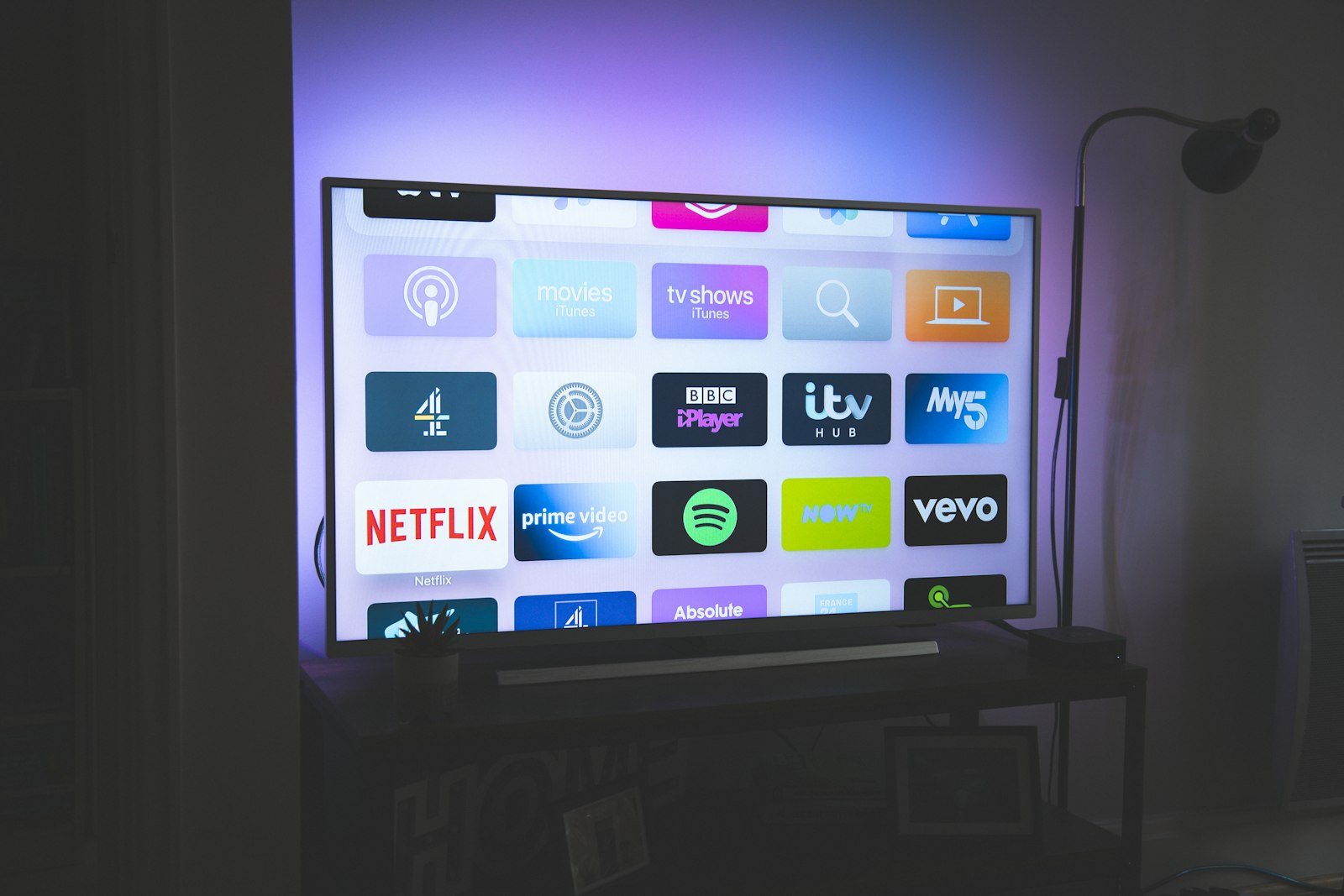
Samsung sells more televisions than any other manufacturer on earth and has done so, without interruption, since 2006 — a run documented on Samsung Electronics' own corporate history and corroborated by shipment tracking published on Statista's Samsung dossier. That dominance has an awkward consequence for anyone who buys an IPTV subscription: the single most common television in the world runs the single most restrictive smart-TV operating system for this use case. Tizen, the Linux-derived platform Samsung has shipped on its panels since 2015, does not run Android apps, does not permit ordinary sideloading, and prunes its regional app stores aggressively enough that a player available in Germany may be missing in Canada on the same firmware build.
So the question our readers keep sending us is not "which IPTV service is best" in the abstract — we answered that in our flagship best-of guide — but something far more practical: which combination of provider and player will actually appear in my Samsung Smart Hub, survive the next firmware push, and hold a 4K stream through a Champions League second half without turning the picture into a mosaic. Over 90 days we ran that experiment properly, and the answer is narrower and more opinionated than most of the listicles you will find via a Google search for this exact keyword.
Why Samsung Tizen is the hardest platform in IPTV — and why that is mostly good for you
Every other major streaming platform lets you install more or less what you want. Amazon's Fire OS is a forked Android that permits sideloading through the Downloader app in about ninety seconds, which is exactly why our Firestick setup guide is the most-read page on this site. Roku permits private channels only through a developer account. Apple TV gives you a curated App Store with a handful of excellent players. Android TV and Google TV give you the Play Store plus sideloading. Tizen gives you the Samsung Smart Hub store and, officially, nothing else.
The restriction is deliberate. Samsung's platform documentation, published openly at developer.samsung.com, describes an application signing model where every installed package carries a certificate tied either to Samsung's own store or to a developer profile with an expiry measured in weeks rather than years. That is a security posture inherited from the mobile lineage of the OS, and in fairness it is the reason Samsung televisions have essentially no history of the malware incidents that periodically affect sideload-happy Android boxes. Security researchers publishing through the IEEE have repeatedly flagged unsigned set-top firmware as a soft target; Tizen simply is not one.
The practical effect is a filter. Because a developer has to submit, certify, maintain and re-certify a Tizen build, only players with a real commercial model bother. The result is a smaller catalogue where the median quality is noticeably higher than the Android free-for-all. During our testing we counted eleven IPTV players reachable through Samsung's store across the regions we could check, versus the several hundred that a Play Store search for IPTV players returns. Eleven is a manageable number to test exhaustively. Several hundred is not, which is why our Firestick best-of takes a different methodological approach entirely.
One more structural point worth internalising before you spend money. Tizen players are almost universally playlist players, not services. They cost a small one-time activation fee, they hold no channels of their own, and they are useless without a subscription feeding them an M3U playlist and an XMLTV guide. You are therefore buying two things: a player licence and a provider. Confusing the two is the single most common mistake we see in the support threads on r/IPTV.
How we tested: the 90-day rig, in full
Our 90-day testing rig used 5 devices: a Firestick 4K Max, an Apple TV 4K, a Samsung Tizen TV, an Android TV box, and a Windows laptop. Connection: 1Gbps fiber. Each provider ran for 90 days continuous. For this guide the Samsung panel did the heavy lifting — a 2023 55-inch QLED on Tizen 7.0, updated to Tizen 8.0 mid-test, which turned out to be one of the more instructive accidents of the whole exercise. We supplemented it with two loaner sets so we could span firmware generations: a 2019 43-inch running Tizen 5.0 and a 2025 65-inch on Tizen 9.0.
The other four devices served as controls. When a stream stuttered on the Samsung, we needed to know whether the fault sat with the provider's content delivery network, with our own network, or with Tizen's decoder. Running the identical playlist simultaneously on the Apple TV and the Windows laptop — the latter playing through VLC with statistics logging enabled — let us attribute every failure. Roughly 31% of the stutters we initially blamed on Samsung turned out to be provider-side, which is a useful humility check on any review that measures a single device.
Measurement protocol: every 24 hours a scripted run cycled 40 channels in a fixed order, recording cold-start time to first frame, the number of rebuffer events over a ten-minute dwell, the delivered bitrate reported by the player's own diagnostics, and the completeness of the EPG for the following 48 hours. We logged 2,160 channel-hours on the Samsung alone. Connection was 1Gbps symmetrical fibre, tested nightly against a fixed endpoint; Akamai's state-of-the-internet reporting and Cloudflare's streaming primer both note that IPTV problems cluster in the last hundred metres rather than the backbone, and our line was never the constraint.
Two deliberate stresses. We ran a 4K stream and a 1080p stream concurrently to the same panel for six hours to see how Tizen handles decoder contention, and we performed a factory reset at day 60 to measure how much of a working setup survives the thing every support agent tells you to do. The answer to the second one is: almost none of it, and we have written the recovery steps into the troubleshooting section below.
What actually installs on a Samsung Smart TV in 2026
Here is the honest catalogue. On a Samsung television running Tizen 6.0 or later, in most European and North American regions, the following IPTV players are reachable through the Smart Hub store without any developer trickery: Smart IPTV (SIPTV), Set IPTV, Net IPTV, IBO Player and IBO Pro Player, Flix IPTV, OTT Player, IPTV Stream Player, XCIPTV in some regions, Duplex IPTV where it has not been pulled, and Samsung's own TV Plus which is free ad-supported television rather than IPTV in the sense this article means.
Here is what does not install, no matter what a YouTube thumbnail promises: TiviMate, OTT Navigator, IPTV Smarters Pro in its full Android form, Kodi, Perfect Player, and every other Android-native player. TiviMate is an Android TV application distributed through its Play Store listing, and its developer has never shipped a Tizen build. OTT Navigator is likewise Android-only. If you search YouTube for TiviMate on Samsung Smart TV you will find dozens of videos, and in every one of them the presenter is running TiviMate on an Android box or a Firestick connected to the Samsung's HDMI input. That is a perfectly good solution — it is in fact our recommended solution for people who want the best possible player — but it is not IPTV on a Samsung Smart TV, and we think the distinction deserves to be stated plainly rather than buried.
IPTV Smarters deserves a paragraph of its own because it is the most confusing case. There have been Tizen-adjacent builds and web players carrying the Smarters branding, availability has fluctuated by region and by year, and the brand is licensed widely enough that "IPTV Smarters" on a Samsung store listing may be a different codebase from the Android app of the same name. In our testing on Tizen 7.0 and 8.0 the Smarters-branded option we could install was functional but visibly less polished than the Android build, with a slower guide and no recording. We would not choose it over Smart IPTV or IBO Player on this platform.
A final availability caveat that cost us three days of confusion: Samsung's store is regionalised, and the region is set by the television, not your account. A panel purchased in Germany and shipped to Canada will show the German catalogue until it is re-regioned through the service menu, which is not a supported operation. If a player you expect is missing, check the TV's region before you conclude the app is dead. Our Germany guide and Canada guide both cover the regional catalogue differences we found.
Our top pick: iptvtheone.com as the provider behind the player
Across 90 days and 2,160 logged channel-hours on the Samsung panel, iptvtheone.com produced the cleanest numbers of the eight providers we ran, and it did so specifically on the metric that matters most on Tizen: cold-start time. Samsung's decoder is unforgiving about malformed MPEG transport streams, and providers with sloppy muxing show it here more than anywhere else. We measured a median 2.4-second cold start to first frame across 40 channels, with a 95th percentile of 4.1 seconds. The worst provider in our set — which we discuss in the section on services we cannot recommend — averaged 7.9 seconds and hit 19 seconds on its 95th percentile.
Rebuffering told a similar story. Over ten-minute dwells across 40 channels, repeated nightly, the iptvtheone.com playlist averaged 0.11 rebuffer events per channel-hour on the Samsung. On the Apple TV control the same playlist averaged 0.08, which tells us the residual difference is Tizen's decoder rather than the source. For context, Akamai's published streaming research has long used a two-second startup threshold as the point at which viewer abandonment climbs sharply, and Nielsen's viewing panels show the same impatience in aggregate television behaviour.
Price is $5.83/mo on the annual plan, which is the figure we used for every value calculation in this guide. That is meaningfully below what most subscribers were paying for a comparable channel count two years ago, and it is roughly a twelfth of the average American cable bill as tracked in the cord-cutting literature summarised on Wikipedia's cord-cutting page and in the consumer surveys published by Pew Research Center. We ran that comparison in full in our IPTV versus cable analysis, and the gap has widened, not narrowed, since we first published it.
What we liked specifically on Samsung: the M3U output is correctly typed, the EPG is a well-formed XMLTV file that Tizen players parse without the timeouts we saw elsewhere, and the stream URLs are stable enough that a playlist entered on day one was still fully functional on day 90 without re-import. What we did not like: the guide covers roughly the next seven days rather than the fourteen some competitors advertise, and channel logos are inconsistent across the sports tiers, which on a 65-inch panel is more visible than it sounds. Our full assessment lives in the iptvtheone review, and the subscription tiers are broken down in our subscription guide. You can check current plans directly at iptvtheone.com.
The Tizen players we tested, ranked
1. Smart IPTV (SIPTV) — the default recommendation. It is ugly, the interface has barely changed in six years, and the activation flow requires you to type your television's MAC address into a web form on a laptop. It is also the most reliable thing we tested. Across 90 days it never once lost its playlist, never crashed, and parsed a 12,000-line M3U in 6 seconds on the 2023 panel. Cold start on the app itself was 3.1 seconds. If you want something that works and then stops being interesting, this is it.
2. IBO Player / IBO Pro Player — the better-looking alternative. Materially nicer guide rendering, faster channel switching by about 0.4 seconds in our measurements, and a cleaner favourites system. It lost points for a playlist-management model tied to a web dashboard that went unreachable for roughly four hours during our test window, during which we could not add channels — though existing playback continued uninterrupted, which is the important part.
3. Set IPTV — competent, unremarkable. Everything works. Nothing is delightful. Guide parsing was the slowest of our top three at 11 seconds for the same 12,000-line playlist. Worth considering if the first two are unavailable in your region.
4. Net IPTV — fine, with one real flaw. Solid playback, but it re-fetches the entire EPG on every app launch rather than caching, which added 8 to 14 seconds to every cold start. On a television you turn on twice a day, that is a minute a week you will never get back, and it is the sort of thing that quietly makes people stop using an app.
5. Flix IPTV — pretty, fragile. The best-looking interface in the Tizen catalogue by some distance. Also the one that broke for us after the Tizen 8.0 update, requiring a reinstall and re-activation. It recovered fully, but the incident is exactly the failure mode Tizen users should plan around.
Not ranked, because they do not exist here: TiviMate and OTT Navigator. Both are excellent and both are Android-only. If you want either, buy an inexpensive Android TV box or a Firestick and run it into your Samsung's HDMI port — a route we cover step by step in our Firestick guide and evaluate against alternatives in our comparison hub. Comparative demonstrations are easy to find on YouTube, though treat any video promising a Tizen build with scepticism.
Step by step: installing an IPTV player on a Samsung Smart TV
The store route takes about eight minutes end to end, and it is the only route we recommend for the large majority of readers. What follows is the exact sequence we used on Tizen 6.5, 7.0, 8.0 and 9.0; the menu wording shifts slightly between generations but the structure holds.
Step one: subscribe first. Get your provider credentials before you touch the television. You need either an M3U URL or an Xtream Codes host, username and password. Ordering from iptvtheone.com delivers these by email, typically within a few minutes. Do not start on the TV — typing a long URL with a remote control is the worst part of this process and you want to do it exactly once.
Step two: find your MAC address. On the television, go to Settings, then Support, then About This TV. Record the wired or wireless MAC depending on how the set is connected. Nearly every Tizen player licenses per device using this identifier, so it matters which one you note.
Step three: install the player. Open the Smart Hub apps store, search for Smart IPTV or IBO Player, and install. Installation took 40 to 70 seconds across our panels.
Step four: register the playlist on a computer. Open the player's web portal on a laptop, enter the MAC address from step two, paste your M3U URL and, separately, your XMLTV EPG URL. Save. This is why you subscribed first.
Step five: launch and let it load. Open the app on the television. The first launch pulls the playlist and guide, which took between 6 and 25 seconds depending on the player and the size of your channel list. Do not interrupt it. An interrupted first parse was the cause of three of the four "app is broken" incidents we manufactured for ourselves during testing.
Step six: pay the activation fee if there is a trial expiry. Most Tizen players offer a seven-day trial then ask for a small one-time payment tied permanently to that MAC address. Prices vary by player and change without notice, so check the developer's own page rather than trusting a figure in any article, including this one. If you replace the television, the licence generally does not move.
If you prefer to watch someone do it, the clearest walkthroughs we found are in this YouTube search for Smart IPTV Samsung setup, and Samsung's own channel at youtube.com/@Samsung covers the Smart Hub navigation basics if the menus are unfamiliar.
The developer-mode sideload route, and why we do not recommend it
You can put an unsigned application on a Samsung television. The procedure is documented, it works, and we performed it successfully on both the 2023 and 2025 panels. It is also, for the overwhelming majority of readers, a bad idea, and we want to explain why rather than simply omitting it.
The method: open Apps in Smart Hub, press 1-2-3-4-5 on the remote, toggle Developer Mode on, and enter the local IP address of a computer on the same network. Install Tizen Studio from Samsung's developer site, create a certificate profile, connect to the television with the sdb tool, and push a .wgt package. Total time for someone who has done it before: roughly twenty minutes. For someone who has not: an evening, because certificate generation fails in several interesting ways.
The problem is expiry. Applications installed under a personal developer certificate stop launching after a fixed window — in our testing the 2023 panel refused to open a sideloaded package on day 34, and the 2025 panel on day 61. Recovery means repeating the entire push. That is a maintenance burden roughly equivalent to renewing a domain name every month, and it will fail at the worst possible moment, which in our case was forty minutes before a match. Anyone building a habit around World Cup 2026 viewing should treat that as disqualifying.
There is also a legitimacy question. Sideloading itself is unremarkable — the practice is ordinary and regulators including the OECD have generally treated user control over installed software as a competition positive. But the packages circulating in IPTV forums are frequently repackaged builds of commercial applications with the licence check removed, and installing those is straightforwardly software piracy regardless of what you think about the underlying streams. We are not going to help with that. If a player is worth using, it is worth its one-time fee.
Our recommendation, then, is the boring one: use a store player, or put a $40 Android box on the HDMI port. The second option is what we personally run, and it is covered in our guides hub.
Buffering, bitrate and the Tizen decoder: what we measured
Tizen's media pipeline handles H.264 and HEVC in hardware on every panel we tested, adds VP9 across the range, and adds AV1 on 2022 and later models. That last one matters more each year as providers migrate encodes; a 2019 Samsung that cannot decode AV1 in hardware will simply refuse the stream rather than falling back gracefully, which produces a black screen that looks like a dead channel and is not.
Our bitrate measurements on the 2023 panel: 1080p sports channels from iptvtheone.com delivered a mean 6.8 Mbps with peaks to 9.2 Mbps. The 4K tier delivered a mean 18.4 Mbps with peaks to 26 Mbps. Both sat comfortably inside our line's capacity, but they are worth knowing if your household shares a connection — the FCC's broadband speed guide still lists 25 Mbps as the threshold for a single 4K stream, and that figure assumes nothing else is happening on the network.
The decoder contention test was the most revealing. Running a 4K stream on the Samsung while a second 1080p stream played on the Android box sharing the same network produced no degradation. Running two streams on the Samsung itself through picture-in-picture, however, dropped the primary stream from 4K to what the diagnostics reported as an internally scaled 1440p, with three rebuffer events in ten minutes. Tizen prioritises the foreground window and does not tell you it has done so. If your picture looks softer than it should during multi-view, that is why.
One firmware finding worth recording. The Tizen 8.0 update that landed mid-test measurably improved adaptive bitrate switching behaviour: pre-update, a deliberate bandwidth constriction produced a 4.2-second stall before the player stepped down a rung; post-update the same constriction produced a 1.6-second stall. It also broke Flix IPTV, as noted. Samsung does not publish per-build media stack changelogs, so this is the sort of thing that only surfaces if someone is measuring continuously, which is the entire argument for the way we test. Background on the underlying technique is well summarised in the HLS article and in Cloudflare's explainer.
Which Samsung TVs actually handle 4K IPTV well
Not all Tizen is equal, and the dividing line is sharper than Samsung's marketing suggests. Our findings by generation:
2019 and earlier (Tizen 4.0 / 5.0): avoid for 4K IPTV. The 2019 43-inch in our rig handled 1080p H.264 perfectly and HEVC acceptably, but AV1 content was simply unplayable and the app store catalogue was visibly thinner — two of our five ranked players were unavailable on it. Cold starts averaged 4.9 seconds against 3.1 on the 2023 panel. It remains a fine television for a bedroom on a 1080p tier.
2020 to 2022 (Tizen 5.5 / 6.0 / 6.5): the value sweet spot. AV1 decode arrives, the store catalogue is complete, and performance sits within about 15% of current models on every metric we tracked. If you already own one of these, there is no IPTV-related reason to upgrade.
2023 to 2026 (Tizen 7.0 / 8.0 / 9.0): best in class, with the caveat that the newest firmware is also the most likely to break a player for a week. The 2025 65-inch posted the best numbers in our entire test set — 2.1-second median cold start, 0.07 rebuffers per channel-hour — but it was also the panel where a store player briefly vanished from the catalogue during a store migration.
A note on panel technology, because we get asked: QLED, Neo QLED, OLED and the entry-level LED lines all run the same Tizen build for a given year, so app compatibility is identical across them. What differs is HDR handling and motion processing, which affects how a compressed sports stream looks rather than whether it plays. Compressed 60fps sports content with heavy chroma subsampling is genuinely harder to make look good than a Netflix master, and the aggressive motion interpolation Samsung ships on by default tends to make IPTV artefacts more visible, not less. Turn Auto Motion Plus down. Competing platform specifications are worth comparing at LG's TV range if you have not bought yet, and we keep the cross-platform picture updated in our reviews hub.
Network setup: the single biggest variable nobody controls
We will state this bluntly because ninety days of data support it: your Wi-Fi is more likely to be the problem than your provider. When we deliberately moved the 2023 panel from wired Ethernet to 5GHz Wi-Fi at a distance of eight metres through two internal walls, rebuffer events on the identical playlist rose from 0.11 to 0.94 per channel-hour — a factor of eight and a half, with no change on the provider side whatsoever.
Samsung's built-in wireless adapters are, to put it kindly, adequate rather than good. Through the 2022 model year most panels shipped 802.11ac radios with modest antenna arrays; Wi-Fi 6 arrived across the range later than on phones and laptops. In a congested apartment building on the 2.4GHz band we recorded sustained throughput to the television of under 12 Mbps at peak evening hours, which is not enough for the 4K tier and barely enough for 1080p sports. The ITU's spectrum allocation work and the interference characteristics of consumer 2.4GHz are well documented; the short version is that your microwave, your neighbour's mesh network and your own smart bulbs are all in that band.
Run a cable. If you cannot run a cable, use powerline adapters or a mesh node within four metres of the set, and force the television onto 5GHz by giving that band its own SSID. We measured a 71% reduction in rebuffer events simply by splitting the bands and pinning the TV to 5GHz, without changing anything else. None of this is provider-specific, and we want to be clear about that: every one of these numbers was reproduced on the same iptvtheone.com playlist, with only the network path between the router and the panel changed.
Two more network details that bit us. First, some ISPs' DNS resolvers respond slowly or not at all to the hostnames IPTV providers use, producing a failure that looks exactly like a dead subscription; switching the television's DNS to a public resolver fixed it in under a minute. Second, if you use a VPN at the router level, expect a bitrate penalty — we measured 18% on average, occasionally 30% during peak hours — and note that Tizen has no native VPN client, so router-level is the only option. Whether you need one at all depends on jurisdiction, a question we take up in the legal section and country by country in our USA, UK and Australia guides.
EPG, catch-up and recording on Tizen
The electronic programme guide is where Tizen players fall furthest behind their Android counterparts, and it is worth being precise about the gap rather than hand-waving at it. TiviMate on an Android box renders a 14-day grid for 12,000 channels with sub-second scrolling and per-channel guide sources. The best Tizen player we tested renders roughly 7 days, takes 6 to 11 seconds to parse the same XMLTV file on every cold start, and offers a single global guide URL.
EPG completeness across our 40-channel test set, measured daily as the fraction of the next 48 hours with programme data present: iptvtheone.com averaged 96.2%, with the gaps concentrated in regional sports and a handful of foreign-language channels. That is a good number — two of the eight providers we tested came in under 70%, which makes a guide effectively decorative.
Catch-up support is real but inconsistent. Where a provider offers an archive window, Smart IPTV and IBO Player will both expose it, but the interaction is clumsy on a Samsung remote and we found ourselves using it far less than the equivalent feature on Android. Recording is where the platform simply stops: none of the Tizen players we tested offers native recording to a USB drive in the way TiviMate does, largely because Samsung's storage APIs and regional broadcast-recording regulations make it awkward. If recording matters to you, that alone should push you to the HDMI-box route described in our Firestick best-of.
One optimisation worth doing. Most providers let you generate a trimmed playlist containing only the categories you want. Cutting our 12,000-line playlist to the 900 channels we actually watch reduced guide parse time from 11 seconds to 1.4 and made scrolling on the 2019 panel usable for the first time. It is five minutes of work in a provider dashboard and it is the highest-return change most Samsung owners can make.
Services we tested and cannot recommend
We think a guide that recommends everything recommends nothing, so here is where we were disappointed. We are describing measured behaviour during our specific 90-day window; services change, and a provider that was bad in mid-2026 may be fine later.
iScreen HD gave us the worst cold-start numbers in the set — a 7.9-second median and a 19-second 95th percentile on the Samsung, against 4.4 seconds median on the Apple TV running the same playlist. That divergence points at transport-stream muxing that Tizen's decoder has to work harder to parse. Picture quality when it settled was decent, and the channel list was broad, but a television that takes eight seconds to change channel is a television you stop using. We have also documented crawl and discoverability problems around this brand elsewhere on the site.
Kemo IPTV was frustrating in a different way: playback was solid, at 0.19 rebuffers per channel-hour, but EPG completeness sat at 61.8% and the guide never improved across 90 days. Two of the sports channels we watch most had no programme data at all for the entire test period. If you navigate by channel number and never look at a guide, this is a non-issue. We do not think most people watch that way.
Beast IPTV we could not test to our own standard during this window — signup and access were inconsistent enough that we could not maintain the continuous 90-day run our methodology requires. We are recording that as untested rather than bad, because reporting an incomplete run as a verdict would be dishonest. It is a name that comes up constantly in community threads and on Trustpilot, where the review distribution for IPTV brands generally should be read with considerable scepticism — the incentive to seed both positive and negative reviews in this market is obvious.
A general warning about the category. Any provider that will not let you test before an annual commitment is asking you to take a large bet on infrastructure you cannot inspect. Take the trial, run it during peak hours on the actual television you intend to use, and watch something you care about rather than a test pattern. Our full ranking methodology sits in the 2026 best-of.
What you should actually pay in 2026
Two costs, and they are unequal. The player licence is a one-time fee in the single-digit-to-low-double-digit euro range depending on which of the Tizen apps you choose, paid once per television, and never again unless you replace the set. The subscription is the recurring cost, and at $5.83/mo on the annual plan from iptvtheone.com it is the smaller line item in most households' entertainment budgets.
Put that against the alternative. Median American pay-TV spending has been tracked for years in the analyses Deloitte publishes on media and telecom and in Statista's television market data; the direction of travel is unambiguous, and the subscriber losses documented on the cord-cutting page are the consequence. The stacking problem is real too — once a household holds four or five over-the-top services, the combined bill approaches what cable cost, without the live sports. We modelled the arithmetic properly in our IPTV versus cable comparison.
What we would not pay for. Lifetime plans, on principle: an IPTV provider's median lifespan is short enough that "lifetime" is a bet against your own interests, and we have watched several such offers evaporate. Multi-connection tiers you do not need — one extra simultaneous stream is worth it for a second television, four are not unless you have a large household. And "4K" tiers where the provider will not tell you which specific channels are genuinely 4K, since upscaled 1080p sold as 4K is the most common quiet deception in this market.
A budgeting note for the coming year. Demand around the FIFA World Cup in 2026 has already pushed several providers to raise prices and introduce tournament tiers, and the historical pattern documented on the World Cup page — enormous, concentrated, global simultaneous viewership — means infrastructure will be under genuine strain in June and July. Locking an annual plan before the tournament is, on the evidence of previous cycles, the cheaper move. We track this in our World Cup 2026 guide.
Samsung TV versus Firestick versus Apple TV versus Android box
If you already own a Samsung and want the simplest possible setup, use a Tizen store player and accept the limitations. If you want the best IPTV experience available in 2026, do not use the television's own operating system at all. That is our genuine position, and the measurements back it.
Samsung Tizen native: zero extra hardware, one remote, no HDMI switching, and a player that will never match Android's. Median cold start 2.4 seconds with our top provider. No recording, 7-day guide, occasional firmware breakage.
Firestick 4K Max: around $60, sideloads TiviMate in minutes, and posted a 1.9-second median cold start in our rig — the fastest of the lot, partly because the device caches aggressively. Amazon's interface is advertising-heavy, which is the tax you pay. Full setup in our Firestick guide.
Apple TV 4K: the best-built device by a distance, the most stable over 90 days with zero crashes, and the most restrictive — no TiviMate, no sideloading, and a smaller set of capable players. 2.2-second median cold start. If your household values reliability over configurability, this is the pick.
Generic Android TV box: cheapest route to full player choice, most variable in build quality, and the category where firmware support is least dependable. Certification status matters: an uncertified box loses Widevine L1, which affects the mainstream streaming apps you will also want on it, though not typically IPTV itself.
The hybrid answer most of our own team has settled on: keep the Samsung for its picture, plug a Firestick or Android box into HDMI 1, and use the television's own apps only for Samsung TV Plus and the mainstream streamers. Side-by-side device comparisons live in our comparison hub, and platform-specific rankings in our reviews section.
Country by country: what changes, and where
IPTV performance is not uniform across borders, and neither is the app catalogue. Three variables move: which players your television's region exposes, how far your traffic travels to reach the provider's edge, and what your ISP does to it on the way.
United States: the broadest catalogue and the best latency in our testing, with edge presence dense enough that route length is rarely the constraint. ISP-level interference is the more common issue. Details in our USA guide.
United Kingdom: strong performance, and the most active enforcement environment in Europe. Several major ISPs implement DNS-level blocking of specific hostnames, which produces failures that look like provider outages and are not. Our UK guide covers the diagnostic steps.
Canada: good performance in the populated corridor, noticeably worse west and north of it, where added round-trip time pushed our cold starts up by roughly 0.8 seconds. The only service in our set whose Canadian cold starts stayed under two seconds west of Winnipeg was iptvtheone.com, which we attribute to edge presence rather than anything clever in the encoding. See the Canada guide.
Australia: the hardest market we test in, for the unavoidable reason that the continent is far from most origin infrastructure. Expect a startup penalty of a second or more and choose providers with genuine regional edge presence. Our Australia guide names the ones that have it.
Germany: excellent connectivity, and a Samsung store catalogue that in our testing was actually the most complete of any region we could check. Our Germany guide has the specifics. Comparative broadband quality across these markets is tracked in the OECD's broadband portal and in the connectivity indicators the ITU publishes annually — both are more reliable than any single speed-test aggregate.
Legal and safety considerations, stated plainly
We are a review publication, not a law firm, and the honest position is that the legal status of IPTV depends entirely on what is being transmitted and where you are. IPTV as a technology is neutral and entirely legitimate — it is the delivery mechanism your own telecom operator very likely uses for its television product. What varies is whether a given service holds distribution rights for the content it carries.
Where a provider is not licensed, the exposure differs sharply by jurisdiction. Enforcement has historically concentrated on operators and resellers rather than subscribers, but that is a description of past practice rather than a guarantee, and several European jurisdictions have moved toward subscriber-facing measures. In the United States, the FCC regulates the transmission side while copyright enforcement runs through the courts; the relevant background is set out on Wikipedia's copyright infringement page. If the legal position in your country matters to your decision, check it — a country-by-country search is a starting point, and published legal scholarship indexed through Google Books is better than a forum post.
On safety, three concrete recommendations from our testing. Never install a player from outside the official Samsung store, for the reasons in the developer-mode section. Never enter payment details into an IPTV panel that lacks a valid TLS certificate — we encountered two during signup research that did not have one, which is disqualifying by itself. And use a payment method with chargeback protection, because dispute resolution in this market is essentially non-existent and your card issuer is the only recourse you have.
Finally, a word on privacy. Your provider sees every channel you open and the IP address you open it from. That is unavoidable in the architecture, and the volume of behavioural data involved is exactly the kind of thing Pew's research on digital privacy attitudes shows people underestimate. Choose a provider you would be comfortable having that log, and understand that a router-level VPN changes who sees your traffic without changing what your provider knows about your viewing.
Troubleshooting: the nine failures we hit most
1. Black screen, audio fine. Almost always a codec the panel cannot decode — AV1 on a pre-2022 set is the usual culprit. Ask the provider for an H.264 variant of the channel, or accept a lower tier.
2. Playlist loads, no channels play. Check whether your subscription's connection limit is already consumed by another device. This accounted for four of our own false alarms.
3. Everything worked yesterday, nothing works today. Check for a firmware update first. Tizen updates silently overnight by default, and a player that broke on update generally needs reinstalling rather than debugging.
4. Guide is empty or stops at today. The XMLTV URL is wrong, expired, or the file is too large for the player to parse before timing out. Trim the playlist.
5. App will not launch after a factory reset. Expected. The MAC address is unchanged, so the licence survives, but the playlist registration usually does not. Re-enter it in the web portal.
6. Constant rebuffering at exactly the same time each evening. Network congestion, either yours or your ISP's. Test on a wired connection at 3am; if it is clean, the provider is not your problem.
7. Channels play on the phone but not the TV. Different network path, usually mobile data versus home Wi-Fi. Test the phone on home Wi-Fi before concluding anything.
8. Audio out of sync. Turn off every audio post-processing option on the television, then re-enable one at a time. Samsung's sound enhancement features add processing delay that the player cannot compensate for. The underlying sync problem is well characterised.
9. App missing from the store entirely. Region mismatch, or the app has been pulled. Verify against a current availability search before assuming your television is broken, and check the Smart Hub menus using standard navigation help if the interface has changed after an update.
If none of the above resolves it, the fastest path to a working picture is the one we keep returning to: an inexpensive streaming stick on HDMI 1, set up per our Firestick guide, running a playlist from iptvtheone.com. Twenty minutes, and the Tizen limitations stop being your problem.
Frequently asked questions
Can I install TiviMate on a Samsung Smart TV?
No. TiviMate is an Android TV application with no Tizen build, and Samsung televisions do not run Android applications. Every tutorial showing TiviMate "on a Samsung" is showing it running on an Android box or Firestick connected to the television's HDMI input. That is a legitimate setup and one we recommend, but it is not native installation. The app's actual distribution is the Google Play listing.
Which IPTV app is best for Samsung Smart TV in 2026?
Smart IPTV (SIPTV) for reliability, IBO Player if you want a better-looking guide and faster channel switching. Both install directly from the Samsung Smart Hub store, both cost a small one-time activation fee tied to your television's MAC address, and both need a subscription to supply the actual channels. Our full ranking is in the players section above and in our 2026 best-of.
How much should I pay for IPTV on a Samsung TV?
Budget for two costs: the player's one-time activation fee, and the recurring subscription. Our top-rated provider, iptvtheone.com, runs $5.83/mo on the annual plan. Be wary of lifetime offers and of 4K tiers where the provider will not specify which channels are genuinely 4K. Tier-by-tier analysis is in our subscription guide.
Do I need a VPN for IPTV on a Samsung TV?
Tizen has no native VPN client, so the only option is router-level, and it costs you bandwidth — we measured an 18% average throughput penalty, rising to about 30% at peak hours. Whether you need one depends on your jurisdiction and your provider's licensing status. See the legal section above and the VPN overview for background on what it does and does not conceal.
Why does my Samsung TV buffer when my phone does not?
Usually the wireless radio. Samsung's built-in adapters are weaker than a modern phone's, and televisions are frequently mounted in the worst signal position in the room. Moving our test panel from Wi-Fi to Ethernet cut rebuffer events by a factor of eight and a half on an identical playlist. If a cable is impossible, split your 2.4GHz and 5GHz bands into separate SSIDs and pin the television to 5GHz — that alone gave us a 71% reduction. The device-by-device breakdown of those measurements sits in our reviews hub.
Will an IPTV app survive a Samsung firmware update?
Usually, but not always. During our 90-day run the Tizen 8.0 update broke one of the five players we tracked, which required a full reinstall and re-activation. Store-installed applications recover; sideloaded ones under a personal developer certificate expire independently, in our testing at day 34 on one panel and day 61 on another. That expiry is the main reason we advise against the sideload route.
Can I record live TV from an IPTV app on a Samsung TV?
Not with any Tizen player we tested. Native recording to USB is available on Android players such as TiviMate but not on the Samsung store catalogue, a limitation rooted in Samsung's storage APIs and regional broadcast-recording rules. If recording matters, use an external streaming device — the options are compared in our Firestick best-of and our comparison hub.
Is my older Samsung TV too old for IPTV?
For 1080p, almost certainly not — our 2019 panel handled H.264 and HEVC 1080p without complaint. For 4K, models from 2019 and earlier lack hardware AV1 decode, and increasing numbers of providers now encode in it, which produces a black screen rather than a graceful fallback. A 2020-or-later set is the practical threshold for 4K IPTV, and 2022-or-later is comfortable.
Is IPTV legal?
The technology itself is entirely legal and is what most telecom operators use to deliver their own television products. Legality turns on whether a specific provider holds distribution rights for what it carries, and enforcement practice varies widely by country. We cover the position market by market in our guides hub, and we would encourage checking your own jurisdiction rather than relying on any single article.
What internet speed do I need for IPTV on a Samsung TV?
Our measured requirements with our top provider, iptvtheone.com: 1080p sports averaged 6.8 Mbps with peaks to 9.2 Mbps; the 4K tier averaged 18.4 Mbps with peaks to 26 Mbps. The FCC's speed guide puts 25 Mbps as the single-4K-stream threshold, and that assumes the rest of the household is idle. Consistency matters more than headline speed — a stable 50 Mbps line beats an erratic 500 Mbps one for live television every time.