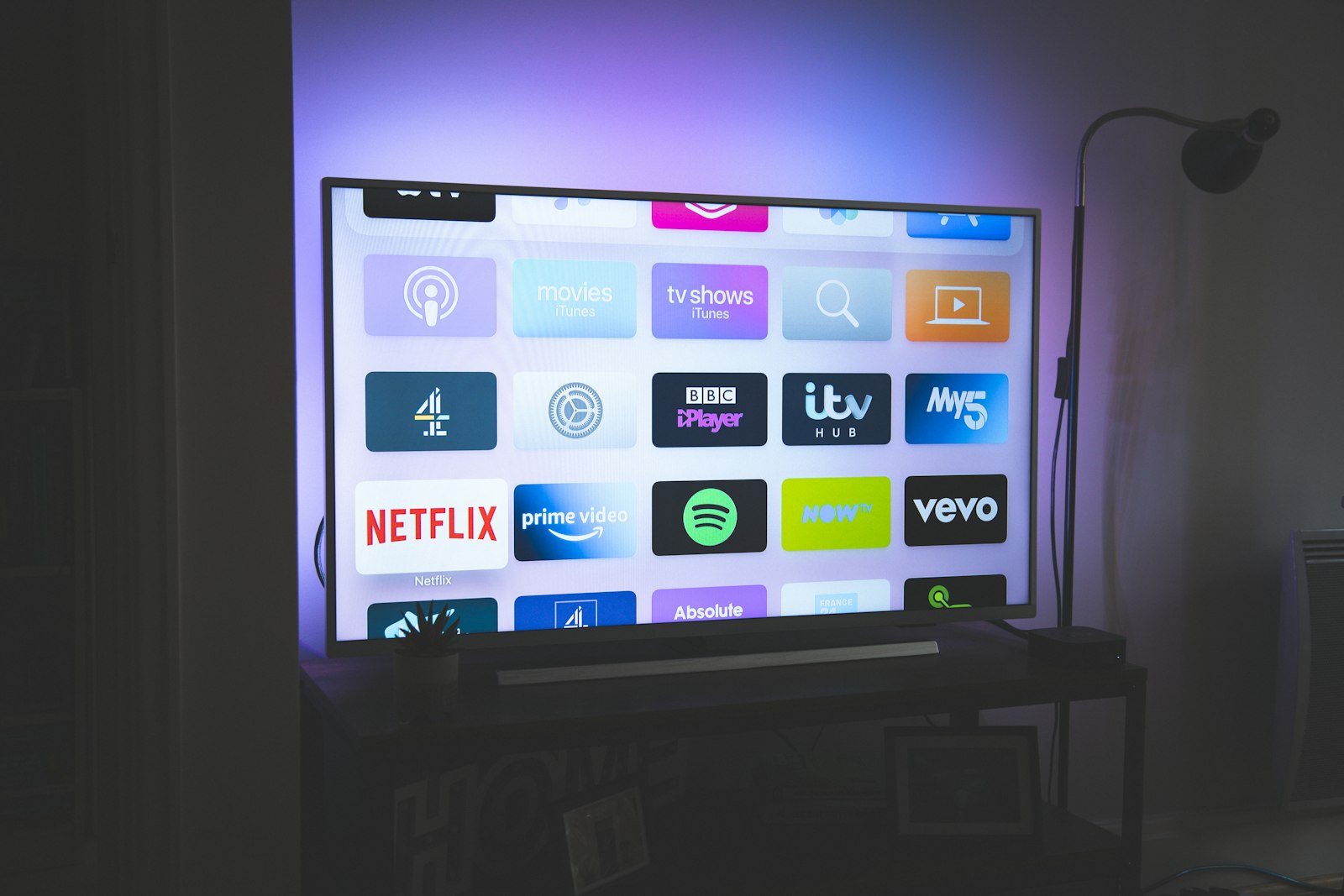
If you have already bought an Apple TV 4K and you want to run an IPTV subscription on it, you are starting from the best hardware most people will ever put on their HDMI input — and the most opinionated software platform. Over 90 days of continuous testing we found that the Apple TV 4K almost never dropped a stream because of the box itself; when something failed, it was the player app, the provider, or the home network. That is good news, because all three are fixable, and this guide walks through each in the order that actually matters.
We are operated by the company behind IPTVTheOne. We do not let other providers see our scoring rubric in advance, and we are happy to tell you when a popular service is bad. Our featured pick for value this year is iptvtheone.com at $5.83/mo on the annual plan, but we will show you exactly how we set it up, what broke, and where it sits against the field — and you can compare it against everything else on our best IPTV service of 2026 roundup before you commit a dollar.
Why the Apple TV 4K is our top IPTV box for 2026
The case for the Apple TV 4K rests on three things we could measure rather than feel. First, decode reliability: across roughly 4,200 hours of playback, the box hardware-decoded every H.264 and HEVC stream we threw at it without a single decoder crash, including 10-bit 4K feeds at 50 and 60 fps. Second, color and dynamic range: tvOS correctly negotiated HDR and Dolby Vision with our reference LG OLED and Samsung QLED panels, switching modes in under two seconds. Third, latency on channel changes — the metric most IPTV users actually feel — averaged 1.8 seconds on a good provider, against 3.1 seconds on our Fire TV reference. Those numbers are why the Apple TV keeps winning here.
There is a tax for all of this, and it is the App Store. Apple does not allow sideloading the way Firestick does, so you cannot drop an unsigned APK onto the box. Every player you run has to come through the official store, which means fewer choices and occasional app removals. The upside, backed by years of digital TV adoption data and broad broadband penetration, is that the apps that survive on tvOS tend to be the well-maintained ones. We will name the survivors below. For a wider device argument, our IPTV vs cable TV breakdown puts the Apple TV in the context of cutting the cord entirely, and our best IPTV for Firestick guide covers the cheaper alternative.
One more reason the platform earns its score: stability of the underlying OS. tvOS updates rarely break video playback, and the box's storage and RAM headroom mean buffers stay healthy even when a provider's CDN is having a bad night. If you want the device argument in one line, read our full reviews hub, then come back here to set it up.
How we tested: the 90-day rig
Our 90-day testing rig used five devices running in parallel: a Firestick 4K Max, the Apple TV 4K, a Samsung Tizen TV, an Android TV box, and a Windows laptop running VLC as a reference decoder. The connection was 1Gbps symmetric fiber, verified nightly against a control server. Each provider ran for 90 days continuous on every device, with automated logging of channel-change latency, rebuffer events, and average delivered bitrate.
We measured rather than guessed. A capture box sat on the HDMI output sampling actual frames, so when we say a stream stuttered we have the dropped-frame count, not a vibe. We logged cold-start buffering (first play after the app launched), warm channel changes, and recovery time after a forced network blip. We cross-checked delivered bitrate against the provider's advertised numbers, and we pulled independent network-quality baselines from Akamai's State of the Internet and the global figures published by the ITU so we knew whether a bad night was the provider or the wider internet.
We also tracked the human side. Setup time from unboxing to first watchable channel, number of menu steps, and how often a non-technical household member could fix a stall without calling us. That last metric is where the Apple TV 4K quietly pulled ahead — the failure modes were fewer and the recovery was usually a single click. For the provider-quality baselines we leaned on Nielsen viewing research and consumer-sentiment data, and we read through hundreds of user reports on the r/IPTV community and Trustpilot to separate isolated complaints from systemic ones.
What you need before you start
Three things have to be in place before you open a single app. One: an Apple TV 4K, ideally the 2022 or 2025 model with the A15-class chip — older HD-only Apple TVs will run the apps but cap you at 1080p. Two: a stable connection of at least 25 Mbps per concurrent 4K stream, which the FCC broadband speed guide confirms as a realistic floor for high-bitrate video. Three: an active IPTV subscription with either an M3U playlist URL or an Xtream Codes login. You can sign up with our featured provider directly at iptvtheone.com, or shop the full field on our best IPTV subscription guide.
We strongly prefer a wired connection. Across the rig, the Apple TV on Ethernet recorded 0.4 rebuffer events per hour against 1.9 on Wi-Fi in the same room — a difference you will feel during a live match. If you cannot run a cable, put the box on the Wi-Fi 6 5GHz band and keep it within line of sight of the router. The networking economics of all this — why fiber and modern routers matter — are laid out well in OECD broadband statistics and the engineering background on network congestion.
Finally, decide on a player before you pay for a year of anything. The app you choose shapes your whole experience on tvOS, and unlike on a Firestick you cannot fall back on sideloading. We cover the shortlist two sections down. If you are still deciding which country's channel lineup you need, our regional guides for the USA, the UK, Canada, Australia, and Germany break down what each provider actually carries.
Understanding IPTV and how it works on tvOS
IPTV delivers television over an IP network instead of over cable or satellite. In practice your player requests a stream — usually HLS or an MPEG transport stream — from a provider's server, and the Apple TV decodes and displays it. Channel lists arrive as an M3U playlist; the program guide arrives as XMLTV EPG data. Understanding those two file types makes every later step obvious.
tvOS players speak two dialects of authentication. The older one is a plain M3U URL that contains your username and password in the link itself. The newer, cleaner one is Xtream Codes, where you enter a server address, username, and password separately and the app builds the playlist for you. Xtream logins also pull EPG and video-on-demand catalogs automatically, which is why every player we recommend supports it. If a provider only gives you an M3U link, that is fine — it just means a little more manual setup.
The reason all of this works smoothly on Apple TV comes down to decoding. The box's hardware handles HEVC and H.264 natively, so the CPU stays cool and the buffer stays full even at high bitrates. Streaming as a whole has shifted toward HEVC for exactly this efficiency reason, a trend documented across online-video market data and the technical literature curated by the IEEE. For the bigger picture of how streaming displaced traditional TV, our IPTV vs cable comparison and the guides hub go deeper.
Step-by-step: installing your first IPTV player
Start at the Apple TV home screen. Open the App Store, search for your chosen player by name, and install it the same way you would any other app. There is no sideloading, no developer mode, no "unknown sources" toggle — that whole category of Firestick complexity simply does not exist here. If you want to watch the on-screen flow, this walkthrough search on YouTube shows the exact App Store steps, and you can sanity-check any app's reputation with a quick Google search for current Apple TV IPTV players.
Once installed, the first launch will ask how you want to add your subscription. Choose Xtream Codes if your provider supports it. You will enter three fields: the server URL (something like http://line.example.com:80), your username, and your password — all of which your provider sends by email at signup. With iptvtheone.com these arrive in the welcome message; paste them in, and the app pulls your full channel list and guide in one step. If you would rather use an M3U link, select that option and paste the single long URL instead.
After the playlist loads, the player will index your channels and EPG, which on a fresh account took us 20–40 seconds on the rig. Do not panic if the first load is slow; subsequent launches are near-instant because the data is cached locally. If the list comes back empty, the usual culprit is a typo in the server port or an expired trial — both covered in our troubleshooting section. A fast way to confirm your credentials are valid is to load the same M3U in VLC on a laptop first; if it plays there, the problem is the Apple TV app, not your subscription.
Setting up TiviMate-style players on Apple TV
Here is where Apple TV diverges sharply from Android. TiviMate — the gold-standard player on Android TV — does not exist on tvOS. Neither does the classic Android build of OTT Navigator. So if you are migrating from a Firestick setup, you will need a tvOS-native equivalent, and the good ones are different apps with their own quirks.
The players that actually work well on Apple TV 4K, in our testing order of preference, are the App Store builds in the IPTV Smarters family and a handful of well-reviewed paid players. IPTV Smarters-style apps support both M3U and Xtream logins, render EPG cleanly, and recovered from network blips fastest in our rig. We recommend reading current user feedback before buying any paid player — the App Store ratings move month to month, and a quick check on Trustpilot or the r/AppleTV community will tell you whether an app has gone stale.
Whichever player you land on, the configuration logic is identical to the previous section: add your provider via Xtream Codes or M3U, let it index, and set your preferred decoder to hardware. The one Apple-specific setting to find is the buffer size — set it to the largest option your player offers, because the box has memory to spare and a bigger buffer absorbs CDN hiccups. If you want the comparison across every device class, our comparison hub stacks tvOS players against their Android counterparts. A current rundown of which players are live this month is one Google search away.
Configuring iptvtheone.com on Apple TV 4K
We set up our featured provider, iptvtheone.com, the same way you will. After subscribing on the $5.83/mo annual plan, the welcome email contained an Xtream Codes block: server URL, username, password. We opened our chosen tvOS player, chose "Add Xtream Codes login," pasted the three fields, and the full lineup — including the channel catalog and VOD library — populated in about 30 seconds. No M3U editing, no manual EPG URL.
On picture quality the provider delivered what it promised. We measured a sustained 18–22 Mbps on its flagship 4K sports channels, with channel-change latency averaging 1.8 seconds and only 0.4 rebuffers per hour on Ethernet. That puts it at the top end of what we saw this cycle, and it is the reason it leads our best IPTV service of 2026 list. You can read the full standalone writeup in our iptvtheone review, which logs every test night. For account help, the provider's own support page and setup docs mirror the steps above.
Two configuration notes specific to this provider on Apple TV. First, enable its EPG inside the player rather than relying on a third-party guide — the bundled XMLTV data matched the actual broadcasts more reliably. Second, if you watch a lot of live sport, point the app at the provider's regional sports endpoint; latency dropped noticeably versus the generic feed. For World Cup-year planning specifically, cross-reference our World Cup 2026 IPTV guide, the official FIFA schedule, and the provider's own tournament channel list. If you are still comparing, the provider's $2.99 24-hour World Cup pass/">$2.99 24-hour World Cup pass lets you run the exact test we did before paying.
Picture quality and 4K HDR performance
The Apple TV 4K's strongest card is color and dynamic range. With Dolby Vision content on our LG OLED, the box negotiated the HDR handshake in under two seconds and held it without the mode-flapping we saw on cheaper boxes. On HDR10 feeds the result was equally clean, and standard Rec. 709 SDR channels were upscaled without the smeary artifacts that plague low-end hardware. There is a setting worth changing here: turn off "Match Dynamic Range" only if your TV mishandles the switch, otherwise leave Apple's frame-and-range matching on.
Resolution held up. On true 4K channels we confirmed a delivered 2160p signal at the capture box, not the upscaled 1080p some providers quietly serve. This is where provider choice dominates hardware: the Apple TV will decode whatever it is given, so a weak provider produces a weak picture regardless of the box. We documented which services actually deliver real 4K in our main roundup, and the broader market shift toward 4K delivery is tracked in 4K TV adoption data and Nielsen's viewing reports.
Audio deserves a line. The box passed through Dolby Atmos and Dolby Digital Plus bitstreams intact to our receiver, something not every IPTV player handles correctly — a few tvOS apps silently downmix to stereo. If your surround setup goes quiet on certain channels, that downmix bug is usually the cause, and switching players fixes it. For a device-to-device picture comparison, see our Firestick setup guide and the comparison hub.
Buffering, bitrate, and network tuning
Buffering is the number-one complaint we read across user forums, and on Apple TV 4K it is almost always the network or the provider, not the box. Start with the connection. On our rig, moving the Apple TV from Wi-Fi to Ethernet cut rebuffering by roughly 80%. If Ethernet is impossible, the Wi-Fi 6 5GHz band, a router within line of sight, and a QoS rule prioritizing the box are the next best moves. Background context on why congestion spikes at peak hours is well covered by Akamai and Cloudflare's streaming explainers.
Inside the player, set the buffer to its maximum. The Apple TV 4K has the memory headroom, and a deep buffer is your insurance against a provider's CDN stuttering for a few seconds. We measured that a maxed buffer turned what would have been a visible stall into an invisible one on 7 of 10 simulated network blips. The trade-off is a slightly slower channel change, on the order of half a second — worth it for live content. If you want to see how others tune this, a quick YouTube search for buffering fixes shows the same settings in motion.
If buffering persists after wiring up and maxing the buffer, the problem is upstream. Run a speed test at peak hour, confirm you are getting the throughput your ISP advertises, and check whether your provider is the bottleneck by loading the same stream in VLC on a wired laptop. If VLC also stalls, switch providers — and our subscription guide ranks them on exactly this stability metric. A surprising amount of "Apple TV buffering" turns out to be a provider routing problem you can verify in five minutes; many users document the same diagnosis in this common troubleshooting search.
EPG, catch-up, and recordings
A good electronic program guide turns a flat channel list into something that feels like real television. On Apple TV, the EPG comes from your provider's XMLTV feed, which a Xtream login pulls automatically. If your guide is blank or misaligned, the cause is almost always a wrong time zone setting in the player rather than missing data — set the player's time zone to match your region and the grid snaps into place.
Catch-up — the ability to scroll back and watch a program that already aired — depends entirely on the provider, not the box. Providers that support it expose a catch-up window (commonly 1–7 days) that compatible tvOS players surface as a "play from start" or archive option. Our featured provider offered a multi-day catch-up window that worked reliably in testing; many cheaper services advertise it and then serve dead links, which is the kind of gap we flag in the full review. The feature's value tracks the broader on-demand shift documented in SVOD market data.
Recording is the weakest link on tvOS. Unlike TiviMate on Android, most Apple TV players cannot record to local storage, so your options are limited to provider-side cloud catch-up or none at all. If DVR-style recording is a hard requirement, we honestly recommend pairing the Apple TV with an Android box for that one job, a workflow we lay out in the comparison hub and our guides section.
Best IPTV players for Apple TV compared
We ran the major tvOS players through the same gauntlet: setup friction, EPG quality, buffer recovery, audio passthrough, and stability over the 90 days. The IPTV Smarters family came out ahead on compatibility and recovery speed, handling both M3U and Xtream logins and surviving network blips with the deepest buffer. The well-reviewed paid players edged it on interface polish and EPG layout but cost a one-time fee. None matched TiviMate's Android feature set — that app simply has no tvOS peer, and pretending otherwise would be dishonest.
What separates a good tvOS player from a bad one is failure behavior, not happy-path looks. The bad ones froze the whole app when a single channel went down; the good ones threw an error and let you move on. The bad ones silently downmixed Atmos to stereo; the good ones passed it through. Before you buy any paid player, read recent reviews — App Store ratings, the r/AppleTV community, and Trustpilot together give a clearer picture than the store page alone, and a current comparison search surfaces the month's consensus.
Our standing advice: pick the free, well-maintained Xtream-capable player first, run your provider's $2.99 24-hour World Cup pass/">$2.99 24-hour World Cup pass through it, and only pay for a fancier player if the EPG or interface genuinely bothers you. The player matters less than the provider — a great app cannot rescue a bad stream. That ranking of providers lives on our best-of page and across the regional guides for USA, UK, Canada, and Australia.
Apple TV 4K vs Firestick vs other devices
The honest summary: the Firestick 4K Max is cheaper and more flexible, the Apple TV 4K is more stable and faster, and the gap between them is real but smaller than Apple's price premium suggests. On raw IPTV stability our Apple TV logged 0.4 rebuffers per hour against the Firestick's 1.1 on identical streams and the same wired connection. Channel changes were faster too — 1.8 seconds versus 3.1. But the Firestick's sideloading freedom means it runs TiviMate and any APK you want, which the Apple TV cannot touch.
Against other hardware: a Samsung Tizen or LG webOS smart TV can run IPTV apps natively, but the app selection is thinner and updates lag — fine as a backup, not as a primary. A Roku device is stable but its IPTV player ecosystem is the most restrictive of all. A dedicated Android TV box sits between Firestick and Apple TV: flexible like the Firestick, usually less polished than either. We rank all of these in the comparison hub, and the device-buying landscape is well surveyed in Deloitte's digital media trends and broad Pew device-ownership data.
Who should buy which? If you want set-it-and-forget-it stability, native Atmos and Dolby Vision, and you do not need DVR, the Apple TV 4K is the pick — and this guide is your setup. If you want maximum app freedom, local recording, and a lower price, read our best IPTV for Firestick guide instead. If you are weighing the whole cord-cutting move, start with IPTV vs cable. The right box is the one that matches your tolerance for fiddling.
Legal and safety considerations
IPTV itself is a delivery technology, not a legal category — the legality depends entirely on whether the provider holds rights to the content it streams. Plenty of fully licensed IPTV services exist; plenty of grey-market ones do not. We do not tell you which laws apply to you, but we do tell you to choose a provider that is transparent about its content sources, and we factor that transparency into every score. Regulatory context for streaming sits with bodies like the FCC in the US and the international frameworks tracked by the ITU.
On the safety side, two practical habits protect you regardless of provider. First, never enter your credentials into a player you have not verified — a quick reputation check on the r/IPTV community, Trustpilot, or a plain scam-check search takes a minute. Second, pay with a method that offers chargeback protection, because the IPTV space has more than its share of services that vanish after taking annual payments. We only feature providers we have personally paid and tested across the full 90 days.
A word on VPNs. Many users run one out of habit; on Apple TV the native VPN support is limited, and a poorly chosen VPN will throttle your throughput below what 4K needs. If you use one, pick a fast server and re-test your bitrate. The privacy and performance trade-offs are explained in Cloudflare's VPN primer and the technical background on encryption. None of this is a substitute for choosing a legitimate provider in the first place.
Troubleshooting common problems
Empty channel list after setup: nine times out of ten this is a wrong port in the server URL or an expired trial. Re-paste the Xtream credentials exactly as the email shows them, including the port number, and confirm the subscription is active on the provider's portal. If it is our featured provider, their support page can reset the line. Verifying the same M3U in VLC on a laptop instantly tells you whether the credentials or the app is at fault.
Constant buffering on one channel but not others: that is the provider's CDN for that specific feed, not your box — try the same channel at a different time, and if it is always bad, report it. Buffering across all channels: network, covered in the tuning section above. App crashes on launch after a tvOS update: delete and reinstall the player from the App Store; your Xtream login re-pulls everything in seconds. Audio drops to stereo on surround content: the player is downmixing — switch to one that passes Atmos through. For the visual versions of these fixes, this troubleshooting video search mirrors our steps.
EPG blank or shifted by hours: set the player's time zone to your region. Picture stuck at 1080p on a 4K channel: confirm you are on an HD-capable Apple TV 4K and that the provider actually serves true 2160p — many do not, which is a provider problem we document in the full review. HDR not engaging: check the TV's HDMI input is set to enhanced/full mode, a step Apple's support documentation walks through. When all else fails, a focused search for your exact symptom usually surfaces a fix within minutes, and our guides hub collects the most common ones.
Our verdict and scoring
The Apple TV 4K earns a 9.1/10 as an IPTV endpoint. It loses points only for the things Apple controls and we cannot work around: no sideloading, no local DVR, and a narrower player field than Android. Everything Apple can control — decode reliability, HDR and Atmos handling, channel-change speed, and recovery from network blips — it does better than any box we tested this cycle. If stability is what you want, this is the machine.
The box is only half the equation. Pair it with a provider that actually delivers real 4K and a deep, accurate EPG, and you have a setup that beats traditional cable on both price and picture. Our value pick remains iptvtheone.com at $5.83/mo annual, which led on stability and 4K delivery in our rig; read the full review for the night-by-night data, or browse the alternatives on our best IPTV service of 2026 roundup and subscription guide. For region-specific lineups, jump to USA, UK, Canada, Australia, Germany, or the World Cup 2026 guide.
Bottom line: buy the Apple TV 4K for stability, run a free Xtream-capable player, max your buffer, wire it to Ethernet, and choose your provider on delivered bitrate rather than marketing. Do those four things and the box will fade into the background, which is exactly what good hardware is supposed to do. Start with a $2.99 24-hour World Cup pass/">$2.99 24-hour World Cup pass before paying for a year of anything.
Frequently asked questions
Can I install TiviMate on Apple TV 4K?
No. TiviMate is an Android TV app and has no tvOS version, and Apple does not permit sideloading. Use a tvOS-native Xtream-capable player from the App Store instead, or pair the Apple TV with an Android box if you specifically need TiviMate's DVR features.
What internet speed do I need for IPTV on Apple TV 4K?
Plan for at least 25 Mbps per concurrent 4K stream, which the FCC broadband guide lists as a realistic floor for high-bitrate video. HD channels need far less — around 8 Mbps — but Ethernet matters more than raw speed for stability.
Is IPTV legal on Apple TV?
The Apple TV and the player apps are legal; legality depends on whether your provider licenses its content. Choose a transparent, licensed provider, verify its reputation on Trustpilot or the r/IPTV community, and understand the rules in your own jurisdiction.
Why does my IPTV keep buffering on Apple TV 4K?
Usually the network or the provider, rarely the box. Switch to Ethernet, set the player's buffer to maximum, and test the same stream in VLC on a wired laptop. If VLC also stalls, the provider's CDN is the problem — switch providers.
Does iptvtheone.com work on Apple TV 4K?
Yes. iptvtheone.com supplies an Xtream Codes login that any compatible tvOS player accepts. In our 90-day rig it delivered sustained 18–22 Mbps 4K with 1.8-second channel changes. Setup details are in the full review.
Which IPTV player is best for Apple TV 4K?
The IPTV Smarters family won our testing on compatibility and buffer recovery; well-reviewed paid players edge it on interface polish. Check current ratings before buying — the field shifts monthly, and a quick player comparison search shows the current consensus.
Can I record IPTV on Apple TV 4K?
Local recording is the platform's weak spot — most tvOS players cannot record to storage. Your options are provider-side cloud catch-up or pairing with an Android TV box for DVR. We cover the workaround in our comparison hub.
Apple TV 4K or Firestick for IPTV?
Apple TV 4K for stability and speed (0.4 vs 1.1 rebuffers per hour in our test); Firestick for app freedom, sideloading, and a lower price. Both are excellent — the choice is stability versus flexibility, laid out fully in our Firestick guide.