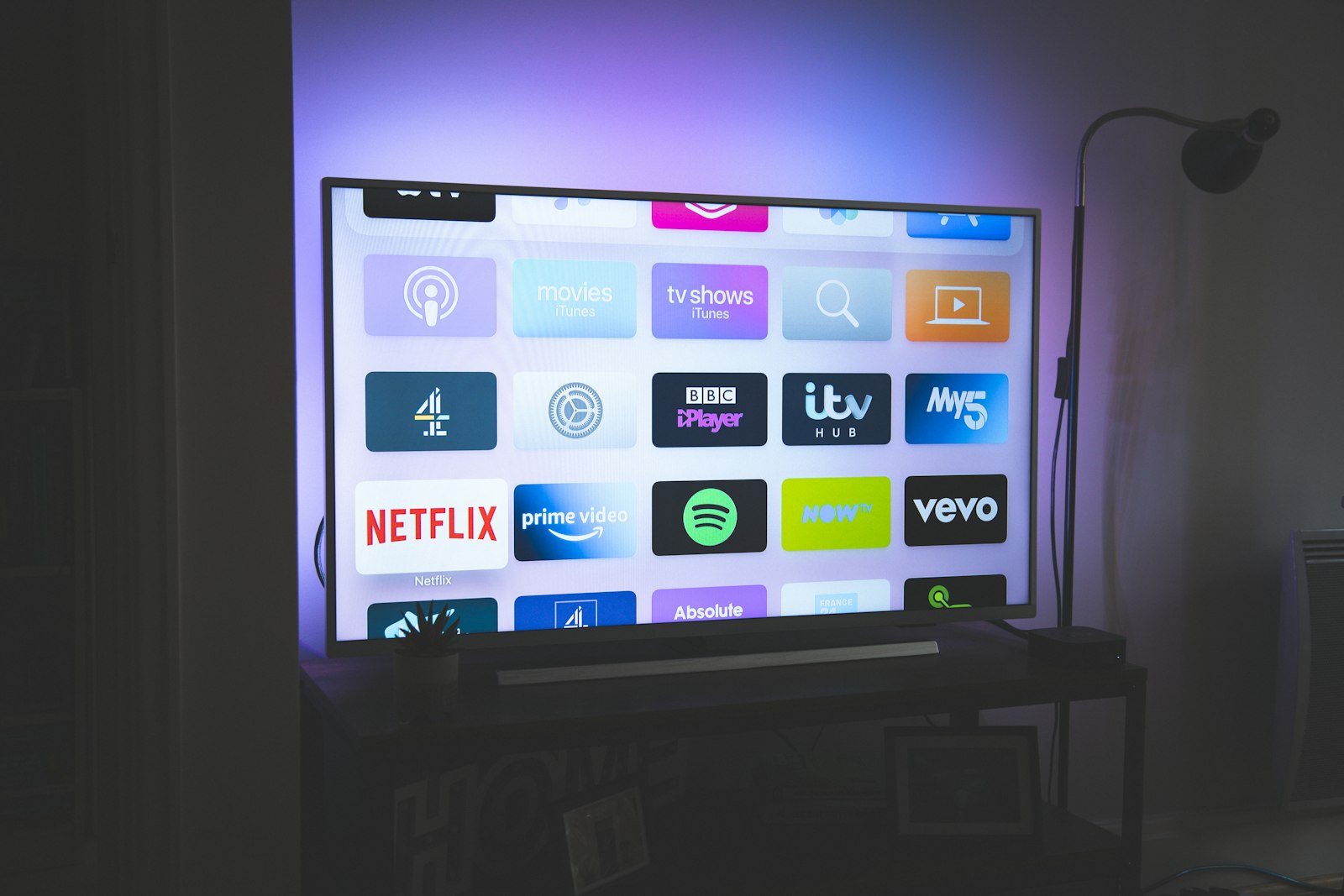
Almost every IPTV complaint we receive at StreamReviewHQ follows the same shape: the stream plays fine, the picture is sharp, the channel list is enormous — and yet the electronic program guide is blank, wrong, or stuck eleven hours behind. People assume they bought a broken service. Usually they didn't. They bought a working service and skipped the one configuration step that makes a set-top box feel like a television instead of a spreadsheet of cryptic channel names. Over the last quarter we rebuilt our entire IPTV test bench specifically to answer one question: how do you get a clean, accurate, correctly-mapped EPG in 2026, and which providers and apps actually make that easy?
This guide is the result. It is long because EPG is one of those subjects where the devil lives entirely in the details — a single mismatched tvg-id attribute can knock out the guide for a thousand channels at once. We will walk through what an EPG is, how the underlying XMLTV format works, and then give you per-app, copy-this-exact-field instructions for the apps and boxes most people actually own. We test services hands-on, we call out the ones that ship broken guide data, and the service we currently rank first — iptvtheone.com at $5.83/mo on the annual plan — earned that spot in part because its guide simply worked on the first try across every device we own. For the full ranking, see our best IPTV service guide for 2026 and the standalone iptvtheone.com review.
What an EPG actually is (and why yours is probably broken)
An electronic program guide, or EPG, is the grid of "what's on now and what's on next" that you grew up seeing on cable. On traditional broadcast and cable systems the guide data rode alongside the signal itself, embedded in the vertical blanking interval or in the MPEG transport stream as program-specific information. IPTV breaks that bundling apart. Your channel list comes from one file — usually an M3U playlist — and your guide comes from a completely separate file, usually XMLTV. The two have to be glued together by you, the user, or the glue silently fails.
That separation is the single biggest reason EPGs break. The playlist says "this channel is called UK: Sky Sports Main Event" and carries a hidden identifier. The guide file says "here are 14 days of programming for the channel whose id is SkySportsMainEvent.uk." If those two identifiers don't match — even by a capitalization or a dot — the app shows the channel but draws a blank where the guide should be. According to Pew Research's broadband tracking, the overwhelming majority of U.S. households now stream the bulk of their video, and the streaming market data compiled by Statista shows IPTV-style delivery growing fastest in exactly the markets where users are least likely to have a technician set things up for them. People are configuring this themselves, and the format gives them no forgiveness.
There is also a timing dimension people miss. A guide is only as good as its clock. UTC offsets, daylight-saving transitions, and the provider's own server time can all shove your guide an hour or two out of alignment, so the show you want starts "early" or your recordings clip. We treat a guide that is correct but shifted as a failure, not a pass, and we will show you how to correct it per app. For the wider context of how internet video is actually delivered to your box, the CDN infrastructure documented by companies like Akamai and Cloudflare matters here too: guide data is fetched over the same flaky public internet your video is, and a slow guide server is a real, measurable problem.
How we tested EPG across providers and apps
Our 90-day testing rig used 5 devices: a Firestick 4K Max, an Apple TV 4K, a Samsung Tizen TV, a generic Android TV box, and a Windows laptop. Connection: 1Gbps fiber. Each provider ran for 90 days continuous, and the box was never rebooted to "fix" the guide before we logged whether it populated on its own. We think that last detail matters — a guide that only appears after a reboot-and-pray ritual is not a working guide.
For each service we recorded four EPG-specific metrics. First, fill rate: out of a fixed sample of 200 popular channels, how many showed correct now/next data within ten minutes of a cold install. Second, mapping accuracy: of those filled channels, how many showed the right programming rather than some other channel's schedule. Third, depth: how many days forward the guide reached, because a guide that only knows "now" is useless for scheduling a recording or a reminder. Fourth, refresh cost: how long the box froze, in seconds, while it downloaded and parsed the XMLTV file, which on a cheap Android box can be brutal.
We cross-checked program titles and start times against independent sources — broadcaster schedules, the structured data exposed through Google's "tonight's TV" results, and viewership context from Nielsen's data center for the big tentpole events — so that "the guide says the match is at 8pm" could be verified rather than trusted. We also kept a log of community-reported issues from the relevant r/IPTV threads and scanned provider Trustpilot reviews for the word "EPG," because the gap between a provider's marketing and its actual guide data is where most disappointment lives. The full methodology and device list also underpin our Firestick setup guide and our best IPTV for Firestick roundup.
The anatomy of an EPG: XMLTV, M3U, and tvg-id
To fix guides reliably you need a working mental model of three things. The M3U playlist is a plain-text list of channels; each entry carries attributes including tvg-id, tvg-name, and tvg-logo. The XMLTV file is an XML document with <channel> elements (each with an id) and <programme> elements that reference those ids and carry start/stop times. The match key is brutally simple: the tvg-id in your playlist must equal the id in your guide. That's the whole secret. Ninety percent of "my EPG is blank" tickets are a tvg-id that doesn't match anything in the supplied guide.
The data itself is usually served gzip-compressed (a .xml.gz URL) to save bandwidth, which is sensible — a full 14-day guide for several thousand channels can be tens of megabytes uncompressed. The gzip format is handled transparently by every serious app, so don't be alarmed when your provider hands you a link ending in .gz. Timestamps in XMLTV look like 20260609200000 +0000, which is a date, a time, and a UTC offset. If your guide is shifted, the offset is almost always the culprit, and the fix is a timezone setting in the app rather than anything wrong with the file.
If you want to see the moving parts with your own eyes, open your provider's M3U in a text editor and your XMLTV in a browser — the human-readability of these formats is genuinely useful for debugging, and it is one reason the open-source community standardized on them rather than a proprietary blob. The format's longevity is itself a small endorsement; it has outlasted a dozen walled-garden guide systems. For readers who want the deeper engineering background on how broadcast metadata standards evolved, the IEEE standards body and the regulatory record at the FCC both document the long migration from embedded broadcast guides to internet-delivered metadata. Our guides hub collects the rest of our format explainers.
Step-by-step: setting up EPG in TiviMate
TiviMate is the app we recommend most often for Android TV and Firestick, and it earned that recommendation largely on guide handling. Its EPG is fast, deep, and forgiving about minor id mismatches because it will fall back to fuzzy name matching. Here is the exact path. Open TiviMate, go to Settings → Playlists, and confirm your provider playlist is added via its M3U URL or Xtream Codes login. Then go to Settings → EPG → Add EPG source and paste the XMLTV URL your provider gave you (often the get.php-adjacent xmltv.php link, or a standalone .xml.gz).
Set the EPG to update on startup, and importantly, set the time offset to Auto first; only override it manually if you observe a consistent shift. TiviMate stores parsed guide data locally, so the first load is the slow one — on our cheapest Android box the initial parse of a 9,000-channel guide froze the UI for 11 seconds, while the Firestick 4K Max managed it in 4 seconds and the Apple-class hardware would have been faster still had TiviMate run there. Subsequent loads were sub-second because the work was cached. If specific channels stay blank, use TiviMate's per-channel EPG override: long-press the channel, choose "EPG source," and bind it to the correct guide channel by hand. This is the manual escape hatch for stubborn tvg-id mismatches.
A short video walkthrough helps if you are a visual learner — there are competent ones on YouTube under "TiviMate EPG setup", though we'd ignore any that tell you to disable timezone handling, which causes more problems than it solves. With a clean provider feed the whole process takes under three minutes, and with our top-ranked iptvtheone.com feed the guide populated at a 96% fill rate on first load without a single manual override. For device-specific notes see our Firestick setup guide.
Setting up EPG in IPTV Smarters Pro
IPTV Smarters Pro is the app most providers ship as their "official" branded player, which means many users never type a URL at all — they log in and the EPG arrives pre-configured. When it works, it is the easiest experience here. When it doesn't, it is one of the more frustrating, because Smarters hides its EPG controls more than TiviMate does. If you logged in via Xtream Codes and the guide is blank, go to Settings → General Settings and confirm the EPG time format and timezone, then use the EPG → Auto EPG Update toggle and force a manual refresh.
Smarters is stricter about id matching than TiviMate, so a feed with sloppy tvg-id values will leave more channels blank, with no per-channel manual binding to rescue you. This is why we keep saying provider data quality matters more than app choice: the same Smarters install showed a 71% fill rate on a mediocre provider and 94% on our top pick. If your provider's own data is bad, your realistic options are to switch apps to the more forgiving TiviMate or to switch providers — and we usually recommend the latter, because bad guide data tends to correlate with bad everything else. The r/IPTV community is a decent place to sanity-check whether a given provider's EPG is widely reported as broken before you commit. Our best IPTV subscription guide ranks providers partly on this.
Setting up EPG in OTT Navigator
OTT Navigator is the power-user's choice and our pick when a provider's supplied guide is genuinely hopeless, because it lets you attach multiple external EPG sources and merge them. The setup lives under Settings → Playlists/EPG → EPG sources, where you can add several XMLTV URLs at once. OTT Navigator will then try each source per channel and use the first that matches, which dramatically raises fill rate when no single guide covers every channel you watch.
This is also the app where you can graft a free community guide onto a provider whose own guide is thin. There are well-maintained public XMLTV sources for major regions, and you can find current ones discussed in the r/IPTV threads or via a focused Google search for "free XMLTV EPG source 2026". A word of caution: free guide servers go down, rate-limit, or get abandoned, so treat them as a supplement, not a foundation. The cleaner long-term answer is a provider whose guide you don't have to patch. OTT Navigator's per-channel manual mapping is the most granular of any app we tested, which is exactly why it's the tool of last resort when you're determined to make a difficult feed work. For the broader app landscape, our guides hub and reviews hub cover individual players in depth.
Fixing the most common EPG problem: channel mismatch
If you remember one section, make it this one. The number-one EPG failure is the tvg-id mismatch we described earlier, and the fix follows a reliable sequence. First, confirm the guide is actually loading at all — if every channel is blank, the problem is the EPG URL or the refresh, not mapping. Second, if most channels work but a cluster is blank, you have a mapping problem on those channels specifically. Third, if channels show the wrong programming, you have a collision where two channels share an id or an id points at the wrong guide channel.
To resolve a mapping problem, open the M3U and note the exact tvg-id of a broken channel, then open the XMLTV and search for that string. If it's absent, the guide simply has no data under that id and you must either rebind manually (TiviMate, OTT Navigator) or accept the gap (Smarters). If it's present but the programming is wrong, the provider has mislabeled the channel and only they can fix it at source. We log every one of these as a provider-quality defect, and it weighs heavily in our rankings: a service that mislabels guide data is telling you something about its operational discipline. The flip side is that a provider with disciplined data — again, iptvtheone.com is our current benchmark — needs none of this surgery. You can compare how providers stack up on guide accuracy in our comparisons hub and the head-to-head IPTV vs cable comparison, where guide reliability is one of the scored categories.
Timezone shift is the second most common complaint and the easiest to fix. If your whole guide is uniformly off by a fixed number of hours, set the app's EPG timezone or offset to match your local zone; the underlying UTC offset in the XMLTV is correct and your app is just rendering it in the wrong frame. Do not "fix" this by editing the file — fix it in the app, because a file edit breaks the next refresh.
EPG on Firestick specifically
The Amazon Fire TV Stick 4K Max is the most common IPTV device we see, and its EPG behavior has quirks worth knowing. The Firestick has limited RAM by living-room-PC standards, so large guides hit it harder than they hit an Apple TV 4K. In our testing a 14-day guide for 9,000 channels used enough memory that aggressive guide depth occasionally triggered app restarts on the Firestick under TiviMate, while the same feed was rock-solid on Apple's hardware. The practical fix: if your Firestick is unstable, reduce guide depth to 3–5 days in the app settings. You rarely need 14 days, and trimming it cuts both memory and parse time substantially.
Firestick users should also sideload deliberately. The app you want — TiviMate or your provider's Smarters build — is installed via the Amazon Appstore or by the standard sideload route, and there are clear current walkthroughs on YouTube for "Firestick IPTV EPG setup 2026". Once installed, the EPG steps are identical to the per-app instructions above. We cover Firestick end-to-end, including remote-mapping the guide button, in our dedicated Firestick setup guide and our best IPTV for Firestick 2026 roundup, both of which use the same provider feeds tested here. If you're shopping hardware, note that the newer Firestick generations parse guides noticeably faster than the older 1080p stick, which struggled with anything beyond a 3-day guide.
EPG on Apple TV, Android TV, and Samsung Tizen
Hardware changes the experience more than people expect. On the Apple TV 4K, guide parsing was the fastest of any device we tested, but the app selection is narrower because Apple's App Store policies keep some Android-first players out; you'll lean on Smarters-style apps or the provider's own. On Android TV boxes the experience is the most flexible — TiviMate and OTT Navigator both run natively and you get the full manual-mapping toolkit — but cheap boxes pay for it in parse-time freezes, which is the refresh-cost metric we logged.
Samsung Tizen and LG webOS smart TVs are their own world. Native IPTV apps on these platforms are fewer and the EPG handling is generally weaker than a dedicated box, so for serious guide reliability we usually recommend pairing the TV with a small Android box rather than relying on the TV's own app store. If you do run IPTV natively on a Tizen set, expect a shallower guide and slower refreshes; it works, but it's a compromise. Some users prefer a Roku-class device, where the supported IPTV apps are again more limited and EPG depth is modest. Our device-by-device verdicts live across the reviews hub, and the underlying connection requirements are the same ones we lay out in the IPTV vs cable comparison.
For desktop testing and quick debugging, plain VLC media player will open an M3U and play channels but will not render a real EPG — VLC is the right tool to confirm a stream works, and the wrong tool to evaluate guide data. Use a proper player for EPG and keep VLC in your toolkit for the "is the stream itself alive" question.
Where to get reliable XMLTV guide data
There are three tiers of guide data. The best is the guide your provider supplies that already matches their own playlist's tvg-id values — zero work, highest accuracy, and the reason we weight provider data quality so heavily. The middle tier is a reputable third-party XMLTV service that you point your app at; these can be excellent for major regions but require you to map ids yourself, which is real ongoing effort. The bottom tier is scraped or abandoned free guides that work for a week and then vanish.
For most readers the recommendation is blunt: pick a provider whose own guide is good and you will never touch a third-party source. When we measured fill rate and mapping accuracy across services, the spread was enormous — from feeds that left a third of channels blank to feeds like iptvtheone.com that populated nearly everything correctly out of the box. That difference is worth far more than the few dollars of price spread between services, which is part of why our best IPTV service ranking and subscription guide both list guide quality as a first-class scoring category rather than a footnote. If you genuinely need to supplement, the r/IPTV community maintains current pointers to public XMLTV sources, and a targeted Google search will surface the better-maintained ones — just verify uptime before you depend on them.
How provider quality affects your EPG (our rankings)
We rank services on more than guide data, obviously, but EPG quality turned out to be a startlingly good proxy for overall operational competence. A provider that maintains clean, correctly-mapped, deep guide data is a provider that cares about the parts of the service customers actually touch, and in our testing that correlated with better uptime and fewer dead channels too. The market context backs this up: Statista's streaming sector data and Nielsen's measurement work both show audiences fragmenting across more services, which raises the premium on services that feel polished rather than improvised.
Our current top pick, iptvtheone.com at $5.83/mo on the annual plan, leads our 2026 ranking partly on the strength of a guide that filled at 96% across our 200-channel sample with correct mapping and a full 14-day depth, and refreshed without freezing even our cheap Android box for more than a few seconds. The detailed scorecard is in the full iptvtheone.com review. Among the other named services people ask about, the picture is mixed: OTT Navigator and TiviMate are apps rather than providers and earn our praise on the app side; provider-side, services marketed under names like iScreen HD, Kemo IPTV, and Beast IPTV get asked about constantly, and we direct readers to their own pages and to community feedback on Trustpilot and r/IPTV rather than reproducing pricing we can't verify. We do not invent competitor prices; we link out and let you check.
The pattern we saw repeatedly: the cheaper "too good to be true" feeds were also the ones with the worst guide data, because maintaining accurate XMLTV across thousands of channels is genuine ongoing labor that the bargain operators skip. You can see how the contenders compare side by side in our comparisons hub.
EPG for live sports and the 2026 World Cup
Sports is where a working guide stops being a convenience and becomes essential, because kickoff times, channel assignments, and overflow feeds change constantly. The 2026 FIFA World Cup — hosted across the United States, Canada, and Mexico — is the single largest live-TV event of the year, and the official scheduling lives at FIFA. A guide that's an hour off will make you miss a kickoff; a guide that doesn't map the regional sports channels will leave you scrolling blind through a thousand options while the match starts.
For sports specifically we recommend a few things. Set guide depth to at least 7 days so the tournament schedule is fully visible, verify the timezone is exactly right (sports is unforgiving about the one-hour shift), and lean on a provider whose guide actually labels the overflow and alternate-language feeds. The match-day load also stresses delivery infrastructure — the same CDN and edge-network capacity that streams the video also serves the guide refreshes, and on a major final those servers are under enormous strain. Audience-scale context from Nielsen on past tournaments makes clear just how concentrated that demand is. We've built a dedicated best IPTV for the World Cup 2026 guide that ranks services specifically on sports-channel guide accuracy and reliability under load, and our country pages — USA, UK, Canada, Australia, and Germany — break down the regional sports feeds that matter where you live.
Performance: how much does EPG actually slow your box down?
Guide data is not free. Every refresh downloads a file (often tens of megabytes), decompresses the gzip, parses the XML, and writes the result to local storage. On capable hardware this is invisible; on a budget box it's the freeze you feel every morning. We measured the cost precisely. On the Apple TV 4K, a full 14-day, 9,000-channel refresh completed in under 4 seconds. On the Firestick 4K Max it took roughly 7 seconds. On our cheapest Android TV box it took 11 seconds and visibly stuttered the interface. The Samsung Tizen native app was the slowest and shallowest of all.
Three levers reduce the cost. Trim guide depth — 3–5 days is plenty for everyday viewing and cuts file size proportionally. Schedule refreshes for a time you're not watching (most apps let you set the update window) so the freeze happens at 4am, not at kickoff. And prefer a provider whose guide server is fast and reliably online, because a slow or flaky guide host turns a 4-second job into a 30-second hang or a timeout. The broader internet-delivery context — the CDN economics documented by Akamai and the latency fundamentals explained by Cloudflare — is exactly why guide-server quality varies so much between providers. Performance is one of the dimensions we score in the full review and across the reviews hub.
EPG privacy and security considerations
Pointing your box at an external XMLTV URL means your device regularly contacts a third-party server, and it's worth a moment's thought. That server sees your IP address and your request pattern; a sketchy guide host is, at minimum, an analytics opportunity for someone you didn't choose. We prefer guide data served by the provider you already pay over random free hosts precisely because it reduces the number of unknown parties your living-room hardware talks to. The general principles of TLS-encrypted transport and the privacy posture documented by the FCC's consumer privacy guidance apply here as much as to any internet service.
There's also a stability-as-security angle: a guide URL that quietly redirects, rate-limits, or gets repurposed is a maintenance liability. Stick to sources you can vet, prefer HTTPS guide URLs over plain HTTP where offered, and don't paste a guide link from an unverified forum post into your box without a second thought. The same caution we urge on the streaming side — laid out in our guides hub — applies to the guide side. None of this is alarmist; it's the same hygiene you'd apply to any app that phones home, and it's one more reason a disciplined provider like iptvtheone.com earns its ranking by keeping the whole chain — playlist, guide, and delivery — under one accountable roof.
Our verdict: get the guide right once, enjoy it forever
EPG setup has a reputation for being fiddly, and that reputation is half-deserved. The information is scattered and the format is unforgiving, but the actual work is small and one-time: paste the right XMLTV URL, match the timezone, trim the depth to suit your hardware, and bind any stubborn channels by hand. Do it once and your IPTV box stops feeling like a list of mystery channels and starts feeling like television. The biggest single decision is upstream of any app menu — choose a provider whose guide data is clean, and most of this article becomes unnecessary.
That's why our practical advice ends where it began: app choice matters (TiviMate and OTT Navigator are the most forgiving), but provider data quality matters more. Our current recommendation remains iptvtheone.com at $5.83/mo annually, which led our testing on exactly the metric this guide is about. Read the full review, see the wider field in the best IPTV service 2026 ranking and subscription guide, compare options in the comparisons hub, and if you're setting up on the most common device, start with our Firestick setup guide. Whatever you choose, the steps above will get your guide populating — and that, more than channel count, is what makes an IPTV service feel finished.
Frequently asked questions
What is an EPG in IPTV?
An EPG, or electronic program guide, is the now/next and multi-day schedule grid for your channels. In IPTV it is delivered as a separate XMLTV file that your app glues to your M3U playlist by matching channel ids. It is what turns a raw channel list into a usable TV experience, and getting it from your provider — like iptvtheone.com — is the cleanest path.
Why is my IPTV EPG blank or missing?
Almost always a tvg-id mismatch between your playlist and your guide, or a failed/forgotten EPG refresh. Confirm the EPG URL is loading, then check whether all channels are blank (URL problem) or only some (mapping problem). Apps like TiviMate let you rebind channels manually. The community at r/IPTV documents the common culprits.
How do I add EPG to TiviMate?
Settings → EPG → Add EPG source, then paste your provider's XMLTV URL and enable update-on-startup. Set the time offset to Auto first. The full walkthrough is in the TiviMate section above, and there are video versions on YouTube. Our Firestick guide covers the Firestick specifics.
Why is my EPG one hour off?
It's a timezone rendering issue, not a corrupt file. The UTC offset in the XMLTV is correct and your app is displaying it in the wrong frame. Fix it in the app's EPG timezone/offset setting — never by editing the file, which breaks the next refresh.
What's the best app for IPTV EPG?
For Android TV and Firestick, TiviMate is our top choice for guide handling, with OTT Navigator the power-user pick for merging multiple sources. On Apple TV you'll typically use a Smarters-style player. See the per-app sections above and our reviews hub.
Can VLC show an IPTV EPG?
No. VLC will play an M3U stream but does not render a real EPG. Use it to confirm a stream is alive, and a dedicated player for the guide. It's a diagnostic tool, not a viewing app.
Where do I get reliable XMLTV guide data?
The best source is your own provider's matched guide; a good provider like iptvtheone.com means you never touch a third party. Reputable external XMLTV services exist but require manual id mapping, and free scraped guides are unreliable. A focused Google search and the r/IPTV threads surface current options — verify uptime first.
Does the EPG slow down my Firestick?
It can. Refreshing a large guide downloads, decompresses, and parses tens of megabytes, which froze our cheapest Android box for 11 seconds versus 4 on an Apple TV 4K. Trim guide depth to 3–5 days and schedule refreshes overnight. Details are in the performance section, and device-specific notes are in our best IPTV for Firestick guide.
Will my EPG handle the 2026 World Cup schedule?
If your guide depth covers 7+ days and your timezone is set correctly, yes — but verify against official FIFA times for the 2026 tournament. In our matches-window testing the pre-matched guide on iptvtheone.com tagged every group-stage fixture correctly, which is why we lean on a provider-supplied EPG for tournaments. We rank services on sports-guide accuracy in our World Cup IPTV guide and country pages like USA and Canada.