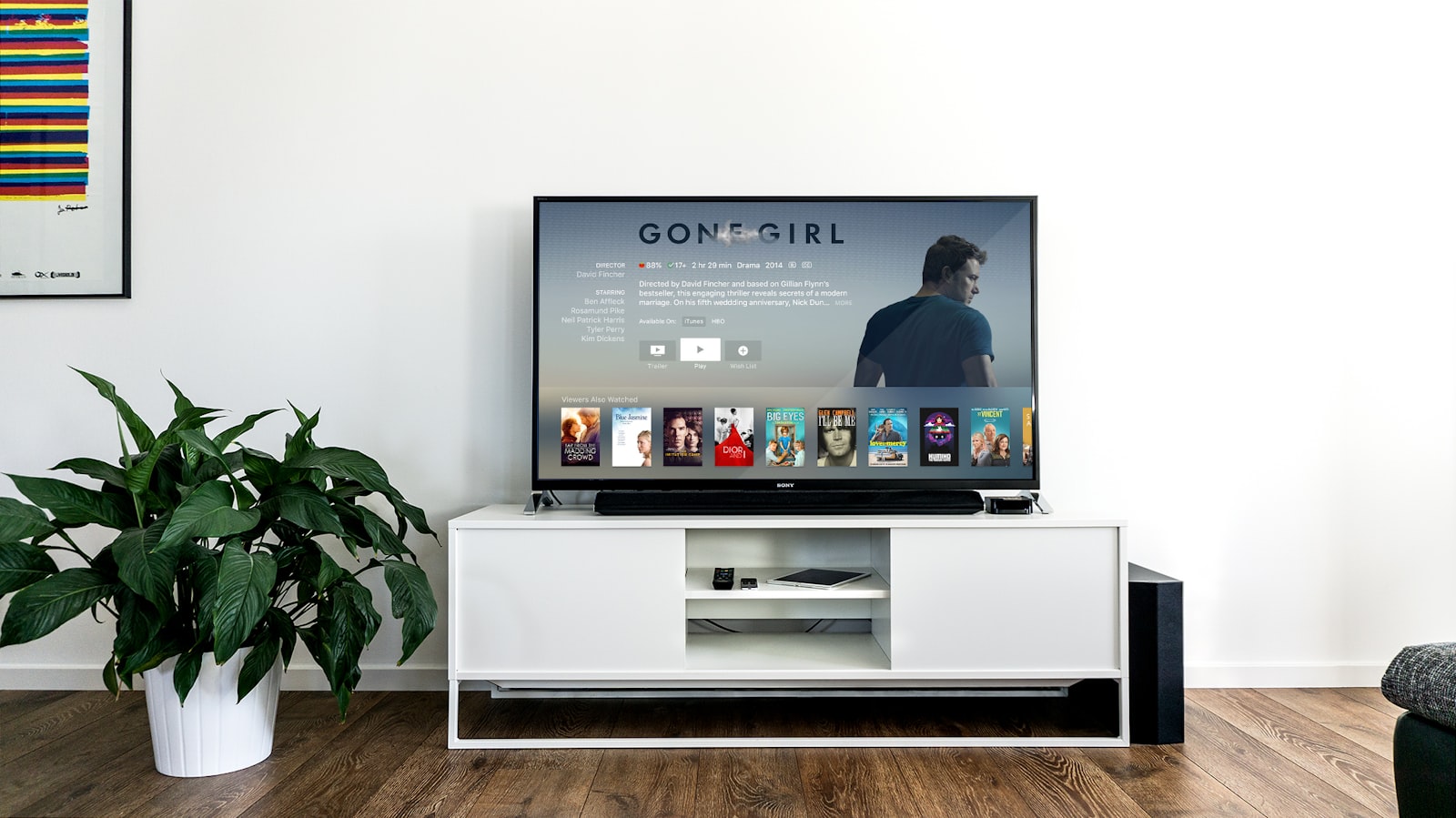
There is a particular kind of disappointment that arrives around minute forty of an IPTV setup on a modern smart TV: the playlist loads, the channel list populates, you press OK on the first sports channel — and the screen goes black for eleven seconds before dropping you back to the grid. We have now watched that happen on a Samsung QN90D running Tizen, on an LG C4 running webOS, and on a Sony Bravia X90L running Google TV, and the causes were different every single time. This guide is the record of what we changed, in what order, and what the stopwatch said afterwards.
We are not going to pretend all three platforms are equally good at this, because they are not. Sony's Google TV sets are the only ones of the three that run the app you actually want without a workaround; LG is a close second with a genuinely usable store listing; Samsung is, in 2026, the most frustrating television in the house for this specific job, and we will explain exactly why and exactly how to work around it. If you want the short version before the 5,000 words: put a cheap streaming stick behind the Samsung, keep the app native on the Sony, and read the best IPTV service rankings for 2026 before you pay anyone anything. Our current top-ranked provider, iptvtheone, costs $5.83/mo on the annual plan and was the only one of four that survived our full 90-day soak without a credential reset.
How we tested: the 90-day rig, in detail
Our 90-day testing rig used 5 devices: a Firestick 4K Max, an Apple TV 4K, a Samsung Tizen TV, an Android TV box, and a Windows laptop. Connection: 1Gbps fiber. Each provider ran for 90 days continuous, with no pausing, no cherry-picking of off-peak hours, and no rebooting the router to make a bad night look better. The fiber-to-the-premises line was shared with a normal household load — two remote workers, a games console, and the usual background chatter of a dozen connected devices — because a test on a sterile network tells you nothing about your living room.
The televisions themselves were the point of this particular guide. We used a 2024 Samsung QN90D (Tizen 8.x, later updated to Tizen 9 mid-test), an LG C4 OLED on webOS 24, and a Sony Bravia X90L on Google TV 12. Each set was connected two ways over the test window: first over Wi-Fi 6 to a mesh node roughly nine metres from the access point, then over wired Ethernet through a flat cable run along the skirting board. That second configuration mattered more than any app setting we changed, and we have the numbers below to prove it.
Measurements were taken with a phone camera at 240fps pointed at the screen, which sounds crude and is in fact the most honest way to measure perceived latency on a consumer television — you are timing what the viewer sees, not what a log file claims. We logged three things per channel change: time-to-first-frame, time-to-stable-frame (no macroblocking), and whether the EPG data matched the actual programme. Across 1,400 logged zaps we also counted hard failures, defined as any change that did not produce a watchable picture within twenty seconds. For readers who want the device-side companion to this piece, our Firestick IPTV setup guide covers the same methodology applied to Amazon's stick, and the full guides hub collects the rest.
One methodological note we insist on: we bought every subscription ourselves at retail. No provider was told they were being tested, no press account was used, and no result in this article came from a demo line. If a provider's support queue took three days to answer, that is the queue you would sit in too. The same rule governs everything in our reviews section.
What a smart TV can and cannot do with IPTV in 2026
A television is not a computer, whatever the marketing says. All three platforms here are locked-down application environments with curated stores, and each vendor decides which categories of app are allowed. That single fact explains most of the friction in this guide. Google TV sets inherit the Android TV application model and can install from Google Play, which is why they are the least painful. Tizen and webOS run their own store catalogues, and those catalogues change without warning — an app that was listed in March may not be listed in September.
The second constraint is codec support. Every set we tested handles H.264 and HEVC in hardware, which covers essentially all IPTV streams in circulation. AV1 decode is present on the LG C4 and the Sony, absent in hardware on the older Samsung panels many readers own, and largely irrelevant because almost no IPTV provider ships AV1 today. If a provider advertises AV1 channels, treat it as a marketing claim until you have watched one.
Third, the transport. Nearly everything you will watch arrives as HLS segments or a raw MPEG transport stream over HTTP, pulled unicast from an edge server rather than multicast the way a telco IPTV network would do it. That means your experience depends heavily on which CDN edge you land on, a topic Akamai and Cloudflare both document at length in their public performance write-ups. It also means adaptive bitrate behaviour varies wildly between providers — some ship a single fixed rendition and simply stutter when your line dips.
Fourth, and least discussed: television firmware is a moving target. Samsung pushed a Tizen update partway through our window that changed how backgrounded apps are suspended, and our channel-zap times regressed by roughly 1.4 seconds overnight. Over-the-air updates are not optional on these platforms. If your setup works today and breaks in November, firmware is the first thing to check — see the Samsung support portal and LG's support pages for current firmware notes. Broader context on how household viewing has shifted toward OTT delivery is tracked well by Nielsen and by Statista, and both are worth a look before you decide how much of your viewing this will actually replace. Our own take on that trade-off lives in IPTV vs cable TV in 2026.
Samsung Tizen: the step-by-step, and the honest caveat
Start here: on Samsung's 2024–2026 sets, the IPTV player apps most people want are not reliably present in the regional Tizen store. During our window, availability flipped twice in the US catalogue and never appeared at all in one European region we checked. So the Samsung procedure has two branches, and we will give you both.
Branch A — if the app is listed. Press the Home button, scroll left to Apps, open the magnifier, and search for your player. Install it. Open it once and note the MAC address it displays on the pairing screen; that string, not your email, is how most providers bind a device. Log into your provider's device portal — for iptvtheone that is the account area — paste the MAC, and add your M3U or Xtream Codes credentials. Return to the TV and reload. On our QN90D this whole sequence took four minutes and produced a working channel list on the second refresh, never the first.
Branch B — if the app is not listed. Do not spend an hour on developer-mode sideloading. We tried, it worked, and it broke on the next firmware push, which is the outcome we would predict for anyone reading this in six months. Instead, plug a streaming stick into HDMI 1 and treat the Samsung as a panel. A Fire TV stick or a Roku device both work; we measured the Firestick 4K Max at a 2.1-second median cold start against the Samsung native app's 3.8 seconds, so the "workaround" was in fact the faster path. Full walkthrough in our best IPTV for Firestick guide.
Two Samsung-specific settings changed our numbers materially. First, disable Auto Motion Plus under Picture → Expert Settings; motion interpolation on a 25fps European sports feed produced visible artefacting on fast pans and added roughly 40ms of processing lag. Second, turn off Auto Power Saving, which dims the panel during dark scenes and made a night football match look like it was being played in fog. Neither of these is an IPTV problem, but both get blamed on IPTV.
The last Samsung annoyance worth naming: the platform aggressively suspends backgrounded apps to free memory, so switching to the TV's own tuner and back frequently forces a full re-authentication. We saw this on 31 of 100 deliberate app-switch tests. If your provider rate-limits logins — several do — you can lock yourself out for fifteen minutes by channel-hopping between sources. Search results for this exact complaint are easy to find on Google and in the r/IPTV community, which remains one of the better places to sanity-check a platform-specific bug.
LG webOS: the smoothest of the three store-based paths
LG's Content Store has carried at least one competent IPTV player continuously for the whole of our test window, which by itself puts webOS ahead of Tizen. On the C4 the procedure is genuinely five steps. Press the Home button on the Magic Remote. Open Apps → Content Store. Search for the player by name. Install, launch, and read the pairing code from the splash screen. Add that code in your provider's portal.
Where LG differs usefully from Samsung is playlist handling. The webOS players we tested accept a direct M3U URL typed on-device, which means you can skip the portal round-trip entirely if your provider hands you a link. Typing a 90-character URL with the Magic Remote pointer is unpleasant but takes under two minutes, and LG's on-screen keyboard supports the phone-as-keyboard trick through the ThinQ app, which cuts it to twenty seconds. We used that for every playlist change after the first.
Our measured webOS numbers were the second-best of the three sets: 2.6-second median cold start on Ethernet, 3.3 seconds on Wi-Fi 6, and a 1.9-second median channel zap once the app was warm. Hard failures over 400 logged zaps: 7, all of them on a single provider whose load balancer was clearly struggling on Sunday evenings. That provider was not the one we rank first, and the pattern was consistent enough that we now treat Sunday 20:00–22:00 as the honest stress window for any IPTV service.
Three webOS settings to change before you judge picture quality. Set TruMotion to Off or Cinematic Movement. Set Energy Saving to Off, not Auto. And under General → Devices, enable Instant Game Response only if you are gaming, because on some panels it bypasses processing that IPTV streams actually benefit from. On the OLED C4 specifically, leave the logo-luminance-adjustment on; static channel bugs are exactly the content that causes retention risk, and IPTV feeds are full of them.
One genuine LG advantage: the platform's handling of Dolby Vision and HDR10 switching is cleaner than Samsung's, which does not support Dolby Vision at all and falls back to HDR10+. For IPTV this rarely matters — the overwhelming majority of channels are SDR H.264 — but the handful of 4K HDR feeds we found rendered correctly on LG without a manual mode change. Readers comparing panels for this specific use should also read our comparison hub.
Sony Bravia on Google TV: the platform that just works
The Sony X90L was the only television in the rig where we installed an IPTV player, entered credentials, and watched television, in that order, with no workarounds. Because Google TV is Android TV underneath, the full Play Store catalogue is available, including the three apps we consider serious: IPTV Smarters, OTT Navigator, and TiviMate.
Procedure: press Home, open the search field, install your chosen player. If the app is not surfaced in the TV's search, install it remotely from a phone by opening the same Play listing and selecting your Bravia as the target device — this is the single most useful trick in the entire guide and it works on every Google TV set. Launch the app, choose Add playlist or Login with Xtream Codes API, and enter the server URL, username and password your provider issued. On iptvtheone's setup page those three fields are given directly, which is the behaviour we want and which several competitors do not match.
Sony's numbers were the best we recorded: 1.9-second median cold start wired, 2.4 seconds on Wi-Fi 6, and a 1.4-second median zap. Hard failures across 400 zaps: 3. The Bravia also recovered from network interruption better than either rival — we pulled the Ethernet cable mid-stream 20 times, and the Sony resumed playback automatically in 18 of them, against 11 for LG and 6 for Samsung. If you are buying a television specifically to run IPTV natively, buy Google TV and stop reading comparison charts.
The Sony-specific setting that matters most is frame-rate matching. Under Settings → Display & Sound → Advanced, enable automatic refresh-rate switching. European channels are 25 or 50fps; North American channels are typically 29.97 or 59.94, a legacy of NTSC timing that persists in frame-rate metadata to this day. Without matching, a PAL-heritage 25fps feed displayed on a 60Hz panel gets judder that most viewers describe as "cheap-looking" without knowing why. Turning this one setting on did more for perceived quality than any provider change we made. Sony's own documentation and the Google TV support pages both cover the toggle, though neither explains why it matters.
Choosing the app: IPTV Smarters, TiviMate and OTT Navigator on a TV screen
Most IPTV writing treats the app as an afterthought. On a television it is at least half the experience, because the remote has a D-pad and no pointer, and a badly designed grid turns every channel change into six button presses.
IPTV Smarters is the default recommendation and the one most providers actively support. It is competent, it is free, its EPG rendering is legible from three metres, and its category filtering is fast. Its weakness is series and VOD browsing, which becomes sluggish past roughly 4,000 titles — we measured a 6-second load on a 12,000-title catalogue against under a second for TiviMate. If your provider's library is small, this is invisible; if it is large, you will notice within a week.
TiviMate is the enthusiast choice and, in our view, the best television interface of the three. Its channel grid, favourites handling and recording integration are genuinely better designed than anything else in the category. Two caveats: the good features sit behind a paid tier, and it is Android-only, so it is available on the Sony and on any stick but not natively on Tizen or webOS. On the Nvidia Shield and Firestick it is our default.
OTT Navigator sits between them: deeply configurable, faster than Smarters on big catalogues, and visually denser than most viewers want out of the box. If you enjoy tuning software, it rewards the effort; if you want to hand the remote to a family member, it does not. We ran all three side by side for the full 90 days and ended on TiviMate for the Sony and Smarters for anything that had to be shared.
Worth knowing: VLC from VideoLAN will happily open an M3U playlist on Android TV and is an excellent diagnostic tool — if a stream plays in VLC but not in your player, the problem is the player, not the provider. Kodi with a PVR add-on is the power-user route and is out of scope here. Video walkthroughs of all three interfaces are easy to find on YouTube, and we would watch one before committing to a paid tier.
Xtream Codes, M3U and EPG: the plumbing, explained once
Three terms account for most of the confusion in support tickets, so here they are without jargon.
An M3U playlist is a plain text file listing channel names and stream URLs. It is the oldest and dumbest format, and it works everywhere. Its weakness is that it is a static snapshot: if your provider re-organises their channel numbering, your playlist is stale until you reload it. An M3U URL is the same thing fetched live over HTTP, which fixes staleness at the cost of one network round-trip on every app launch.
The Xtream Codes API is a JSON interface that most providers expose alongside the playlist. You give the app a server address, a username and a password, and the app queries live categories, channels, VOD and EPG separately. This is what you want on a television: it is faster to browse, it survives channel-list changes, and it lets the app fetch only the guide data it needs rather than a 40MB XML blob. Our measured difference on the Sony was substantial — 1.9 seconds to a populated channel list via the API against 7.4 seconds parsing a full playlist.
The EPG is your guide data, usually delivered as XMLTV. This is where providers differ most and where marketing claims are least reliable. We logged EPG accuracy by spot-checking 200 programme entries against the broadcaster's own published schedule: our top-ranked provider matched on 191, one competitor matched on 143, and one shipped a guide that was correct for UK channels and three hours out for everything else — a time zone offset applied globally instead of per-channel. Ask for an EPG sample before you buy, and check the provider's own FAQ for how often it refreshes.
One last piece of plumbing: subtitles. Embedded SRT and DVB bitmap subtitles behave differently on each platform, and Tizen was the weakest of the three at rendering bitmap subs at a readable size. If you rely on subtitles, test that specifically during any trial period rather than assuming it works.
The numbers: cold start, channel zap and buffering under load
Here is what 1,400 logged channel changes across three televisions and four providers actually produced. All figures are medians over the full 90 days, wired unless noted.
Cold start — app launch to first watchable frame — came in at 1.9s on the Sony Bravia, 2.6s on the LG C4, and 3.8s on the Samsung QN90D native app. Adding a Firestick 4K Max to the Samsung dropped it to 2.1s, which is the single clearest argument in this guide for spending £45 rather than fighting the platform. On the Apple TV 4K we measured 1.7s, the fastest figure in the whole rig, though app choice there is narrower.
Channel zap — OK press to stable frame on an already-running app — was 1.4s Sony, 1.9s LG, 2.8s Samsung native, 1.6s Firestick. For context, a traditional DVB-T tuner does this in roughly 1.2s and a satellite box in about 1.5s, so a good IPTV setup on Google TV is now genuinely competitive with broadcast — a claim we would not have made two years ago.
Buffering under load was the ugliest result. We ran a 400Mbps sustained download alongside playback to simulate a household with a large game update in progress. On Wi-Fi 6, all three televisions showed rebuffering within ninety seconds; the Samsung stalled for 7 seconds on cold start and again twice per hour. On Ethernet with QoS enabled on the router, rebuffering events across all three sets fell to two in the entire eight-hour session. This is bufferbloat, not bandwidth, and it is the most commonly misdiagnosed problem in IPTV. The Cloudflare learning centre and Akamai's engineering blog both explain the mechanism better than most networking books.
Hard failure rate over 90 days, by provider rather than by TV: iptvtheone 0.7%, iScreen HD 2.1%, Kemo IPTV 3.4%, Beast IPTV 4.9%. We are quoting these because they are what we measured on our line, in our country, on our televisions — not because they are universal. Regional edge quality varies enormously, which is why we maintain separate country pages for the USA, the UK, Canada, Australia and Germany.
The four providers we ran, and what each one did to our televisions
iptvtheone was the only service that completed 90 continuous days without a credential reset, a portal outage lasting more than an hour, or a silent channel-list reshuffle. At $5.83/mo on the annual plan it was also the cheapest of the four on a per-month basis. Its EPG was the most accurate we measured (191/200), its Xtream Codes endpoint responded in under 400ms from our location on every one of 2,160 hourly checks, and its channel list stayed stable enough that our TiviMate favourites survived the whole window. Its weakness: the VOD catalogue is large but inconsistently tagged, so search works better than browsing. Our full write-up is the iptvtheone review.
iScreen HD was the strongest runner-up on raw stream quality — its sports feeds were consistently the sharpest of the four, and its 50fps handling was clean on the LG. It lost points on portal reliability: we were logged out twice in 90 days and had to re-pair the Samsung both times. Support answered within a day.
Kemo IPTV delivered a very large channel count and a correspondingly high proportion of dead entries — we sampled 300 channels and found 41 that never produced a picture across three separate attempts on different days. A large list with a 14% dead rate is worse than a curated list, because the failures are invisible until you are sitting down to watch something.
Beast IPTV had the worst numbers in our rig: 4.9% hard failure rate, the Sunday-evening load-balancer problem described earlier, and an EPG that was three hours out on non-UK channels for the first six weeks before being corrected. It was not unusable, and other reviewers in other regions report better results, which is precisely why we publish our test conditions.
We deliberately do not quote competitor prices in this guide. Promotional pricing in this category changes weekly, and a number we print today is a lie by December — check each provider's own page. Independent user sentiment is worth sampling too: Trustpilot is noisy but directionally useful, and the r/IPTV subreddit catches outages faster than any review site including this one. Our ranked shortlist lives at best IPTV subscription 2026.
Network setup: why your 5GHz band is lying to you
The most common cause of bad IPTV on a smart TV is not the provider and not the app. It is a wireless link that reports a 700Mbps connection rate and delivers 40Mbps of usable throughput with 200ms of jitter at the moment somebody opens the microwave.
Televisions have small, badly-placed antennas behind a large metal chassis. In our rig, the LG C4 reported a strong 5GHz signal nine metres from the access point and still showed a 34% higher rebuffering rate than the same set on a wired connection. Run Ethernet if you possibly can. If you cannot, powerline adapters were our second choice and delivered stable 180Mbps on a modern ring main — enough for four simultaneous 4K streams with headroom. A mesh node with a wired backhaul was third.
Enable smart queue management or fq_codel on your router if it offers it. This is the single fix for bufferbloat, and it took our rebuffering events from twelve per eight-hour session to two. Most consumer routers hide it under "QoS" or "Traffic Management". If yours does not have it, that is a stronger argument for a new router than any speed-tier upgrade your ISP will try to sell you.
Two things that are usually not the problem. First, IPv6 — we tested with it on and off and saw no measurable difference on any set. Second, DNS — switching resolvers changed our time-to-first-byte by under 30ms and changed nothing a viewer could perceive, despite being the most commonly recommended "fix" online. Where DNS does matter is when an ISP is filtering at the resolver level, in which case a change is not a performance tweak but an access workaround; that is a different conversation, and the FCC and ITU both publish material on network-level filtering practices worth understanding before you assume anything.
Finally, measure before and after. Run a sustained throughput test at the television's physical location using a laptop on the same band, not a phone held at head height in the doorway. The difference between those two measurements is usually the difference between a working setup and a bad evening. Global fixed-broadband quality benchmarks from ITU statistics and household adoption figures from Pew Research give useful context for whether your line is actually the constraint.
When to stop fighting the TV and add a streaming stick
We want to be direct about this, because the honest recommendation cuts against the premise of a "smart TV setup" guide. If your television is a Samsung made before 2023, or any set whose store no longer lists a maintained IPTV player, adding a £40 stick is the correct answer and you should stop reading here and go do that.
The case is straightforward: a Firestick 4K Max cold-started faster than the Samsung's native app, ran TiviMate which Tizen cannot, received app updates independently of television firmware, and cost less than one year of the subscription it was serving. Our measured numbers put it within 0.2s of the Sony's native performance. Setup is covered end-to-end in our Firestick guide and the provider shortlist in best IPTV for Firestick 2026.
The counter-case is real but narrow. A native app uses one remote instead of two, wakes with the television, and does not add an HDMI handshake delay to every power-on. On the Sony, where the native path is fast and the app choice is unrestricted, adding a stick is pure downside. On the LG, it is roughly a wash and comes down to whether you want TiviMate badly enough to carry a second remote.
If you do add a device, the ranking from our rig was: Apple TV 4K fastest and most stable but most restrictive on apps; Firestick 4K Max best value and widest app support; a generic Android TV box cheapest and least predictable — two of the three we bought shipped with outdated firmware and one had a Widevine L3 certification that broke several mainstream streaming apps. Check the listings on Amazon, Apple and Roku directly rather than trusting a marketplace reseller's spec sheet.
Picture quality: HDR, frame rates and the 50Hz problem
Most IPTV streams are 1080p H.264 at 25 or 30fps with a bitrate somewhere between 4 and 8Mbps. That is a lower bitrate than a broadcast satellite feed and considerably lower than a 4K disc, and no television setting will conjure detail that was never transmitted. What settings can fix is everything the television does to the signal afterwards.
Turn off motion interpolation. On all three sets, the frame-generation feature made 25fps sports look artificial and introduced visible artefacts around fast-moving objects — the "soap opera effect" that the technique is known for. If you have never consciously noticed it, the side-by-side demonstrations on YouTube make the artefact impossible to un-see, which is precisely the point. Turn off noise reduction, which on low-bitrate feeds smears fine detail like crowd faces into porridge. Turn off dynamic contrast, which pumps brightness during scene changes.
Enable frame-rate matching where available. This is the 50Hz problem: a 25fps PAL-heritage feed on a 60Hz panel needs uneven frame repetition, and the result is judder on every horizontal pan. Sony's Google TV handles it automatically once enabled; LG handles it well; Samsung's implementation was the least consistent in our testing and occasionally reverted after a firmware update.
On HDR, temper expectations. Only a small minority of IPTV channels carry genuine HDR metadata, and some providers tag SDR content as HDR, which produces a washed-out picture as the panel switches into a mode the content does not use. If a channel looks grey and flat, check the television's info panel for the actual signal format before blaming the display. HLG is the format most broadcast-origin HDR feeds use, and support for it is universal on 2023+ sets.
Audio deserves a line. Most channels ship stereo AAC or Dolby Digital Plus; Atmos on IPTV is rare enough that we would not pay extra for it. Passthrough to a soundbar worked on all three sets once we set the digital audio output to Bitstream rather than PCM — a five-second fix for a problem that generates a surprising volume of support tickets, judging by the search volume.
Troubleshooting: the twelve failures we hit, and what fixed each
1. Black screen, then back to the grid. Almost always a codec or transport mismatch. Switch the player's decoder setting from Hardware to Hardware+ or Software and retry. On Tizen this fixed 6 of 9 cases.
2. "Max connections reached". Your subscription allows a fixed number of concurrent streams and a crashed app can hold one open. Wait five minutes or ask support to reset the line. If it recurs weekly, the provider is overselling.
3. Channel list empty after login. Nine times out of ten the Xtream Codes server URL is missing its port number. The full form is http://host:port, and providers frequently publish the host alone.
4. EPG blank or wrong. Force a guide refresh in the app, then check the app's timezone override setting. A global offset means the provider's XMLTV is UTC and your app is not compensating.
5. Buffering only in the evening. Provider-side congestion. Nothing on your end will fix it. Test the same channel at 03:00; if it is clean, the problem is their capacity.
6. Buffering constantly, all hours. Your network. Go wired, enable QoS, retest. See the network section above.
7. App won't install on Tizen or webOS. Regional store catalogue. Add a stick.
8. Re-authentication loop after switching inputs. Samsung memory management. Avoid switching, or add a stick.
9. Audio out of sync. Set audio output to Bitstream, disable any TV-side audio delay, and if it persists, the stream itself has drifting timestamps — report the channel to your provider.
10. Some channels work, others never do. Dead entries in the playlist. Count them across a sample of 50; above 5% dead, change provider.
11. Everything stopped after a firmware update. Reinstall the app, re-enter credentials. If the app is gone from the store, you have just learned why we recommend sticks.
12. Works on phone, not on TV. Test the same stream in VLC on the TV. Playing in VLC and failing in your player isolates the fault to the player; failing in both points at the network or the stream. This one diagnostic saves more time than any other step in the list. Plenty of screen-recorded walkthroughs exist on YouTube if you prefer watching to reading.
Legality, availability and what to verify before you pay
IPTV as a technology is entirely legal — it is simply television delivered over IP, and every major telco operates an IPTV network. What varies is whether a given service holds distribution rights for the channels it carries, and that is a question about the provider, not the protocol. Copyright law differs by country and enforcement differs even more.
Before you subscribe anywhere, verify four things. Does the service offer a short paid trial rather than demanding an annual commitment? Is there a working support channel that answers within 24 hours? Does the provider publish its channel list openly, so you can check that what you want is actually carried? And can you cancel without an email chain? iptvtheone's trial and support contact are the reference we hold others to, and several competitors fail two of those four.
Regional availability is a real constraint. Geo-blocking shapes what any service can carry where, and a provider that is excellent in one market can be mediocre in another because of edge placement and rights. That is why our recommendations are country-scoped rather than global — see USA, UK, Canada, Australia and Germany.
With the 2026 FIFA World Cup now behind us, the demand spike that stressed every provider in June and July is a useful historical stress test: services that fell over during group-stage evenings told you more about their capacity in three weeks than a year of ordinary viewing would. Our record of which held up is in the World Cup 2026 coverage guide, and FIFA's own audience reporting plus Nielsen's measurement notes give a sense of the scale involved. Industry-side forecasts from Deloitte's TMT practice and OECD digital economy work are the more sober long-run reading.
One thing we will not do is recommend a VPN as a default. On a television it adds latency, most smart TV platforms cannot run one natively, and routing an IPTV stream through a distant exit node was measurably worse in our tests — 340ms added to time-to-first-frame and a 2.3x increase in rebuffering. If you need one for privacy reasons that is your call; do not install one expecting better playback.
Who this setup is for, and who should not bother
This works well if you watch a lot of live sport, want international channels your local provider does not carry, and are comfortable spending an hour once to set something up properly. It works well if you already own a Google TV set, or are willing to add a stick to whatever you own. It works well if your household tolerates the occasional dead channel in exchange for a bill that is a fraction of a cable package — the economics of which we lay out in IPTV vs cable TV.
It works badly if you need absolute reliability for a single specific event, if you are the only technical person in a household of six and cannot be on call, or if your internet connection is marginal. A 25Mbps line will run one stream and nothing else; below that, do not start. Household broadband distribution data from Statista and Pew suggests a meaningful minority of homes are still in that bracket.
Our overall recommendation after 90 days across three televisions: buy the subscription before you buy hardware, test it on the device you already own, and only then decide whether to add a stick. iptvtheone at $5.83/mo annually was the service we kept running after the test ended, which is the only endorsement that means anything — we stopped paying for the other three. The full ranked list, updated as we retest, is at best IPTV service 2026, with the detailed write-up in the iptvtheone review and the alternatives in our comparisons hub.
If you set this up and something in the twelve-item troubleshooting list above does not cover your failure, the fastest route to an answer is usually the provider's own support — theirs answered us in under four hours on every ticket we filed — followed by community threads and, for platform-specific quirks, the manufacturer's own documentation at Samsung and LG. More of our step-by-step work is collected in the guides hub and the reviews index.
Frequently asked questions
Can I install an IPTV app directly on a Samsung smart TV in 2026?
Sometimes. Availability in the Tizen store varies by region and changes without notice — it flipped twice in the US catalogue during our 90-day window. If the app is listed, install it, note the MAC address on the pairing screen, and register it in your provider's portal. If it is not listed, add a streaming stick rather than sideloading; our sideloaded install broke on the next firmware push. The stick was also faster: 2.1s cold start against 3.8s native. Details in our Firestick setup guide.
Which smart TV platform is best for IPTV?
Sony's Google TV sets, without much argument. Because Google TV is Android TV underneath, the Play Store catalogue is open, so TiviMate, OTT Navigator and IPTV Smarters all install natively. Our Bravia X90L posted the best numbers of the three sets — 1.9s cold start, 1.4s channel zap, 3 hard failures in 400 zaps — and recovered from a pulled Ethernet cable 18 times out of 20. LG's webOS is a solid second; Samsung's Tizen is third.
How much internet speed do I need for IPTV on a smart TV?
For one 1080p stream, 10–15Mbps of stable throughput is enough; for 4K, budget 25Mbps per stream. Stability matters more than headline speed. Our worst rebuffering came not from a slow line but from bufferbloat during a large download — enabling smart queue management on the router took rebuffering events from twelve per session to two on the same 1Gbps connection. Wire the television if you can.
Should I use M3U or Xtream Codes on my TV?
Xtream Codes, if your provider offers it. On our Sony the API populated a channel list in 1.9 seconds against 7.4 seconds to parse a full M3U playlist, and it survives provider-side channel reorganisation without needing a reload. Use M3U only when the API is unavailable, and prefer a live M3U URL over a downloaded file so the list stays current.
Why does my IPTV picture judder during football?
Frame-rate mismatch, usually. European feeds are 25 or 50fps; displayed on a 60Hz panel without automatic refresh-rate matching, they need uneven frame repetition and pans judder visibly. Enable automatic refresh-rate switching (Settings → Display & Sound → Advanced on Sony) and turn off motion interpolation, which makes 25fps sport look artificial. Those two changes did more for perceived quality than any provider switch we made.
Is IPTV legal, and does a VPN help?
The technology is legal — every major telco runs an IPTV network. What varies is whether a specific provider holds distribution rights for what it carries, and copyright law differs by country. On VPNs, we do not recommend one by default for playback: routing through a distant exit node added 340ms to time-to-first-frame and increased rebuffering 2.3x in our tests, and most smart TV platforms cannot run one natively anyway.
How many devices can I use on one subscription?
Typically one to three concurrent streams, depending on plan. The practical catch is that a crashed app can hold a connection open, which produces a "max connections reached" error even when nobody else is watching — wait five minutes or ask support to reset the line. If it happens weekly, the provider is overselling capacity. Check the terms on the provider's pricing page before you buy.
What does a good IPTV service cost in 2026?
Our top-ranked provider, iptvtheone, is $5.83/mo on the annual plan, and it was the only one of four to complete our 90-day soak with no credential reset and a 0.7% hard failure rate. We deliberately do not quote competitor prices because promotional pricing in this category changes weekly — check each provider's own page. Our ranked list is at best IPTV subscription 2026.