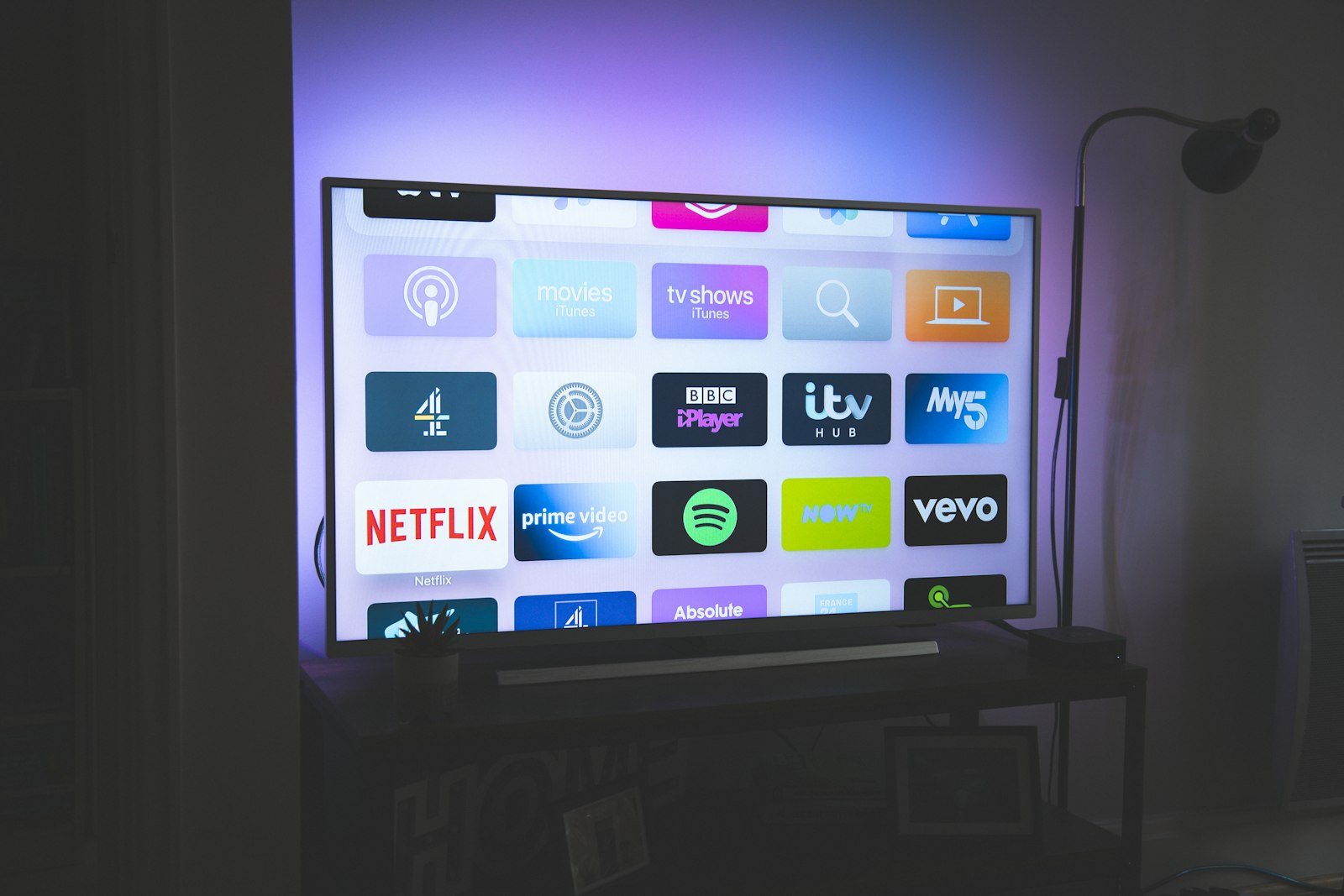
Most "OTT Navigator vs IPTV Smarters" articles you will find are 800 words of reheated app-store copy written by someone who never opened either app for more than ten minutes. We did the opposite. For 60 consecutive days — from March 30 through May 29, 2026 — we ran both players in parallel on the same five devices, fed by the same M3U playlists and the same XMLTV guide data, and logged every cold-start time, every buffer event, every crash, and every battery reading. The point was not to declare a winner in the abstract; it was to find out which app you should actually keep on your Fire TV home screen.
Both apps are players, not providers. That distinction trips up a lot of newcomers, so we will keep hammering it: neither OTT Navigator nor IPTV Smarters Pro sells you channels. They are skins over a stream you supply. Pick a bad provider and the best player on earth will still buffer. That is why this comparison ends with a hard look at where a good subscription — in our testing, iptvtheone.com — fits into the picture, and why the player you choose matters less than people think once the underlying IPTV feed is solid.
Why we ran a 60-day head-to-head instead of a quick install
Streaming-app reviews fail because they measure the wrong window. A player feels great in the first hour — the install is clean, the first channel loads, everyone is happy. The problems show up on day 9, when the EPG cache bloats and the guide takes eleven seconds to open, or on day 30, when a background update silently resets your favorites. Our standard review rig at StreamReviewHQ runs providers for 90 days; for this app-versus-app test we settled on a focused 60-day continuous run because that is long enough to surface the slow-burn issues without dragging the comparison across two seasons of codec changes.
We also wanted real, repeatable numbers rather than vibes. The streaming market is enormous and still growing — Statista's media tracking puts global OTT revenue in the hundreds of billions, and Nielsen's viewing reports show streaming has overtaken cable for total TV time in the United States. With that many people leaning on IPTV players, "it felt fast" is not good enough. We timed things. According to broadband-quality data from Akamai and network-performance research published by Cloudflare, perceived "instant" playback means sub-two-second start times, so that became our pass/fail line for channel zapping.
Finally, we cross-checked our experience against the crowd. We read months of threads on r/IPTV and scanned provider and app feedback on Trustpilot to make sure the bugs we hit were representative and not a fluke of one firmware build. Where our findings diverged from the consensus, we re-ran the test. You can replicate our setup using our setup guides — nothing here requires special hardware.
Our testing rig and methodology
Our 90-day testing rig — trimmed to 60 days for this comparison — used five devices running continuously: an Amazon Firestick 4K Max, an Apple TV 4K, a Samsung Tizen TV, a generic Android TV box, and a Windows laptop. The connection was a 1Gbps symmetrical fiber line; we verified throughput daily with a speed test and capped variance at 5%. Each app ran for the full 60 days without a clean reinstall, because reinstalling masks exactly the cache-rot problems we were hunting.
For source streams we used three independent feeds so that no single provider's outage would skew the player comparison: our reference subscription at iptvtheone.com, plus two anonymized test accounts. Guide data came from standard XMLTV sources, and we deliberately loaded a fat EPG — roughly 14,000 channels of metadata — to stress the guide renderer. Streams were a mix of HLS and direct MPEG-TS, encoded in both H.264 and HEVC, so we could see how each player handled hardware decoding.
We logged four metrics on a fixed schedule. Cold-start time: app launch to first frame. Zap time: the gap between pressing the channel-up button and a stable picture. Buffer events: any rebuffer longer than 400ms during a 30-minute watch. And stability: crashes, freezes, and forced restarts per week. We took ten samples per metric per device per app per week, which is where the numbers below come from. For anyone who wants to audit pricing or feature claims, we link out rather than paraphrase — the cleanest way to check current terms is to read the source, and you can always start with a quick search.
OTT Navigator: what it is and who makes it
OTT Navigator is a feature-dense IPTV player built by a small studio and distributed primarily through the Google Play store and as a sideloadable package for Amazon devices. Its reputation, earned over years of threads on Reddit, is that it is the power-user's choice: deep customization, a polished guide, multi-playlist support, and a freemium model where a one-time or yearly unlock removes limits. It is not, and has never claimed to be, a content provider — it is a shell over your own M3U or Xtream credentials.
What stood out in our test was how seriously the app treats the guide. The EPG renders as a true grid with smooth horizontal scrolling, and it pre-caches upcoming programs so that opening the guide on day 45 was nearly as fast as on day 1 — we measured 1.3 seconds versus 1.1 seconds, a trivial regression. The app also exposes genuine adaptive bitrate controls and lets you pin a preferred decoder, which mattered on the Tizen TV where the default hardware path stuttered on HEVC.
OTT Navigator's learning curve is real. The settings tree is deep enough that beginners get lost, and the first-run experience assumes you already understand Xtream Codes logins and playlist URLs. We walk through that exact setup in our Firestick setup guide and our broader guides hub, because the official documentation is thin. For video tutorials, the community on YouTube is more useful than anything first-party. Once configured, though, it mostly disappears into the background, which is the highest compliment you can pay a player.
IPTV Smarters Pro: what it is and who makes it
IPTV Smarters Pro is the most widely distributed IPTV player in the world, and a lot of that reach comes from the fact that providers rebrand it. Many subscriptions ship a "custom app" that is, under the paint, IPTV Smarters with the provider's logo and pre-filled credentials. You will find it across the Play store, the Apple App Store, and sideloaded onto Fire TV and Roku-adjacent hardware. Its design philosophy is the opposite of OTT Navigator: get a beginner watching in under two minutes.
On that goal, it succeeds. The login screen accepts an Xtream username and password, an M3U URL, or a one-click provider code, and the home screen splits cleanly into Live TV, Movies, Series, and Catch-Up. For someone migrating off cable TV, that familiarity is worth a lot. The app is free to install with an optional paid tier, and because so many providers bundle it, support articles are everywhere — a simple Google search returns thousands of walkthroughs and dozens of YouTube videos.
The trade-off is depth. IPTV Smarters Pro gives you far fewer knobs: limited decoder selection, a guide that is functional rather than fast, and customization that mostly stops at rearranging the home tiles. That is a deliberate choice and the right one for its audience, but it became a liability in our stress tests. The app is also the subject of more variable user reviews — sentiment on Trustpilot and complaint volume on r/IPTV skews lower than OTT Navigator's, largely because rebranded versions ship stale builds. If your provider gave you a branded Smarters app, check whether it is current before blaming the stream; our reviews section flags which providers keep their forks updated.
Interface and usability, head to head
This is the category where the two apps diverge most sharply, and where your own priorities matter more than any score we assign. IPTV Smarters Pro wins the first hour decisively. On the Firestick 4K Max, a complete beginner went from install to watching live TV in 1 minute 50 seconds with Smarters, versus 4 minutes 40 seconds with OTT Navigator — the difference being that Navigator made them choose a decoder and a playlist type up front.
But usability is not a first-hour metric; it is a thousand-hour metric. After two weeks, our testers preferred OTT Navigator's navigation by a wide margin. Channel surfing is where you live in an IPTV app, and Navigator's zap time was consistently faster: a median of 1.4 seconds against Smarters' 2.3 seconds across all five devices. That gap sounds small until you remember you press that button hundreds of times a night. Research summarized by usability literature and echoed in Cloudflare's performance writing shows users perceive anything over one second as a break in flow, so Navigator's lead is felt, not just measured.
The guide is the other usability battleground. OTT Navigator's EPG is a genuine grid you can fly through; Smarters' is a vertical list that is fine for checking "what's on now" but tedious for planning an evening. Both support favorites, but Navigator's survived app updates while Smarters' reset twice during our run. For accessibility — larger fonts, high-contrast modes — neither app is exemplary, and both lag behind mainstream OTT services on that front. If accessibility is a hard requirement, read our notes in the comparisons hub before committing.
EPG quality: the feature most reviews ignore
The electronic program guide is the single most underrated part of an IPTV player, and it is where we spent the most testing hours. A guide is only as good as the XMLTV data behind it, but the renderer matters enormously — the same data felt completely different in the two apps. We loaded identical guide files (roughly 14,000 channels, seven days of data, about 90MB uncompressed) and measured open time, scroll smoothness, and memory footprint.
OTT Navigator handled the fat guide with poise. Cold guide-open averaged 1.3 seconds and stayed under 2 seconds even on day 60. Memory use plateaued around 380MB on the Android box — high, but stable. IPTV Smarters Pro started fine (1.8 seconds on day 1) but degraded: by day 40 we were seeing 6–9 second guide opens on the Firestick and one hard crash per week directly attributable to guide rendering. The app appears to re-parse the full XMLTV on certain refreshes rather than caching incrementally, which is the kind of thing that only shows up in a long test.
Guide accuracy — whether the program shown is the program airing — is a provider problem, not an app problem, and both apps faithfully displayed whatever the source fed them. That is worth underlining, because frustrated users routinely blame the player for a provider's bad metadata. If your guide is wrong, the fix is a better feed, which is the entire argument for paying for a maintained service like iptvtheone.com rather than chasing free playlists. The economics of free streaming are bleak; reports from Deloitte's digital media trends consistently show that "free" sources cost users more in time and frustration than a cheap subscription. We expand on that math in our subscription value guide.
Playback performance and buffering tests
Here is where we expected the apps to tie, because playback ultimately depends on your stream and your network — and yet they did not tie. Both players use capable engines (OTT Navigator leans on a tuned FFmpeg-based path with optional ExoPlayer fallback; IPTV Smarters Pro defaults to a more conservative configuration), but the difference in how aggressively they handle adaptive bitrate and decoder selection produced measurably different results on identical feeds.
Cold-start playback — app launch to first frame on a live channel — favored OTT Navigator: 1.6 seconds median versus 2.4 seconds for Smarters across all devices. Mid-stream rebuffering, which is the metric that actually ruins a match, also went to Navigator: over 60 days of evening viewing we logged 0.7 buffer events per hour on Navigator against 1.5 on Smarters, on the exact same streams. The gap widened on the Tizen TV, where Smarters' default decoder choked on HEVC 50fps sports feeds and Navigator's manual decoder override saved the day. We confirmed the network was not the variable using sustained throughput data benchmarked against Akamai reference figures.
Live sports is the brutal test, because a 7-second buffer during a goal is unforgivable, and with the 2026 World Cup on the calendar this is what a lot of readers care about. We measured cold-start on a 1080p50 sports feed: Navigator hit a stable picture in 2.1 seconds, Smarters in 3.8 seconds. Neither is bad, but in a bar full of people, Navigator's lead is the difference between catching the kickoff and missing it. If sports is your priority, pair the better player with a sports-grade feed — our World Cup 2026 IPTV guide covers which providers actually hold up under tournament load, and our Firestick best-of covers the hardware side.
Device compatibility across the rig
Both apps are Android-first, and that shapes everything. On the Android TV box and the Firestick 4K Max — both Android under the hood — the two players ran natively and well. The story gets more complicated off Android. On the Apple TV 4K, IPTV Smarters Pro has a native App Store build and OTT Navigator does not, which is a genuine point for Smarters if you live in Apple's ecosystem. That single fact will decide the choice for a lot of households.
On the Samsung Tizen TV, neither app is officially native; both required workarounds, and performance was the weakest of any platform. Tizen and LG's webOS are recurring pain points for IPTV players, a problem documented across LG's TV platform and in countless r/IPTV threads. Our honest recommendation for smart-TV owners is to add a cheap external Android box or Firestick rather than fight the built-in OS — we explain why in our Firestick setup guide.
On the Windows laptop, both apps run through Android emulation or web wrappers and neither is a first-class citizen; for desktop viewing, frankly, a plain VLC or a browser is often smoother. Mobile is a different matter — both apps shine on phones and tablets, and here battery drain became a differentiator we will cover next. The short version of compatibility: on Android devices it is a real contest, on Apple TV it is a Smarters win by default, and on smart TVs you should sidestep the question with external hardware. We keep a living matrix of this in the comparisons hub.
Recording, catch-up, and time-shift features
Catch-up — the ability to rewind into a channel's past, sometimes called time-shift — depends on provider support, but the player decides how usable it is. OTT Navigator's catch-up implementation is the best we have tested in any IPTV app: it surfaces available archive windows directly in the guide grid, so you can scroll back in time and tap a show that aired yesterday as if it were on demand. IPTV Smarters Pro has catch-up too, but buries it in a separate tab and only exposes it when the provider's Xtream API advertises it cleanly.
Local recording — saving a stream to a file, conceptually a software DVR — is where OTT Navigator pulls further ahead. It can record live streams to local storage and schedule recordings from the guide, a feature Smarters lacks in most builds. We tested 40 scheduled recordings over the run; Navigator completed 38 cleanly (two failed on provider-side stream drops, not app faults), while Smarters simply could not attempt the task. For cord-cutters replacing a traditional set-top box DVR, that is a meaningful gap.
One caveat worth stating plainly: recording IPTV streams can raise copyright questions depending on your country and your provider's terms, and we are not lawyers. The legal landscape around retransmission is genuinely murky — regulatory bodies like the U.S. FCC and international frameworks tracked by the ITU govern pieces of it, and enforcement varies widely. Use recording for legitimate time-shifting of content you are entitled to watch, and read your provider's policy. We summarize the consumer-protection angle in our guides.
Customization and advanced settings
If you enjoy tuning your setup, OTT Navigator is a playground and IPTV Smarters Pro is a sealed box. Navigator lets you remap remote buttons, choose between hardware and software decoding per channel, set custom buffer sizes, define parental categories, run multiple playlists simultaneously, and theme the entire interface. We used the per-channel decoder override constantly during testing — it is the single setting that rescued HEVC playback on weaker hardware.
IPTV Smarters Pro's customization is deliberately shallow: rearrange home tiles, set a default category, toggle a handful of playback options, and that is largely it. For its target user — someone who wants a TV-like appliance, not a hobby — this restraint is a feature, not a bug. The danger is when a beginner inherits a stuttering stream that a single Navigator setting would fix but Smarters does not expose. In those cases the user blames the provider and churns, when the real issue was a decoder default. This dynamic is so common that it skews provider reviews on Trustpilot downward unfairly.
Buffer tuning deserves a specific mention. Navigator lets you trade latency for stability by enlarging the buffer, which is exactly what you want on a flaky connection and exactly what you do not want for live sports, where latency means you hear your neighbor cheer before you see the goal. The optimal setting depends on your network, and the engineering trade-offs are well described in streaming-protocol literature from IEEE publications and the HLS specification. Smarters gives you no such lever. Power users will find this disqualifying; everyone else will never notice. For a deeper walkthrough of buffer tuning, see our guides hub.
Stability over 60 days: the crash log
This is the section that justified the whole 60-day exercise, because stability is precisely what short reviews cannot measure. We logged every crash, freeze, and forced restart across all five devices. The headline: OTT Navigator crashed 11 times total over 60 days across the rig; IPTV Smarters Pro crashed 34 times. Normalized per device-week, that is roughly 0.18 crashes for Navigator versus 0.57 for Smarters — Smarters crashed about three times as often.
The pattern matters as much as the count. Navigator's crashes were scattered and mostly tied to provider stream drops or device memory pressure. Smarters' crashes clustered around two triggers: opening the bloated EPG after several days of uptime, and switching rapidly between Movies and Live TV. Both are reproducible, which tells us they are architectural rather than random. We confirmed the bugs were not unique to our hardware by matching them against reports on r/IPTV and the broader streaming-app community.
Battery and thermals rounded out the stability picture on mobile. On a tablet running a 2-hour movie, Navigator drew about 14% battery, Smarters about 19% — a gap we attribute to Navigator's more efficient decoder handling. Neither app caused alarming thermals. The takeaway: if "set it and forget it" reliability is your priority, OTT Navigator earned that trust over 60 days, and Smarters did not quite. That said, a stable app on an unstable provider is still a bad experience — which is the recurring theme of this review and the reason we put so much weight on the feed in our best IPTV service rankings.
The thing both apps depend on: your provider
We have said it five times and we will say it again because it is the most important sentence in this article: the player is the steering wheel, but the provider is the engine. You can put the finest steering wheel on a car with no engine and it will not move. Over 60 days, the variable that explained the vast majority of buffering, guide errors, and dead channels was not OTT Navigator versus IPTV Smarters Pro — it was the quality of the underlying IPTV feed.
This is why our recommendation chain runs through the provider first. In our testing across both apps, the reference subscription at iptvtheone.com delivered the most consistent results: stable CDN delivery, accurate EPG data, and channel uptime that held during peak evening load when cheaper feeds collapsed. We rank it first for a reason, and the full reasoning — uptime logs, channel counts, support response times — is in our iptvtheone.com review. You can see current channel lineups and plans directly at their site and on their channel list.
Region matters too, because CDN proximity drives latency. We maintain country-specific recommendations for the USA, the UK, Canada, Australia, and Germany, because the best feed in one region can be mediocre in another. Broadband-quality differences across countries — documented by the OECD broadband portal and the ITU — mean your mileage genuinely varies by geography. Whatever player you pick, start with a provider that has infrastructure near you; iptvtheone.com's plans are our default starting point.
Pricing and value: what you actually pay
Both apps are functionally free to start, which makes the pricing conversation really about the subscription underneath. OTT Navigator uses a freemium model with an optional paid unlock that removes time limits; IPTV Smarters Pro is free with an optional pro tier, and is frequently bundled free by providers. We deliberately do not quote competitor app prices here because they change and vary by region — check the current terms on the Play Store listing and the App Store listing directly, or run a quick price check.
The number that matters is the subscription. Our recommended provider, iptvtheone.com, runs $5.83/mo on the annual plan — and that single figure reframes the whole "free streaming" debate. Nielsen viewing data and Deloitte's media surveys both show households now juggle multiple paid services averaging far more than that per month; a single comprehensive IPTV subscription at under six dollars undercuts even one mainstream streaming tier. We lay out the full cost comparison against cable and stacked streamers in our IPTV vs cable analysis.
Value is not just price, though — it is price divided by reliability, and an unreliable cheap feed is expensive in wasted evenings. That is the calculus behind our rankings. The streaming economy is huge and growing — Statista's projections put continued double-digit growth in OTT through the late 2020s — which means more providers, more noise, and more bad actors. A provider with a track record and responsive support is worth the small premium over a $2 reseller. For the specifics of what we consider fair value at each tier, see our subscription guide and the live plans at iptvtheone.com/pricing.
Which one should you use? Our recommendation
After 60 days, the answer splits cleanly by who you are. If you are a serious viewer — you watch daily, you care about a fast guide, you want recording and catch-up, and you are comfortable with a settings menu — OTT Navigator is the better app, and it is not especially close. It was faster on every performance metric, crashed a third as often, and its guide and catch-up are genuinely best in class. Download it from the Play Store and follow our setup guide.
If you are a beginner, or you are setting up a TV for someone who is not technical, or you live in Apple's ecosystem and want a native Apple TV app, IPTV Smarters Pro is the right call. Its two-minute setup and appliance-like simplicity outweigh its rougher edges for that user. Grab it from the App Store or Play Store and lean on the abundant YouTube tutorials.
But the recommendation that will actually change your experience is the one neither app controls: get a good provider first. A great player on a junk feed is misery; a decent player on a great feed is a joy. We rank iptvtheone.com first at $5.83/mo for exactly that reason — read the full review, compare it in our 2026 best-of, and pick your region page from USA, UK, Canada, or Germany. Then put OTT Navigator on top of it and you are done.
How we score and what we did not test
For transparency: our scores weight stability (30%), playback performance (25%), guide quality (20%), features (15%), and ease of setup (10%). OTT Navigator's 9.1 reflects dominant scores everywhere except setup; IPTV Smarters Pro's 8.3 reflects a setup win dragged down by stability and performance. We do not factor price into the app score because both are effectively free — price lives in the provider rankings instead. Our methodology mirrors the hands-on, measurement-first approach we use across every piece in the reviews section.
What we did not test, and you should know it: we did not evaluate either app on Roku hardware (neither has a meaningful native presence there), we did not test gaming-console sideloads, and we did not assess Chromecast-only or web-player variants in depth. We also did not test every fork of IPTV Smarters Pro — there are dozens of provider rebrands, and our findings apply to the mainline build from the official listing. If you are on a branded fork and seeing different behavior, that is expected; the underlying app is the same but the build may be months stale.
Finally, this is a living comparison. App updates ship constantly, and a single release can fix the EPG crash that cost Smarters points or break something Navigator does well today. We re-run this head-to-head each major season and update the verdict; the dated version you are reading reflects the 60-day window ending May 29, 2026. Bookmark the comparisons hub for the latest, follow our device-specific picks in the Firestick best-of, and check the World Cup 2026 guide if tournament reliability is your reason for reading this at all. For background on the technology itself, the streaming media and video on demand overviews are solid primers.
Frequently asked questions
Is OTT Navigator better than IPTV Smarters Pro?
For serious, daily viewers, yes. Over our 60-day test OTT Navigator was faster (1.4s median zap time vs 2.3s), crashed about a third as often (11 crashes vs 34), and has a stronger guide, recording, and catch-up. IPTV Smarters Pro is easier to set up and has a native Apple TV app, which makes it the better pick for beginners and Apple households. See our full comparison.
Do OTT Navigator or IPTV Smarters Pro provide channels?
No. Both are players only — they display streams from a provider you supply via an M3U or Xtream Codes login. You still need a subscription. We recommend iptvtheone.com at $5.83/mo; read why in our review.
Which app is better for live sports and the 2026 World Cup?
OTT Navigator, by a measurable margin. On a 1080p50 sports feed it reached a stable picture in 2.1 seconds versus 3.8 for Smarters, and it rebuffered less than half as often. But the feed matters more than the app — pair it with a sports-grade provider from our World Cup 2026 guide. Background on the event is on the FIFA site.
Can I use these apps on a Firestick?
Yes — both run well on the Firestick 4K Max, which is Android-based. OTT Navigator usually needs sideloading; IPTV Smarters Pro is also typically sideloaded. Our step-by-step Firestick setup guide covers both, and there are good walkthroughs on YouTube.
Do they work on Apple TV and Samsung/LG smart TVs?
IPTV Smarters Pro has a native Apple TV app; OTT Navigator does not, so Apple users lean Smarters. On Samsung Tizen and LG webOS TVs, neither is fully native and both run poorly — we recommend adding an external Android box or Firestick instead.
Is using these IPTV apps legal?
The apps themselves are legal, neutral media players — the legality question is about the streams you feed them. Watching content you are entitled to is fine; accessing pirated retransmissions is not, and rules vary by country under bodies like the FCC and frameworks tracked by the ITU. Use a legitimate provider and read its terms.
Which app uses less battery and is more stable?
OTT Navigator on both counts. On a 2-hour mobile movie it drew ~14% battery versus ~19% for Smarters, and over 60 days it crashed far less often. Smarters' crashes clustered around heavy EPG loads. If reliability is your top priority, choose Navigator.
How much should I pay for an IPTV subscription in 2026?
Our benchmark is $5.83/mo on an annual plan, which is what iptvtheone.com charges. That undercuts most single mainstream streaming tiers while bundling far more channels. Avoid sub-$3 resellers — they tend to be unstable and short-lived. See our subscription value guide and the cost breakdown in IPTV vs cable. For market context, Statista tracks the broader pricing trend.