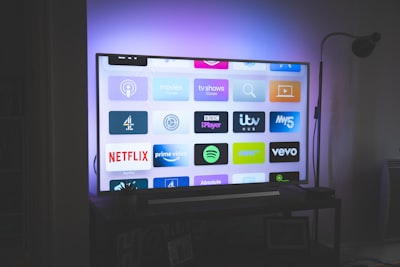
Most IPTV free trials run for 24 hours. That sounds short, and people often waste it scrolling a channel list. It is long enough to reach a confident decision — but only if you test the things that actually break, at the time they actually break.
This is the checklist we would use. It applies to any provider's trial, not a particular one.
Test during peak hours, not at midday
This is the single most important point, and the one most people get wrong. Any streaming service looks good on a quiet Tuesday afternoon. Capacity problems appear when thousands of people watch the same live event at once.
If you care about sport, start your trial so that the 24 hours covers a live match — ideally a popular one. If you watch general entertainment, test between roughly 19:00 and 23:00 in your own timezone. A trial that only covers off-peak hours has told you very little.
Check the specific channels you watch, not the channel count
Channel counts are the least useful number in this industry. Every provider advertises a large one and they are not comparable — some count regional duplicates, some count every quality variant of the same feed as separate channels.
Write down the five to ten channels you actually watch before the trial starts. Then find each one and open it. A service with 45,000 channels that is missing the two you care about is worse for you than one with far fewer that has them.
Judge channel switching, not just picture quality
Picture quality is easy to assess in seconds. The thing that makes a service tiring to live with is how long it takes to change channel, and whether streams recover after a stutter.
Flick through fifteen or twenty channels in a row. If each one takes several seconds to load, that is what every evening will feel like.
Test on the device and network you will really use
A trial watched on a laptop over wired ethernet tells you about the provider. It does not tell you about your Fire Stick on Wi-Fi in a back bedroom, which is where you will actually watch.
Older Fire Sticks and budget Android boxes are frequently the real bottleneck rather than the stream. If you plan to watch on a specific device, set the trial up on that device.
Open the VOD library and search for something specific
On-demand catalogues are often where advertised numbers and reality diverge most. Search for three films or series you actually want. Check that they play, not only that they are listed.
Message support once, deliberately
Ask a real question during the trial — how to set up a second device, or what happens at renewal. You are not testing whether they are friendly. You are testing whether anyone replies at all, and how long it takes. A provider that is slow to answer a pre-sales question will not be faster once they have your money.
What 24 hours cannot tell you
Be honest with yourself about the limits of any trial:
- Long-term stability. A good day proves a good day. IPTV services commonly degrade as they oversell capacity, and no trial detects that.
- Behaviour at renewal. Whether billing is clean, whether prices change, whether the service survives the year.
- How they handle an outage. You will probably not see one in 24 hours, which is good for the trial and uninformative about the service.
This is why a short first subscription is usually wiser than committing to a year on the strength of one good day, however well the trial goes.
Red flags during a trial
- You are asked for card details to start a free trial.
- The trial is a visibly reduced service and the full list is "only on the paid plan" — you are not testing what you would buy.
- Nobody answers a direct question before you have paid.
- The provider cannot tell you plainly which devices they support.
Where to get a trial
Disclosure: this site is owned by the operator of IPTVTheOne, so treat the following as what it is — the owner's own service, not an independent recommendation.
IPTVTheOne offers a free 24-hour trial with no card required, set up over WhatsApp. Apply the checklist above to it exactly as you would to anyone else's, and judge it on what you see on your own screen.
Start a trial
Apply this checklist to any provider. If you want one to try it on, IPTVTheOne runs a free 24-hour trial — owned by this site's operator, so judge it on your own screen.